





Description
Key Technical Specifications
| Parameter | Value |
|---|---|
| Product ID | 3BSE000435R1 |
| Model | CS513 |
| Manufacturer | ABB |
| Product Type | IEEE 802.3 LAN Communication Module |
| System Compatibility | ABB Advant OCS, AC410, AC450, AC460 Controllers |
| Communication Standard | IEEE 802.3 Ethernet |
| MasterBus Mode | MB300 Standard / MB300E Extended (switch selectable) |
| Installation | Eurocard rack-mounted module |
| Dimensions | 234 × 108 × 18 mm |
| Weight | Approximately 0.2 kg |
| Operating Temperature | Approximately −25 °C to +70 °C (application dependent) |
| Diagnostic Features | LED status indicators and communication diagnostics |
| Country of Origin | Sweden |
*Specifications compiled from multiple industry references and distributor documentation.
Product Introduction & Supply Chain Strategy
The ABB CS513 3BSE000435R1 is an IEEE 802.3 LAN communication module designed for the ABB Advant OCS platform. It provides Ethernet connectivity between Advant controllers and supervisory systems, supporting reliable communication across industrial process automation networks.
As a New Surplus component, this module helps reduce Total Cost of Ownership (TCO) while maintaining OEM reliability. Since the Advant platform has reached a mature lifecycle, maintaining buffer stock and planning a last-time-buy strategy can minimize lead time variability, avoid unexpected production interruptions, and eliminate the operational risks commonly associated with refurbished electronics.
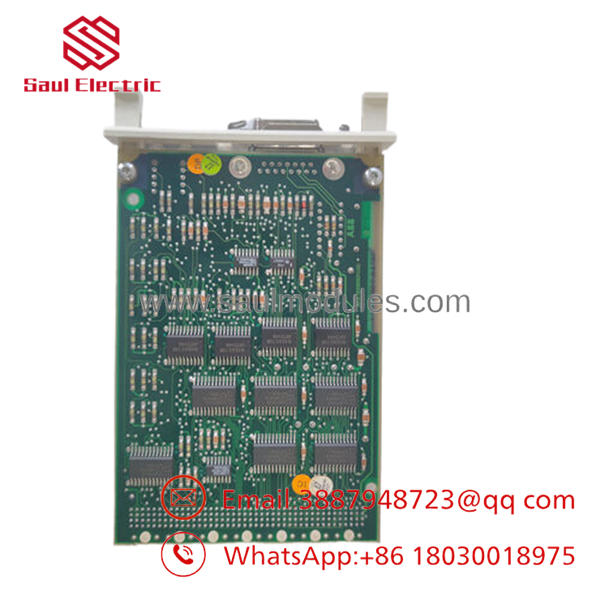
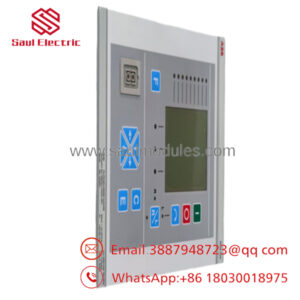
- CS513 3BSE000435R1
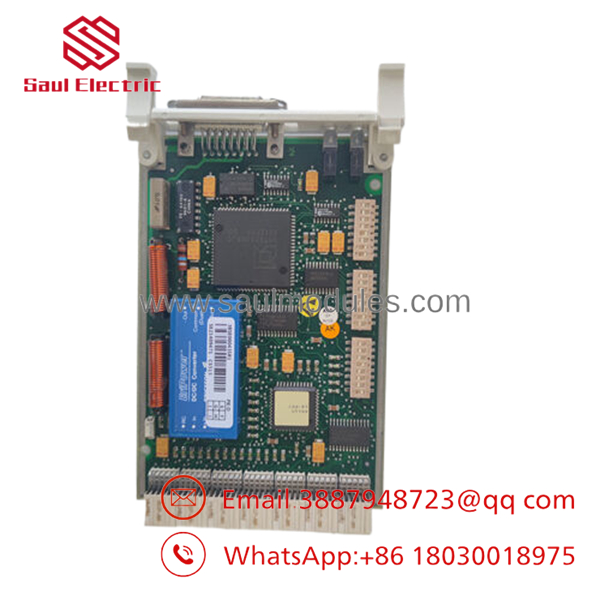
- CS513 3BSE000435R1
Installation & Configuration Guide
Stage 1 – Pre-Installation (Preparation & Safety)
- Perform Lock-Out/Tag-Out (LOTO).
- Disconnect all system power supplies.
- Wear an ESD wrist strap and use an ESD-safe work surface.
- Photograph:
- DIP switch positions
- Network cable routing
- Rack slot location
- Record controller firmware version before replacement.
Stage 2 – Module Removal
- Release retaining screws or locking mechanism.
- Pull the module evenly using both hands.
- Avoid twisting the card to prevent backplane connector damage.
- Inspect connectors for bent pins or contamination.
Stage 3 – Module Installation
- Duplicate all DIP switch settings exactly.
- Insert the CS513 carefully into the original slot.
- Ensure complete connector engagement.
- Tighten retaining hardware without excessive force.
- Reconnect all Ethernet and communication cables.
Stage 4 – Power-On & Testing
- Verify 24 V system power.
- Confirm no short circuits before energizing.
- Observe LED indicators:
- RUN = Normal operation
- ERR = Investigate diagnostics
- Verify controller communication with engineering workstation.
- Confirm network connectivity and download configuration if required.
Firmware/Software Versions & Upgrade Notes
- Use the firmware revision approved for the installed Advant OCS controller.
- Configure the module for either MB300 Standard or MB300E Extended mode according to the existing control system architecture.
- Verify controller software compatibility before hardware replacement.
- Avoid simultaneous firmware and hardware upgrades during critical production periods.
- Document firmware revisions before replacement to simplify rollback if communication issues occur.
- Always validate engineering workstation communication before returning the process to service.
Frequently Asked Questions (FAQ)
Q1. Is this module genuinely new?
Yes. This product is supplied as New Original / New Surplus inventory. It is not used, not pulled from an operating plant, and not refurbished. Each module undergoes quality verification before shipment.
Q2. Why is the price lower than buying directly from the OEM?
New Surplus inventory is sourced from authorized surplus channels after project cancellations or excess inventory. It delivers OEM hardware at a lower acquisition cost while avoiding the reliability concerns associated with refurbished products.
Q3. Is the CS513 considered an obsolete product?
The Advant OCS platform is a mature automation platform with limited ongoing production. Maintaining one or two spare modules on-site is recommended as an insurance policy against unexpected failures. A last-time-buy strategy should be considered where long-term plant operation is planned.
Q4. Can I hot-swap the module?
Hot-swapping is generally not recommended unless the specific controller architecture explicitly supports it. Always isolate power before replacing communication modules to prevent network interruptions or hardware damage.
Q5. Will replacing the module affect my application program?
The application program normally remains in the controller CPU. However, communication parameters, DIP switch settings, and network configuration must match the original module to restore operation correctly.
Q6. What quality checks are performed before shipment?
Every New Surplus module undergoes:
- Serial number verification
- Visual inspection
- Connector inspection
- Power-on verification (where applicable)
- Communication interface inspection
- ESD-safe packaging
- Final QC documentation
Q7. What inventory strategy is recommended?
As a legacy communication module, the recommended inventory policy is:
- Critical installations: Maintain 1–2 units as buffer stock.
- Multiple plants: Implement cross-site inventory sharing.
- Long lead time projects: Plan a last-time-buy before remaining market inventory declines.
- Supplier strategy: Use vendor consolidation to reduce lead time variability and improve spare parts availability.

 Start Chat


