





Description
Product Introduction
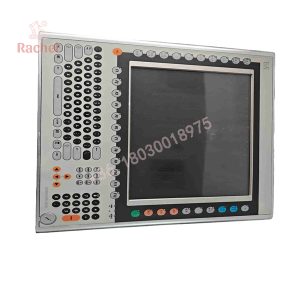
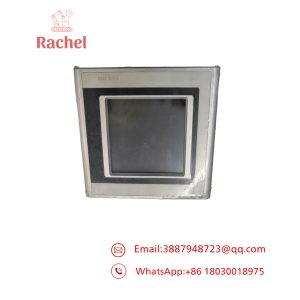
The B&R 5PC720-1505.01 is a 15.0-inch industrial panel computer belonging to the benchmark Panel PC 700 family. System integrators and plant engineers install this all-in-one unit directly into control cabinet doors to handle real-time machine control, SCADA visualization, and complex data logging across packaging lines, CNC metalworking cells, and chemical processing plants.
Combining a bright 1024×768 XGA display, an analog resistive touch screen, and a rugged embedded PC engine, the 5PC720-1505.01 runs both real-time operating systems (B&R Automation Runtime) and standard industrial operating systems (Windows Embedded / XP / 7). In our field experience, replacing a dead system with an exact 5PC720-1505.01 unit preserves panel cutout dimensions and thermal clearance, allowing you to swap your CompactFlash card over and get back online immediately.
Key Technical Specifications
| Parameter | Value |
| Part Number | 5PC720-1505.01 |
| Manufacturer | B&R Automation |
| Product Series | Panel PC 700 (PPC720) |
| Display Diagonal | 15.0 inches (4:3 Aspect Ratio) |
| Display Type | TFT Color LCD with Backlight |
| Resolution | XGA (1024 x 768 pixels) |
| Touch Technology | Analog Resistive Single-Touch Screen |
| Storage Interface | CompactFlash (CF) Card Slot / Internal Mass Storage |
| Front Bezel Rating | IP65 (NEMA 12 / 4X indoors with proper gasket seal) |
| Operating Temperature | 0°C to +50°C (32°F to 122°F Ambient) |
Application Scenarios & The “Trench” Experience
An automated blow-molding facility experienced a major breakdown when the main HMI screen on the primary extruder froze, followed by a dark screen and a loss of Ethernet fieldbus communication. Machine diagnostics pinpointed a failed power controller module inside the embedded computer portion of the old Panel PC. The machine builder was quoting a 6-week lead time to re-engineer the cabinet door for a newer PC series and update the runtime software project.
- Packaging & Palletizing – Main Line Controller – Executes high-speed motion routines while presenting live production metrics.
- Plastics & Extrusion Machinery – Embedded HMI Station – Manages multi-zone temperature control loops in tough industrial environments.
- Material Handling Systems – Central Sorting Terminal – Connects via industrial Ethernet to track barcode telemetry and drive conveyors.
The maintenance supervisor acquired a bench-tested 5PC720-1505.01 surplus unit. After removing the original CompactFlash application card from the dead unit and inserting it into the replacement panel, the machine booted directly into Automation Runtime. The production line resumed operation in under an hour without writing a single line of new code.
Transparency SOP: Quality Assurance & Testing
We do not just ship boxes; we test them on live B&R diagnostic benches. Every 5PC720-1505.01 Panel PC undergoes the following verification process:
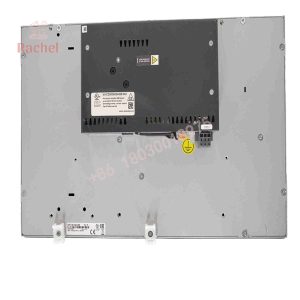
- Inbound Mechanical & Bezel Inspection: Inspecting the aluminum bezel frame, rear mounting clips, display glass, and IP65 sealing gasket for wear or physical defects.
- Display & Backlight Uniformity Check: Operating the display across full RGB color patterns to confirm backlight stability, contrast ratio, and zero dead pixels.
- Touch Matrix Calibration: Testing 9-point calibration across the resistive surface to ensure zero dead spots or touch drift near screen margins.
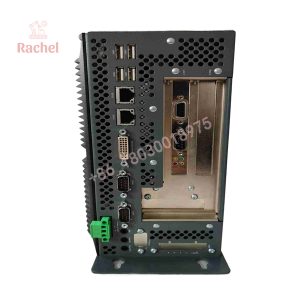
- Stress & IO Diagnostics: Running full stress diagnostics on RAM, CompactFlash interface, Ethernet ports, USB channels, and onboard bus communication.
- ESD & Protective Packaging: Covering the display glass with a protective scratch layer, wrapping the panel in ESD anti-static packaging, and securing it within custom high-density foam.
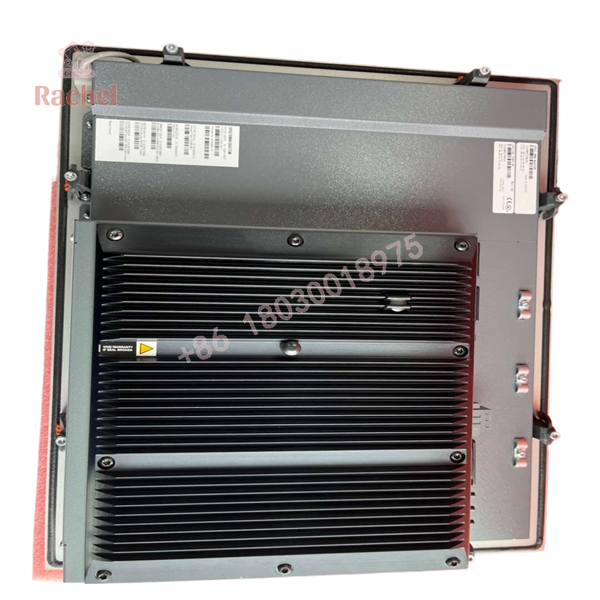
5PC720-1505.01
The Veteran’s Tech Trap Guide (Crucial Value-Add)
- ⚠️ Do Not Force the CompactFlash Slot: When transferring your CF card containing the operating system and project files into the replacement unit, inspect the slot pins with a flashlight. Forcing a misaligned card will bend internal pins on the socket board, causing boot errors (
No OS Found) or permanent slot damage. - ❗ Verify Gasket Seating During Cabinet Mounting: The IP65 front protection depends on an uncompromised seal between the aluminum bezel and the enclosure cutout. Clean all debris from the sheet metal door and tighten panel mounting clamps evenly in a cross pattern to prevent frame distortion.
- ⚠️ Check Backlight Thermal Loading: High ambient temperatures inside sealed control cabinets shorten backlight life. Ensure the rear heat sink fins on the 5PC720-1505.01 have at least 50mm of clear air gap for natural convection cooling.
Frequently Asked Questions (FAQ for Conversion)
Q: Is the 5PC720-1505.01 a standalone screen or a complete computer?
A: It is a complete, integrated Panel PC containing both the 15-inch display/touch front and the industrial computer processing unit on the back.
Q: Will my software run on this replacement panel PC without modification?
A: Yes. As long as your original software configuration matches the hardware parameters (processor family, memory layout, and interface expansion options), transferring your original CF card will load your application seamlessly.
Q: Can I use this panel PC with gloved hands?
A: Yes. The 5PC720-1505.01 uses an analog resistive touch screen, which registers input from gloved hands, stylus pens, or bare fingers.
Q: What is the recommended cleaning procedure for the front touch screen?
A: Clean the screen surface with a micro-fiber cloth and mild glass cleaner or isopropyl alcohol. Avoid abrasive pads or harsh solvents (like acetone) that can etch the outer polyester membrane.
Q: What warranty comes with this surplus B&R Panel PC?
A: Every new surplus and rig-tested 5PC720-1505.01 panel unit comes backed by our full 12-month replacement warranty.

 Start Chat


