





Description
Product Introduction & Engineering Value
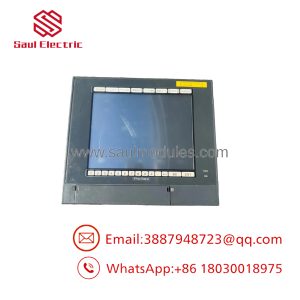
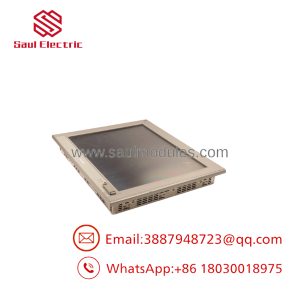
The FP3710-T42 was built for machine builders and system integrators who needed a dedicated industrial display rather than a commercial PC monitor. Its purpose is straightforward: provide reliable operator visualization and touch interaction in automation environments.
This model is commonly found in PC-based industrial control systems where the computer handles application processing and the FP3710-T42 serves as the operator interface. The combination of XGA resolution, DVI compatibility, resistive touch, and panel-mount construction makes it suitable for long-service automation equipment.
For replacement planning, confirm the complete identification:
3580406-01 + FP3710-T42
The similar FP3710-T42-U and FP3710-T42-24V-U variants differ in interface and power configurations, so they should not be treated as automatic replacements.
Technical Specifications
| Parameter | Specification |
|---|---|
| Manufacturer | PRO-FACE |
| Model | FP3710-T42 |
| Part Number | 3580406-01 |
| Series | FP3700 Series |
| Product Type | Industrial Flat Panel Display |
| Display Size | 15 inch |
| LCD Type | TFT Color LCD |
| Resolution | 1024 × 768 pixels (XGA) |
| Display Colors | 16,777,216 colors |
| Effective Display Area | 304.1 × 228.1 mm |
| Touch Panel Type | Analog resistive |
| Touch Interface | RS-232C or USB Type-B |
| Video Input | DVI-D / Analog RGB |
| Power Supply | AC100–240V |
| Power Consumption | Approx. AC100V 1.1A or less / AC240V 0.7A or less |
| Backlight | CCFL (replaceable on applicable revisions) |
| Mounting | Panel mount / VESA 75mm compatible |
| Front Protection | Equivalent to IP65f when installed correctly |
| Operating Temperature | 0°C to 50°C |
The specifications include a 15-inch TFT display, XGA resolution, 16.7 million colors, resistive touch input, DVI-D and analog RGB video connections, and AC100–240V power input.
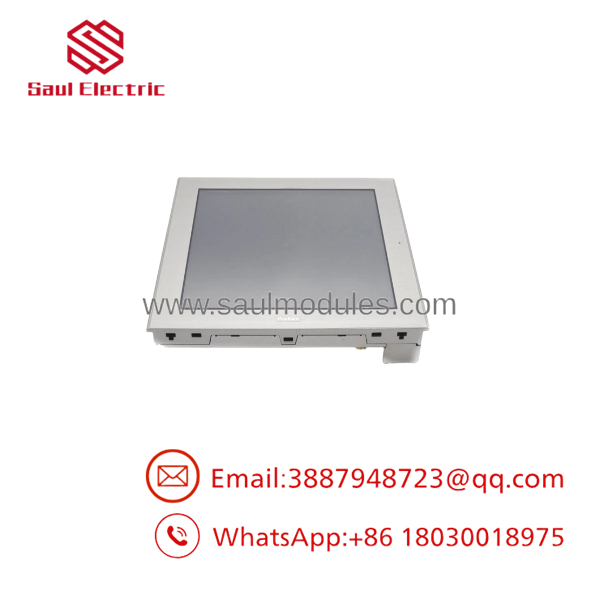
3580406-01 FP3710-T42
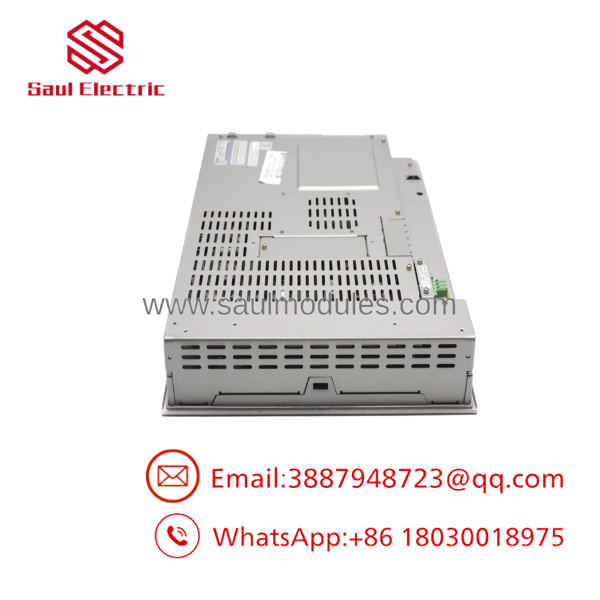
3580406-01 FP3710-T42
Field Application & the “Trench” Experience
A machine builder installed a PC-based inspection system more than ten years ago. The industrial computer remained functional, but the operator display began developing touchscreen drift and reduced brightness.
The maintenance team identified the failed unit as:
ACE
Model Number: 3580406-01
Instead of replacing the complete inspection system, they checked:
- Existing PC video output
- DVI/analog RGB connection
- Touch communication cable
- Panel cutout dimensions
- Display mounting method
The replacement monitor restored the operator station without changing the control software.
This type of repair is common in equipment where the control application remains valuable but the original display hardware has reached its service limit.
Typical applications include:
- PC-based CNC machine interfaces
- Vision inspection machine operator panels
- Semiconductor manufacturing equipment
- Factory automation workstations
- Process monitoring terminals
Transparency SOP: QA & Testing
Industrial displays require testing beyond checking whether the LCD turns on.
Incoming Inspection
- Verify:
PRO-FACE3580406-01
- Photograph the nameplate.
- Confirm connector arrangement.
Display Test
- Power on the unit.
- Check full-screen image quality.
- Test brightness adjustment.
- Inspect for:
- Dead pixels
- Backlight degradation
- Uneven illumination
Touch Test
- Verify resistive touch response.
- Test calibration accuracy.
- Check RS-232C or USB touch communication.
Interface Test
- Test:
- DVI-D input
- Analog RGB input
- Touch communication port
Final Verification
- Record test results.
- Package with ESD protection.
- Include condition report.
The is an older industrial display model. Current availability generally comes through surplus, refurbished, and industrial spare-part channels rather than standard production distribution.
The Veteran’s Tech Trap Guide
⚠️ Do noith -24V-U.
The power supply is different:
- -24V-U → DC19.8–28.8V
A wrong selection can create installation problems immediately.
⚠️ Do not ignore the video interface.
Before replacement, confirm whether the host computer outputs:
- Analog RGB
- DVI-D
The display may physically fit while still failing to receive the correct video signal.
⚠️ PRO TIP: Keep the original touch driver information.
The display image and touch communication are separate paths. A working picture does not guarantee that the touchscreen will communicate correctly.
⚠️ Check revision history.
ome units use different backlight configurations depending on revision. This affects maintenance expectations.
Dynamic FAQ
Q1. What is theACE ?
TheACE is a 15-inch industrial flat panel touch display used for PC-based automation visualization systems. Its registration/model number is 3580406-01.
Q2. What is the display resolution?
The display resolution is:
1024 × 768 pixels (XGA)
with a TFT color LCD panel.
Q3. What power suoes require?
The uses:
AC100–240V, 50/60Hz
The DC-powered variants are separate models.
oes include a PLC interface?
No. This unit is an industrial display terminal. It receives video signals from a connected computer or controller and sends touch input through RS-232C or USB communication.
Can replace FP3700-T41?
Yes, PRO-FACE iies (-U) as a recommended replacement model for FP3700-T41, but installation details must still be checked, including power, mounting, and interface requirements.
Q6. Is Nelus available?
Availability depends on industrial spare inventory. Because the FP3700 series is a legacy product family, buyers typically encounter new old stock, refurbished units, or tested used displays.
Q7. How should buyers verify authenticity?
Request:
- Actual display photos
- Rear labeing
- Model number 3580406-01
- Power-on test image
- Touchscreen test record
- Video input verification
Q8. What warranty should buyers expect?
Warranty depends on the supplier. For discontinued industrial displays, coverage is normally provided by the seller rather than an active OEM production warranty. Confirm test procedures, return terms, and warranty duration before purchase.

 Start Chat


