





Description
Key Technical Specifications
| Parameter | Value |
|---|---|
| Manufacturer | ABB |
| Model | 216AB61 |
| Alternate PN | HESG324013R101 / HESG324013R0101 |
| Catalog | Procontrol |
| Description | Digital output unit |
| Function | Binary I/O and tripping functions |
| Output Count | 32 outputs |
| Protection | Short-circuit proof |
| Front Indication | LED indication for activated relays |
| Rack Space | One rack division |
| Origin Seen in Listing | Sweden |
Product Introduction & Supply Chain Strategy
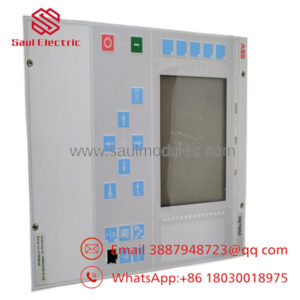
ABB 216AB61 is a Procontrol digital output unit used for binary output, relay actuation, and tripping functions in legacy ABB control systems. The public listing describes it as a 32-output unit with front-panel LEDs and short-circuit protection.
From a supply-chain standpoint, this is a classic strategic spare. Keep 1 to 2 units on-site if the plant still runs Procontrol, because the part is legacy-oriented and stock-out risk is usually more expensive than holding a controlled buffer stock.
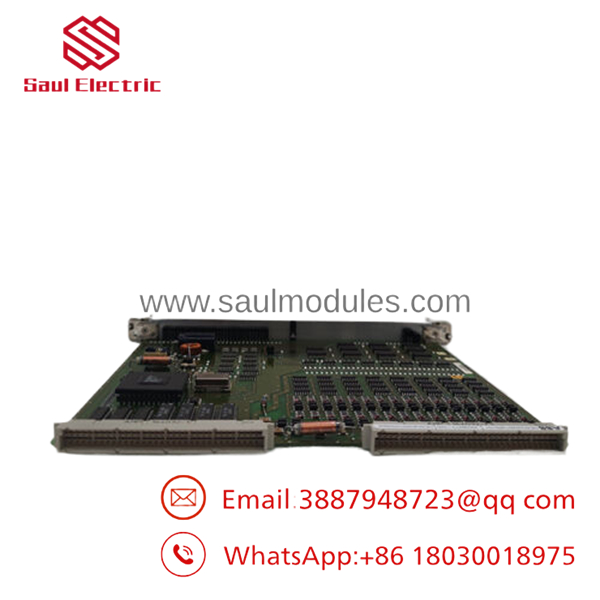
- 216AB61
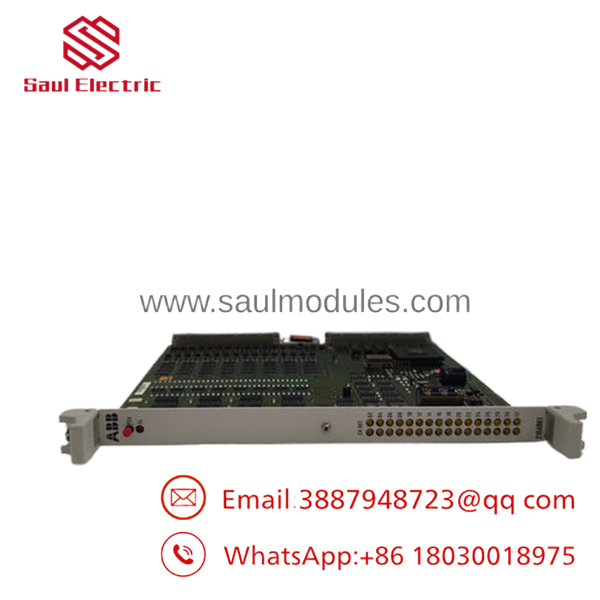
- 216AB61
Installation & Configuration Guide
Stage 1: Pre-Installation
- Apply lock-out/tag-out and verify the cabinet is fully de-energized.
- Use an ESD strap and take photos of all wiring and connector positions.
- Record the exact part number, terminal labels, and any jumper or link settings.
- Confirm the replacement matches the installed rack and slot arrangement.
Stage 2: Removal
- Remove power and wait for discharge.
- Release the module retaining hardware.
- Pull the unit straight out to avoid bending backplane pins.
- Inspect the rack slot and connector edges for damage or contamination.
Stage 3: Installation
- Verify the replacement is the exact 216AB61 and matching HESG code.
- Recreate all wiring exactly as documented.
- Seat the module fully into one rack division.
- Secure the hardware before restoring power.
Stage 4: Power-On & Testing
- Check supply rails for shorts before energizing.
- Power up and confirm the relay LEDs respond normally.
- Verify each output with a controlled functional test.
- Confirm trip functions and interlocks before returning to service.
Firmware/Software Versions & Upgrade Notes
The reviewed sources did not provide a clear firmware baseline for ABB 216AB61, so the safest approach is to keep the existing system configuration unchanged during replacement.
Do not upgrade or downgrade control software as part of the spare swap unless the site documentation explicitly requires it, because legacy I/O modules can be sensitive to platform version drift.
Capture all configuration data before removal so the replacement behaves like-for-like at first power-up.
Frequently Asked Questions (FAQ)
Is this really new? Market listings describe it as original new inventory, which is the right target condition for a legacy spare.
Why is it cheaper than OEM new but higher than a low-cost spare? New Surplus preserves genuine OEM condition while avoiding full factory pricing, so it usually sits between those two extremes.
Is this part obsolete or EOL? Yes, treat it as lifecycle-sensitive legacy stock because it appears in Procontrol spare channels rather than active mainstream product listings.
Can I hot-swap it? Do not assume hot-swap capability. Isolate power first and follow the original cabinet procedure.
Will the programming be retained automatically? Not necessarily. Back up the rack configuration and any site-specific logic before replacement.
What warranty should I expect? Public listings often position it as new original inventory, but warranty terms vary by supplier.
How should I stock it? For a critical legacy Procontrol base, keep 1 to 2 units on-site and plan a last-time-buy strategy if usage is still active.


 Start Chat


