





Description
3. Key Technical Specifications
| Parameter | Value |
|---|---|
| Processor | PowerPC-based, high-performance RISC |
| Cycle Time | Down to 100 μs for fast tasks |
| Memory | 64 MB SDRAM (active), 16 MB Flash |
| Power Supply | 24 V DC nominal (18-30 V DC range) |
| Operating Temperature | 0°C to +60°C (typical) |
| Dimensions | Approx. 142 mm depth, 145.5 mm height, 71 mm width |
| Weight | Approx. 0.84 kg |
| Communication | Optical links for fast I/O, fieldbus support |
| I/O Support | Fast analog/digital via optical, S800 I/O compatible |
| Programming | IEC 61131-3 languages, MATLAB/Simulink integration |
| Mounting | AC 800PEC rack system |
4. Product Introduction
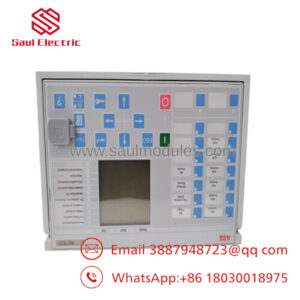
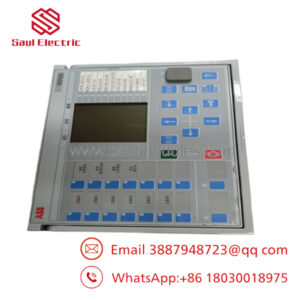
The ABB PPD539A102 (3BHE039770R0102) is a high-performance controller module in the AC 800PEC series. It handles demanding real-time control in power electronics, drives, and industrial processes where standard PLC scan times fall short.
In field deployments of AC 800PEC systems, this module delivers cycle times as low as 100 μs with strong floating-point performance. It supports fast optical I/O links and integrates with higher-level systems, making it a reliable choice for upgrades or replacements in existing installations. Verify exact firmware and rack compatibility with your OEM documentation before ordering.
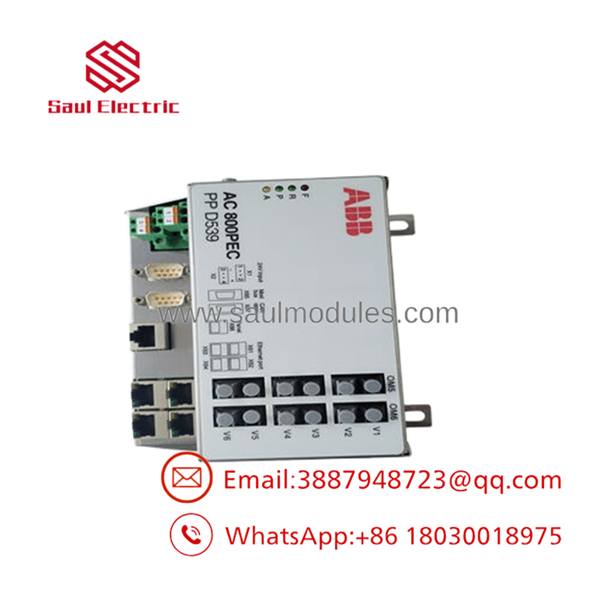
- PPD539A102
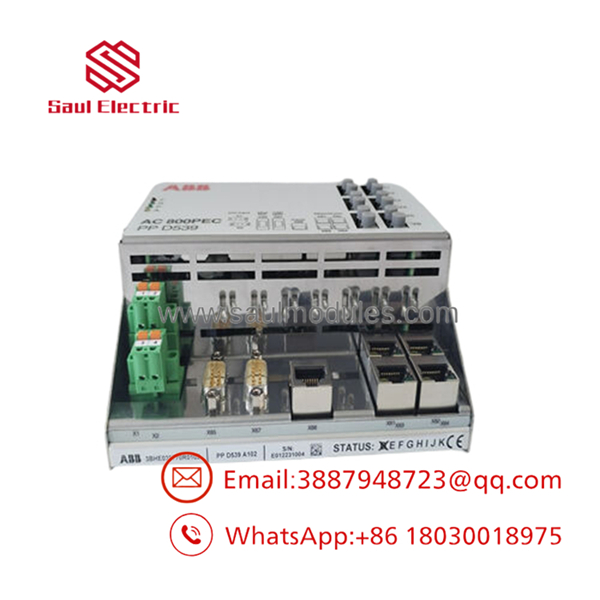
- PPD539A102
5. Troubleshooting Quick Reference
| Symptom | Possible Cause | Relevance to this Part | Quick Check Method | Recommendation |
|---|---|---|---|---|
| No power LEDs on module | Power supply or backplane issue | ❌ Low | Measure 24 V DC at module terminals with multimeter | Verify rack power supply and fuses first |
| Communication timeout or no link | Fiber optic or configuration mismatch | ✅ High | Check optical connections and diagnostic buffer in Control Builder | Inspect cables, match firmware versions |
| ERR or fault LED flashing | Processor or memory fault | ✅ Medium | Read error logs via engineering tool | Capture logs; module replacement often needed if persistent |
| I/O signals unresponsive | Link or I/O module failure | ❌ Low | Confirm status on connected I/O modules | Test optical links and adjacent modules |
| High CPU load or slow response | Application code overload | ✅ Medium | Monitor task execution times in software | Optimize code; check for excessive fast tasks |
Contact technical support with module photos, diagnostic logs, and system error codes if issues continue.
6. Frequently Asked Questions (FAQ)
Is this module hot-swappable? No. Kill power to the rack before swapping to avoid backplane damage or faults. Always follow ABB lockout procedures.
What condition is this unit? New Original / New Surplus. Units come from OEM stock with full traceability. We perform inbound inspection, power-on tests, and 24-hour load runs before shipping. Test reports available on request.
Will this work as a direct replacement in my AC 800PEC rack? It matches the form, fit, and function for compatible systems. Document your current firmware version and rack configuration before ordering. Firmware mismatches cause the most headaches.
How do I handle firmware when replacing? Read and record the existing firmware before removal. Match it as closely as possible on the new unit. Take clear photos of any DIP switches or jumpers. I’ve seen comms failures from a single revision jump.
Do you offer a warranty? Yes, 1-year warranty on functional performance after proper installation. Coverage excludes damage from ESD, incorrect wiring, or power surges.
Why is surplus pricing better than new factory? These are genuine ABB units from excess OEM inventory. We skip the full OEM markup while maintaining rigorous testing. Availability beats waiting on factory lead times.
What should I check before installation? Wear an ESD wrist strap. Verify total rack power draw leaves headroom. Mirror the old module’s physical settings exactly. Double-check optical fiber connections for cleanliness.

 Start Chat


