





Description
Key Technical Specifications
| Parameter | Value |
|---|---|
| Manufacturer | ABB |
| Model | UFC718AE101 |
| Part Number | HIEE3009936R0101 |
| Product Type | Industrial Control PCB / Control Module |
| Product Family | UFC Series |
| Mounting | Chassis / Equipment Internal Installation |
| Application | ABB Industrial Automation & Drive Control Systems |
| PCB Type | OEM Multi-layer Electronic Assembly |
| Operating Environment | Industrial Control Cabinet |
| Cooling | Passive Air Cooling |
| Product Status | Active Spare Part (Availability Subject to Inventory) |
| Condition | New Original (New Surplus) or Tested Refurbished |
Product Introduction
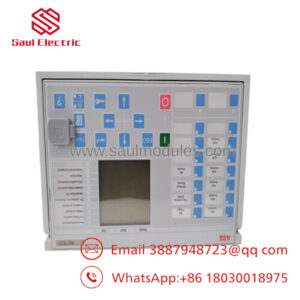
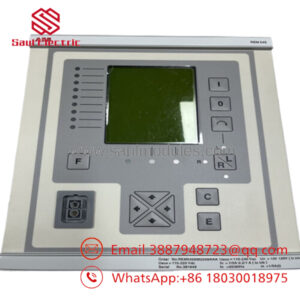
The ABB UFC718AE101 (HIEE3009936R0101) is an OEM industrial control PCB used within selected ABB automation and drive control platforms. It performs dedicated control and signal-processing functions and is intended as a direct replacement for the original factory-installed board.
When maintaining legacy ABB equipment, replacing the board with the identical part number minimizes engineering changes and compatibility risks. Because several UFC718AE101 hardware revisions exist, always verify both the UFC model number and the HIEE part number before ordering or installation.
Troubleshooting Quick Reference
| Symptom | Possible Cause | Relevance to this Part | Quick Check Method | Recommendation |
|---|---|---|---|---|
| Controller does not boot | PCB hardware failure | ✅ High | Verify power rails and controller LEDs | Check power supply before replacing board |
| Drive or controller reports hardware fault | Control board malfunction | ✅ High | Read diagnostic buffer and hardware error codes | Confirm board revision matches original |
| Communication with peripheral boards lost | Internal PCB communication failure | ✅ High | Inspect connectors and ribbon cables | Reseat connectors before replacement |
| System powers up but behaves unpredictably | Firmware or hardware revision mismatch | ✅ High | Compare board labels and firmware revisions | Install identical hardware revision whenever possible |
| Intermittent operation | Oxidized connectors or vibration | ⚠️ Medium | Inspect edge connectors and mounting hardware | Clean contacts and verify secure installation |
| No output response | External I/O or power issue | ❌ Low | Measure field voltages and verify external wiring | Eliminate external faults before replacing PCB |
Technical Support Note: Before replacing the board, record all fault codes, firmware revisions, PCB labels, connector locations, and LED status. Photographs taken before removal often prevent wiring mistakes during reinstallation.
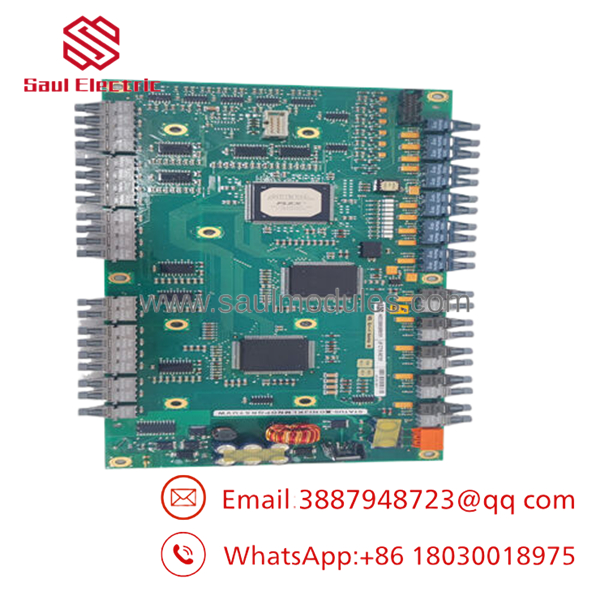
- UFC718AE101 HIEE3009936R0101
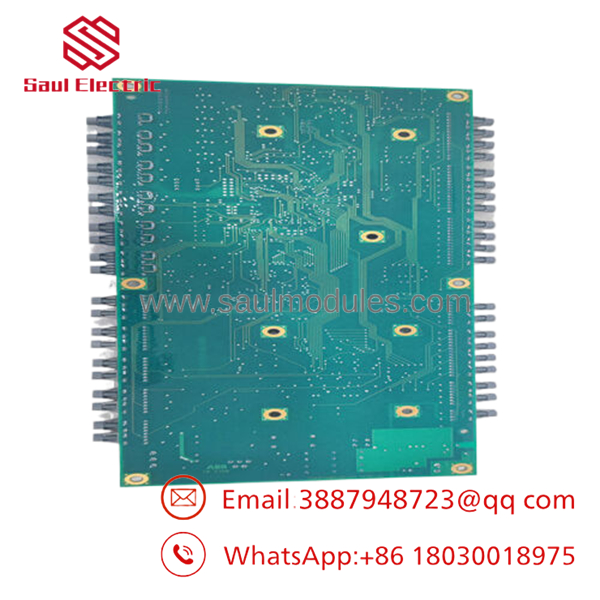
- UFC718AE101 HIEE3009936R0101
Frequently Asked Questions (FAQ)
Q1. Is the HIEE3009936R0101 suffix important?
Yes. ABB frequently releases multiple hardware revisions under the same UFC model. Always match both UFC718AE101 and HIEE3009936R0101 to ensure electrical and firmware compatibility.
Q2. Can I substitute another revision?
Only after verifying compatibility with ABB documentation or your existing equipment. Different HIEE revision numbers may contain hardware updates or firmware differences that affect operation.
Q3. Can this PCB be hot-swapped?
No. Shut down and isolate all power before removing the board. Replacing internal control electronics while energized can damage both the PCB and associated equipment.
Q4. Why are New Surplus boards available?
Many OEM spare boards were purchased for long-term maintenance projects but never installed. These factory-original parts remain unused in controlled storage and provide a cost-effective alternative to newly manufactured replacements.
Q5. What testing should be performed before shipment?
A qualified supplier should complete:
- OEM part number and serial label verification
- Anti-counterfeit inspection
- PCB inspection for corrosion, repaired traces, and damaged components
- Functional testing on compatible ABB equipment or a dedicated test fixture
- Power-on verification and communication testing
- 24-hour burn-in with temperature monitoring
- ESD-safe packaging with QC documentation
Test reports, inspection photos, and startup videos should be available upon request.
Q6. What installation mistakes cause the most downtime?
The most common issues in the field are:
- Hardware revision mismatch. Always compare every suffix on the replacement board. I’ve seen a controller remain offline simply because the HIEE revision didn’t match the installed firmware.
- Connector installation errors. Label every cable before removal. Ribbon cables can appear identical but connect to different interfaces.
- Static electricity damage. Use a grounded ESD wrist strap. A control PCB can be damaged long before it’s powered up.
- Skipping firmware documentation. Record firmware versions before replacing the board to simplify commissioning and troubleshooting.
Keep these checks in mind and you’ll avoid most replacement-related downtime while improving first-time startup success.

 Start Chat


