





Description
Product Introduction & Engineering Value
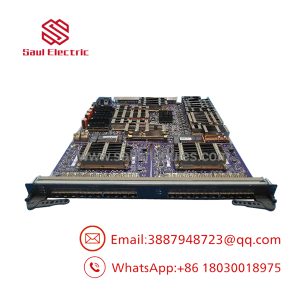
The Alcatel-Lucent OS6900T48-F-EU is a high-density OmniSwitch 6900 fixed switch built around 48 copper 10GBASE-T ports and six QSFP28 ports supporting 40/100GbE operation. Its 1U chassis makes it suitable for high-density aggregation, data-center top-of-rack, spine, and enterprise core deployments.
For replacement work, port count is only the starting point. Confirm the airflow direction, AC power configuration, installed software release, transceiver compatibility, stacking/virtualization configuration, and saved switch configuration before removing an operational unit.
Technical Specifications
| Parameter | Specification |
|---|---|
| Manufacturer | Alcatel-Lucent Enterprise |
| Model | OS6900T48-F-EU |
| Product Family | OmniSwitch 6900 |
| Chassis | OS6900-T48C6 |
| Form Factor | 1U |
| 10G Ports | 48 × 10GBASE-T RJ45 |
| QSFP28 Ports | 6 × 40/100G |
| Breakout Support | Selected QSFP28 ports support 4 × 10G or 4 × 25G |
| Management Ports | RJ45 console and Ethernet management |
| Switching Capacity | 2.16 Tb/s non-blocking |
| Forwarding Rate | Approximately 1,600 Mpps |
| Power | 2 × 400 W AC supplies |
| Cooling | Front-to-rear |
| RAM / Flash | 8 GB / 16 GB |
The manufacturer’s datasheet confirms the 48 × 10GBASE-T and six QSFP28 configuration, with QSFP28 ports supporting single 40/100GE operation or Quad-10/25GE on supported ports. It also specifies dual 400 W AC supplies and front-to-rear airflow for the OS6900T48-F-xx configuration.
Field Application & the “Trench” Experience
A common failure during switch replacement is treating the hardware as the whole system.
Suppose an existing OS6900T48-F-EU is operating as a core or aggregation switch with several 10G copper connections and 100G uplinks. The replacement arrives, powers up, and passes a basic port test. Yet the network still does not recover because the original VLANs, routing configuration, link aggregation, ACLs, or uplink transceiver settings were not restored.
That is why the configuration backup is as important as the physical spare.
Specific application scenarios
- Data-center top-of-rack aggregation using 10GBASE-T server connections with high-speed QSFP28 uplinks.
- Enterprise campus core/aggregation where multiple 10G access or distribution links converge on a 1U switch.
- High-density storage or virtualization networks requiring 10G host connectivity and 40/100G backbone links.
The OmniSwitch 6900 family is positioned for data-center and campus core applications and supports Layer 2/Layer 3 networking.
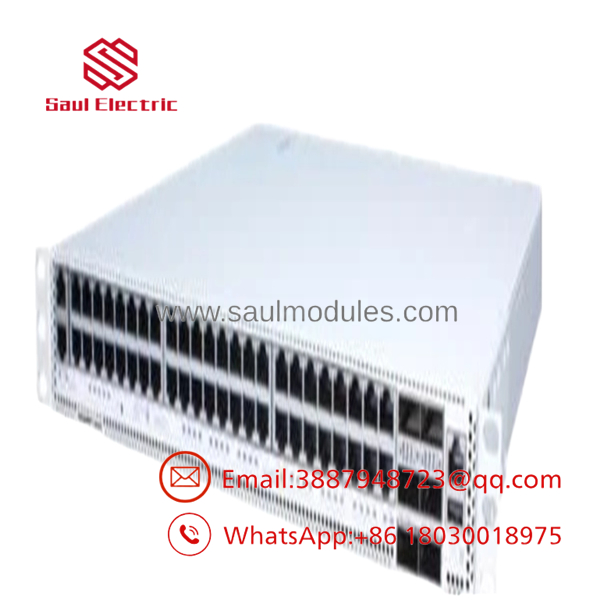
OS6900T48-F-EU
Transparency SOP: QA & Testing
For New Surplus OS6900T48-F-EU, a meaningful acceptance test should go beyond power-up:
1. Identity check
Verify OS6900T48-F-EU, serial number, hardware revision, and EU power configuration.
2. Mechanical inspection
Check the chassis, RJ45 ports, cages, fan assemblies, power-supply bays, and rack ears.
3. Power test
Test both AC power supplies individually and verify normal system startup.
4. Port test
Check representative 10GBASE-T interfaces and management ports.
Where appropriate equipment is available, verify 40/100G interfaces and supported breakout modes.
6. Software check
Record the installed OmniSwitch software release and confirm compatibility with the production environment.
7. Configuration test
Load a controlled test configuration and verify VLANs, LAGs, routing, management access, and relevant Layer 2/Layer 3 functions.
8. Thermal/airflow check
Confirm that the front-to-rear airflow arrangement matches the rack’s cooling design.
The Veteran’s Tech Trap Guide
⚠️ Trap #1 — Mixing front-to-rear and rear-to-front versions
The OS6900T48-F-EU is a front-to-rear airflow configuration. The OS6900T48-R variants use the opposite airflow direction. Do not install the wrong airflow version into a tightly engineered data-center rack.
⚠️ Trap #2 — Assuming every port has identical breakout behavior
The datasheet specifies that two ports support splitter operation to 4 × 10G or 4 × 25G. Verify the specific port capability before designing a breakout connection.
PRO TIP: Back up the running configuration and record the exact software release before replacement. Also document every active 40/100G transceiver and breakout cable.
⚠️ Trap #3 — Ignoring the EU suffix
The -EU suffix is associated with the European power-cord configuration. Do not confuse it with another country-specific power-cord variant when preparing a replacement purchase.
Dynamic FAQ
What is Alcatel-Lucent ?
It is a 1U Alcatel-Lucent Enterprise OmniSwitch 6900 managed Ethernet switch with 48 × 10GBASE-T ports and six × 40/100G ports.
How many network ports does the have?
It provides 48 RJ45 10GBASE-T ports plus six ports for 40/100G connectivity.
Does it support 100GbE?
Yes. The six interfaces support 40/100GbE operation. Supported ports can also provide 4 × 10G or 4 × 25G breakout operation.
What power supplies does it use?
The configuration uses two 400 W AC power supplies, providing redundant power capability.
Can an OS6900T48-R replace an ?
Not without checking the rack cooling design. The F and R configurations have different airflow directions, so the replacement must match the intended rack airflow arrangement.
What should I verify before buying a New Surplus unit?
Confirm the complete model number, airflow direction, power-supply configuration, hardware revision, software release, port condition, functionality, and included accessories. Request photographs of the actual switch and both power supplies.
Does New Surplus include the original network configuration?
Normally, no. Treat the switch as hardware unless the supplier explicitly confirms that the required OmniSwitch software, configuration, licenses, and accessories are included.
What warranty should I request?
Confirm the warranty period, New Surplus condition, serial-number traceability, software status, power-supply condition, and functional-test scope. For a production core switch, ask specifically whether 10G and ports were function-tested, rather than accepting only a power-on test.

 Start Chat


