





Description
Product Introduction & Engineering Value
The Allen-Bradley 1747-L552 (SLC 5/05) represents the modern communication pinnacle of the SLC 500 architecture. By pairing a high-speed 10/100 Mbps Ethernet RJ-45 port with 32K words of configurable user memory, it eliminates the need for external network conversion interface cards like the 1761-NET-ENNI or DH+ bridges.
Engineers rely on the 1747-L552 to bridge legacy chassis into contemporary EtherNet/IP factory backbones. It enables rapid web-based diagnostic access, high-speed OPC/SCADA data collection, and direct programming over standard PC Ethernet connections via RSLogix 500.
Technical Specifications
| Specification | Parameter Value |
| Processor Type | SLC 5/05 |
| User Memory | 32K Words (Configurable Program and Data Files) |
| Bit Execution Time | 0.9 µs minimum |
| Onboard Comm Ports | Port 1: 10/100 Mbps Ethernet (RJ-45 connector); Port 2: RS-232 (DF1, ASCII, DH-485 protocol support) |
| Ethernet Protocols | EtherNet/IP, TCP/IP, CSPv4 (Client/Server), HTTP web diagnostics |
| Max Local I/O Capacity | 4,096 discrete points (up to 3 chassis / 30 slots max) |
| Backplane Current (5V DC) | 1.0 A (1000 mA) |
| Backplane Current (24V DC) | 200 mA |
| Program Backup Options | Lithium battery (1747-BA) required for volatile RAM retention |
| Flash Memory Support | 1747-M13 non-volatile flash memory module |
| Operating Temperature | 0°C to 60°C (32°F to 140°F) |
Field Application & The “Trench” Experience
A high-speed bottling facility lost communication between its central Ignition SCADA server and a filling line when the legacy SLC 5/05 processor experienced Ethernet transceiver degradation from a localized electrical transient. Replacing the module with a bench-tested 1747-L552 got the line running again. The technician set the static IP address using Rockwell’s BOOTP/DHCP utility via the front RJ-45 port, downloaded the 32K project file in RSLogix 500 over Ethernet, and returned the keyswitch to RUN—restoring SCADA tagging and production monitoring in under 20 minutes.
- EtherNet/IP SCADA Integration: Connecting directly to modern factory Ethernet networks and OPC servers without serial-to-Ethernet gateways.
- Modernized PanelView HMI Networks: Interfacing with PanelView Plus and PanelView 800 touchscreens over standard Ethernet cabling.
- Remote Machine Telemetry: Utilizing built-in HTTP diagnostic web pages to monitor processor status and fault logs from any browser on the plant LAN.
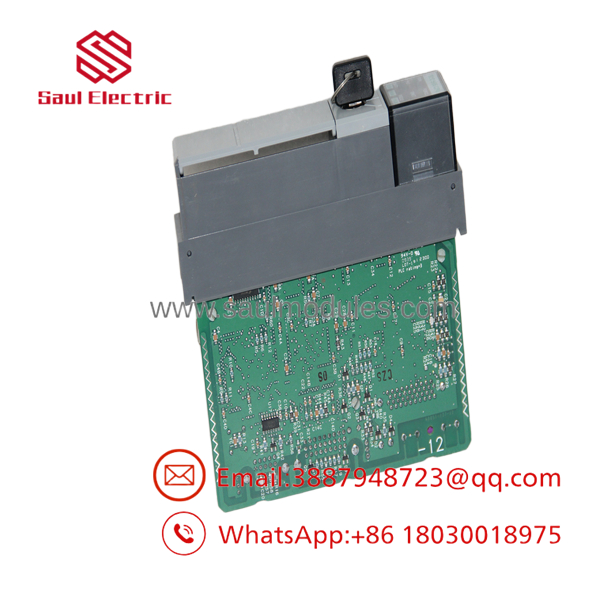
- 1747-L552
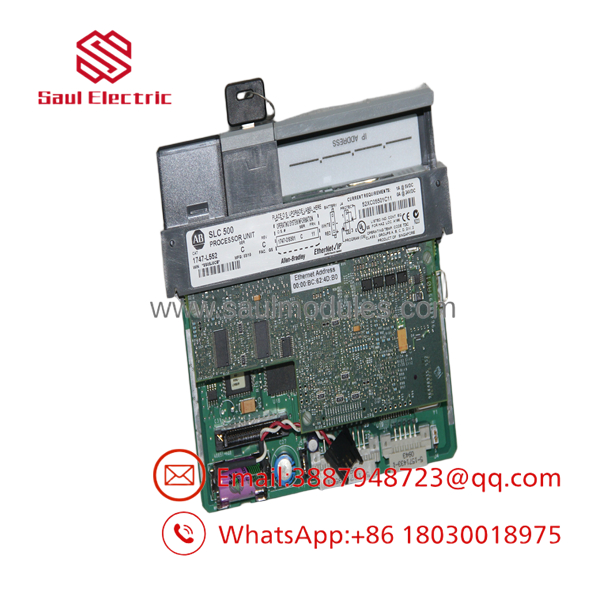
- 1747-L552
Transparency SOP: QA & Testing
- Dual Port Physical & Pin Inspection: Auditing the RJ-45 Ethernet port, RS-232 9-pin D-sub connector, keylock switch, and gold backplane edge contacts.
- Ethernet Communication & Link Speed Audit: Connecting to a live 10/100 Mbps Ethernet switch, executing active ping tests, assigning IP addresses via BOOTP/DHCP, and running online RSLogix 500 editing sessions.
- 32K Memory Stress & Parity Testing: Filling the entire 32K memory array with stress-test program logic, cycling power, and verifying memory retention using a fresh 1747-BA battery.
- Thermal Burn-In & Multi-Chassis Scan: Operating the module in Slot 0 of a multi-chassis test rack inside an environmental chamber for 12 hours while monitoring program execution and backplane power rails.
The Veteran’s Tech Trap Guide
- ⚠️ BOOTP/DHCP Network Trap: Brand-new or factory-reset 1747-L552 modules default to BOOTP/DHCP mode. If an IP address is not statically assigned and saved to the processor’s non-volatile configuration, the CPU will lose its network address every time panel power is cycled. Always remember to click “Disable BOOTP/DHCP” in the BOOTP utility or RSLogix 500 status channel menu after assigning the static IP address.
- PRO TIP: Series A/B vs. Series C/D Hardware Differences: Earlier Series A and B 1747- modules only supported 10 Mbps Ethernet (10Base-T). Series C and D hardware support auto-negotiating 10/100 Mbps Ethernet (100Base-TX). When replacing an older Series A/B module connected to modern managed network switches, ensure port speed auto-negotiation settings on the switch match the processor’s Series hardware.
- ⚠️ High 5V DC Backplane Current Draw: Like the SLC 5/04, the 1747- draws a full 1.0 Amp (1000 mA) from the 5V DC backplane rail. In large 10- or 13-slot racks filled with power-hungry analog or relay output cards, calculate total current draw to ensure the chassis power supply (e.g., 1746-P2 or 1746-P4) has sufficient headroom.
Dynamic FAQ
Q: What is the difference between the 1747-L551, 1747-, and 1747-L553?
A: All three are SLC 5/05 processors featuring native Ethernet and RS-232 ports, but they differ strictly in user memory capacity: the 1747-L551 has 16K words, the has 32K words, and the 1747-L553 has 64K words.
Q: How do I recover an unknown IP address on a 1747-?
A: You can connect to Channel 0 (RS-232 serial port) using a 1747-CP3 cable and RSLogix 500 to read or reset the Ethernet IP configuration, or clear the processor memory via the hardware jumper/battery disconnect to revert it to default BOOTP mode.
Q: Does the 1747- support non-volatile memory backup?
A: Yes. The 1747- supports the 1747-M13 flash memory module for non-volatile backup of user programs and IP address configurations.
Q: Are replacement 1747- modules fully bench-tested before shipping?
A: Yes. Every unit undergoes live Ethernet ping and IP setup testing, dual-port serial handshaking, full 32K RAM memory verification, and backplane load testing on an active SLC 500 chassis.

 Start Chat


