





Description
Product Introduction and Engineering Value
The AT-MR126F addresses a specific legacy-networking problem: connecting a thick-coaxial Ethernet segment to a fiber-optic link without replacing the entire network architecture. Its AUI and 10BASE-FL/FOIRL interfaces support installations built around early IEEE 802.3 Ethernet equipment.
For maintenance teams, connector compatibility is critical. The AT-MR126F uses an internal power supply, while the fiber interface may be supplied with either SMA or ST connectors. Verify the complete suffix, existing transceiver arrangement, and repeater-mode requirements before installing a replacement.
Technical Specifications
| Parameter | Specification |
|---|---|
| Product family | CentreCOM Micro Repeater |
| Ethernet standard | IEEE 802.3 |
| Ethernet generation | 10 Mbps Ethernet |
| Port 1 | AUI interface for 10BASE5 Ethernet |
| Port 2 | 10BASE-FL/FOIRL fiber-optic interface |
| Fiber connectors | SMA or ST, depending on variant |
| Power input | 100–240 VAC, 50/60 Hz |
| Power supply | Internal |
| Repeater mode | Selectable full or half repeater |
| Status indicators | Power, online, collision, receive, transmit, fiber link |
| Published dimensions | Approximately 210 × 112 × 31 mm |
| Published weight | Approximately 0.5 kg |
Specifications are based on the manufacturer’s legacy installation documentation and product-family literature. Exact connector configuration and electrical ratings should be checked against the unit’s nameplate and complete part number.
Compatibility note: The AT-MR126F is a 10 Mbps legacy repeater. It should not be treated as a 100BASE-FX or Gigabit Ethernet media converter. The fiber interface is identified as 10BASE-FL/FOIRL in the product documentation.
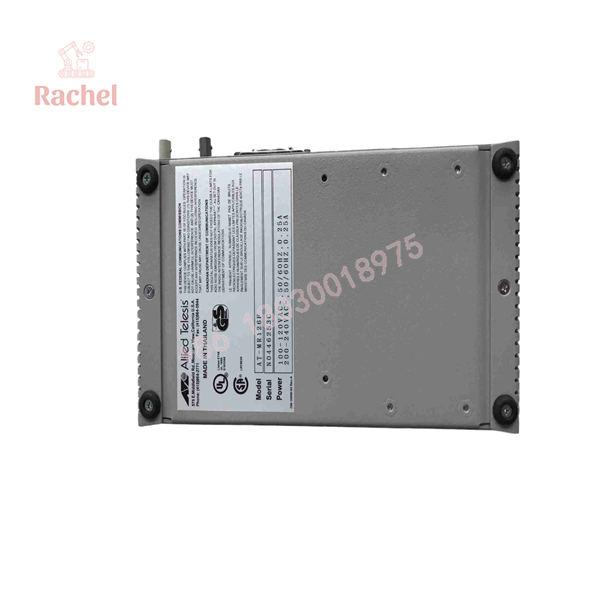
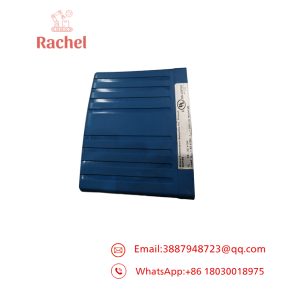
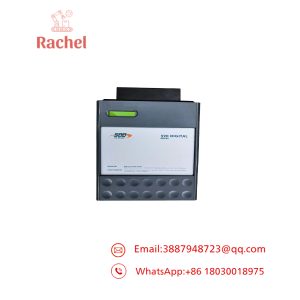
AT-MR126F
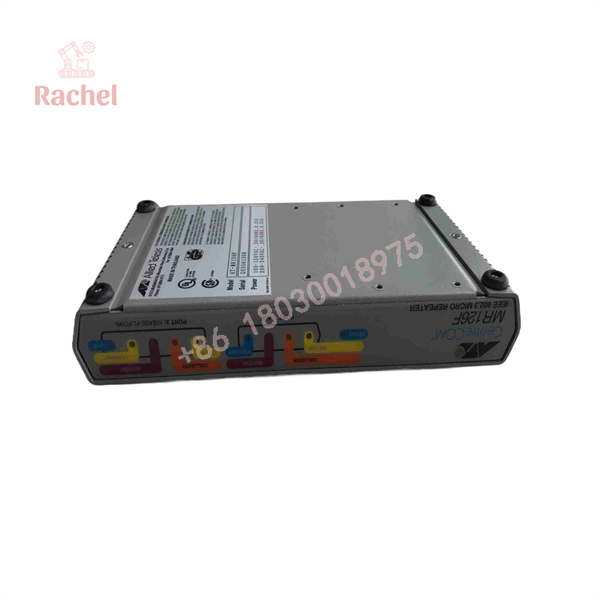
AT-MR126F
Field Applications and Maintenance Scenario
Field scenario: Restoring a legacy fiber link
Imagine a plant operating an older Ethernet network in which a control-room workstation communicates with equipment through an AUI-connected coaxial segment and a fiber-optic backbone. After a network interruption, technicians find that the fiber link no longer reports valid activity.
The maintenance team checks the AT-MR126F power indicator, the fiber link LED, the AUI connection, and the repeater-mode switch. If the unit is defective, a replacement is selected using the complete model suffix and fiber connector type. The network is then tested for link status, packet activity, and communication with the connected equipment before service is restored.
This is an illustrative troubleshooting scenario, not a documented installation report.
Other relevant applications include:
- Legacy industrial control networks: Maintaining communication links between older Ethernet nodes and fiber-optic segments.
- Plant-to-building Ethernet connections: Extending legacy 10 Mbps Ethernet over compatible fiber links between network segments.
- Obsolete equipment support: Keeping older workstations, transceivers, and network interfaces operational when a full network migration is not immediately feasible.
The AT-MR126F’s documented AUI-to-fiber function makes it relevant to these legacy-network scenarios. Actual suitability depends on the installed network topology and interface requirements.
Quality Assurance and Testing
For a legacy networking component, a satisfactory incoming inspection should establish both physical condition and actual operating capability.
- Part identification: Verify AT-MR126F, the full suffix where present, and the fiber connector type.
- Visual inspection: Check the AUI connector, fiber TX/RX ports, power inlet, housing, and mode switch for damage.
- Power-on test: Confirm that the unit powers up correctly using the specified supply arrangement.
- Functional test: Connect compatible Ethernet and fiber equipment, then verify link indication and transmit/receive activity.
- Network test: Confirm communication across both interfaces and check for unexpected collisions, link interruptions, or repeater partitioning.
- Documentation review: Obtain the supplier’s test results, product-condition statement, warranty terms, and return policy.
A used or refurbished unit should not be represented as factory-new. For new-surplus stock, request clear label photographs and any available traceability documentation. A power-on test alone does not demonstrate successful Ethernet signal regeneration.
Replacement Pitfalls: What Engineers Should Check
Pitfall 1: Ordering the wrong fiber connector
The AT- family includes SMA and ST fiber-interface variants. They are not mechanically interchangeable without the appropriate interface arrangement. Confirm the suffix and inspect the existing TX/RX connectors before purchasing.
Pitfall 2: Confusing AUI with a standard Ethernet port
The AUI interface is not an RJ45 10BASE-T port. Confirm that the connected transceiver, cabling, and network equipment support the required AUI connection. A standard Ethernet patch cable is not a direct substitute.
Pitfall 3: Ignoring repeater topology and mode settings
The full- or half-repeater switch affects how the device participates in the network’s repeater topology. Incorrect configuration can prevent a legacy network from operating within its intended design. Review the original network layout and IEEE 802.3 repeater constraints before commissioning.
PRO TIP: Before removing the original unit, photograph its full model suffix, fiber connectors, AUI cabling, and repeater-mode setting. Keep the original installation documentation with the maintenance record.
Frequently Asked Questions
Q1. What does the Allied Telesyn AT- do?
It is a CentreCOM micro repeater that connects an AUI-based 10BASE5 Ethernet segment to a 10BASE-FL/FOIRL fiber-optic segment. It regenerates Ethernet signals and provides diagnostic LEDs for link and traffic troubleshooting.
Q2. Does the AT- support modern Gigabit Ethernet?
No. Its documented interfaces are for legacy 10 Mbps Ethernet. It is not a Gigabit Ethernet switch or modern high-speed fiber media converter.
Q3. Are all AT- versions identical?
No. The documented variants include different fiber connector options, notably SMA and ST, identified through model suffixes. Confirm the complete part number before ordering.
Q4. What power supply does the AT- use?
The documented AT- has an internal universal AC power supply rated for 100–240 VAC at 50/60 Hz. Verify the unit’s nameplate and applicable regional power-cord requirements before installation.
Q5. Is new-surplus or refurbished stock available?
Industrial spare-parts suppliers list the AT- in OEM and refurbished condition categories, although availability varies.
Ask the supplier to confirm the exact connector variant, physical condition, functional test results, and shipping lead time. Do not interpret an online listing as confirmation of current inventory.
Q6. How can I verify authenticity and warranty coverage?
Request photographs of the product label, complete part number, and serial number if available. Ask for the seller’s written condition declaration, inspection report, warranty duration, and return terms. Confirm whether the warranty covers functional failure during initial commissioning.

 Start Chat


