





Description
Key Technical Specifications
| Parameter | Value |
| Product Type | Rod Drop Monitor Analog Assembly Board |
| PWA Part Number | PWA 87199-01 (or 87199-01) |
| Associated Monitor Module | Bently Nevada 3300/80 Six-Channel Rod Drop Monitor |
| Input Channels | 6 independent analog input channels |
| Sensor Interface | Bently Nevada Proximitor® Transducer Systems (Proximity Probes) |
| Signal Conditioning | Converts high-frequency dynamic gap changes into rod-drop (position) values |
| Form Factor | Internal sub-board assembly; mounts within the 3300/80 monitor chassis |
| Physical Dimensions | 270 mm x 200 mm x 50 mm (10.63″ x 7.87″ x 1.97″ packaged) |
| Product Net Weight | 0.75 kg (1.65 lbs) |
| Operating Temperature | -30 to +65 °C |
Product Introduction
The Bently Nevada 87199-01 (often marked as PWA 87199-01) is the core analog processor assembly utilized within the legacy 3300/80 Six-Channel Rod Drop Monitor. This specialized board is specifically engineered for monitoring reciprocating compressors, where measuring physical piston rod wear (rod drop) is critical to preventing catastrophic cylinder and piston failure.
By processing high-frequency signals from proximity transducers, the 87199-01 board tracks the micro-displacement of the piston rod relative to the cylinder. As the rider bands wear down, the rod drops closer to the sensor. The analog board filters out high-frequency vibrational noise to calculate the true physical drop of the rod during specific points of the stroke, driving the 3300/80’s alarm and trip relays before physical contact can occur.
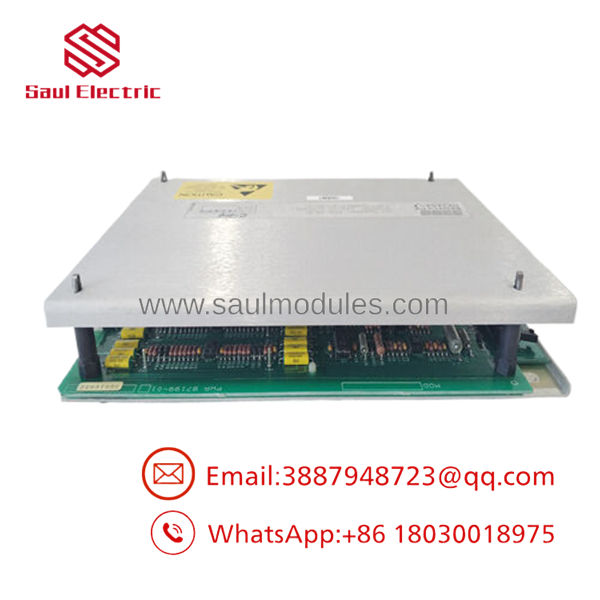
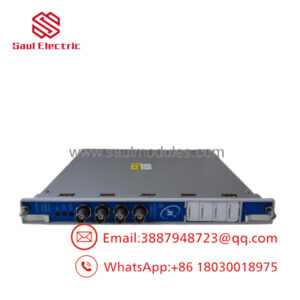
- 87199-01
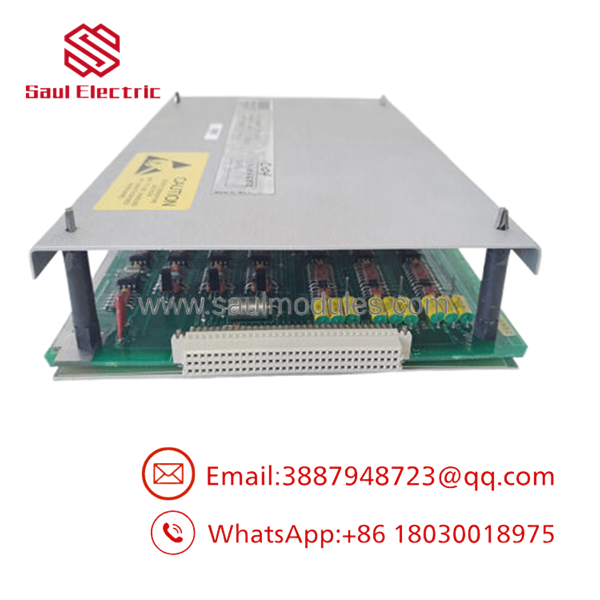
- 87199-01
Installation & Configuration Guide
Stage 1: Pre-Installation Preparation (Estimated Time: 15 minutes)
- ⚠️ Safety First: Completely power down the 3300 system rack before handling internal assemblies. Coordinate with operations to bypass any active machine shutdown safety trips driven by the 3300/80 relays.
- Tools Required: Grounded ESD wrist strap, small Philips screwdriver, anti-static work mat, and a precision instrument screwdriver.
- Static Hazard: Because the 87199-01 is a bare circuit board assembly without an outer metal shield, it is extremely vulnerable to Electrostatic Discharge (ESD). Do not touch the components or PCB traces without active grounding.
Stage 2: Removing the Old Card (Estimated Time: 10 minutes)
- Verify the 3300/01 or 3300/02 Power Supply module has been switched off.
- Put on your grounded ESD wrist strap and attach the clamp to the unpainted rack frame.
- Loosen the front panel retaining screws on the target 3300/80 monitor module.
- Gently pull the monitor chassis forward out of the rack chassis guides.
- With the 3300/80 unit on your ESD mat, remove the side shielding plates to access the internal motherboard and sub-cards.
- Disconnect the inter-board ribbon cables and unscrew the standoffs retaining the old 87199-01 analog card. Lift the card out vertically.
Stage 3: Installing the New 87199-01 Card (Estimated Time: 15 minutes)
- Unbox the replacement 87199-01 card.
- Align the board with the card-edge guides and push it firmly into the motherboard slots, ensuring all backplane pins register correctly.
- Secure the board using its physical retaining screws and standoffs. Do not over-torque.
- Carefully plug the ribbon cables back into their matching sockets.
- Reassemble the side shielding plates of the 3300/80 monitor chassis.
- Slide the complete 3300/80 module back into its designated slot in the 3300 rack and tighten the front-panel retaining screws.
Self-Checklist:
- [ ] Ribbon cables fully seated with locking clips engaged
- [ ] Standoff screws secured without mechanical tension on the PCB
- [ ] ESD safety guidelines strictly followed during assembly handling
Stage 4: Power-On & Testing (Estimated Time: 20 minutes)
- Clear all loose tools from the system rack and apply control power.
- Verify the OK LED on the front of the 3300/80 monitor lights up solid green. If it flashes or remains off, it indicates a hardware installation fault or a sensor open-loop state.
- Ensure no “Bypass” or “Hardware Fault” indicators are flagged on the system monitor.
- Conduct a loop check using a static calibration kit to simulate rod displacement, verifying that the 3300/80 displays a correct analog response matching the physical probe gaps.
Frequently Asked Questions (FAQ)
What is “Rod Drop” and why does the 87199-01 measure it?
In reciprocating compressors, the heavy piston is supported by Teflon or composite “rider bands” to prevent direct metal-on-metal contact with the cylinder wall. As these rider bands naturally wear down, the piston rod physically drops. The 87199-01 analog card processes signals from proximity probes mounted below the rod to measure this displacement. This allows maintenance teams to schedule rider band replacements before the piston damages the cylinder liner.
Can I hot-swap the 87199-01 card while the 3300 rack is powered?
No. The 87199-01 is an internal board level component of the 3300/80 monitor module. It does not possess hot-swap protection. Pulling or inserting this card while the rack is powered will cause a sudden electrical surge, potentially destroying the analog card’s input logic, damaging the 3300 rack backplane, or triggering a false machinery trip.
Why is this component often labeled as “Obsolete” or “Legacy”?
The Bently Nevada 3300 Series was introduced as a premier machinery protection system in the late 1980s and has since been succeeded by the modern 3500 series platform. Although the manufacturer has transitioned the 3300 system to its End-of-Life (EOL) phase, thousands of industrial plants globally still rely on 3300 racks. We stock replacement parts like the 87199-01 to keep these systems functional without requiring an expensive system-wide upgrade.
How do I troubleshoot a constant “OK LED” fault after installing the board?
A fault code or dark OK LED typically points to a disconnected ribbon cable inside the module, a bent pin on the rear connection interface, or a mismatch in sensor calibration. Power down the unit, extract the monitor, and verify that the internal cables are locked down and that the input sensor impedance values match standard operating ranges.
Why choose surplus Bently Nevada units over direct factory orders?
Because the Bently Nevada 3300 series has been superseded by newer platforms, sourcing replacement parts directly from the manufacturer can be difficult, expensive, or subject to severe delays. We stock genuine, unused surplus and fully certified reconditioned 87199-01 boards, allowing you to restore your turbine and compressor diagnostics quickly.

 Start Chat


