





Description
Product Introduction & Engineering Value
A failed operator panel creates an immediate production problem: the machine may still be running, but operators lose access to commands, alarms, recipes, and diagnostic screens. The Bosch Rexroth VDP40 series was designed as a dedicated machine interface for industrial automation environments where reliable operator access is required.
For legacy Rexroth Indramat systems, replacing the HMI is usually more practical than modifying the complete machine control architecture. Maintaining the correct VDP40 variant is critical because display size, connector type, key layout, and CDI communication must match the original installation.
Technical Specifications
| Specification | Details |
|---|---|
| Manufacturer | Bosch Rexroth / Indramat |
| Series | VDP40 IndraControl Panels |
| Product Type | Industrial HMI/operator terminal |
| Display Technology | TFT color display |
| Interface | CDI or CDI+ depending on model |
| Supply Voltage | 24 VDC |
| Power Consumption | Approximately 35 W (variant dependent) |
| Front Protection | IP65 on applicable models |
| Rear Protection | IP20 enclosure-side protection |
| Input Method | Touchscreen, function keys, or keypad depending on version |
| Application Platform | Rexroth IPC and automation systems |
| Operating Temperature | Approximately 5°C to 45°C (variant dependent) |
Example VDP40 variants include 15-inch TFT panels with 1024 × 768 resolution, CDI interface, 24 VDC supply, and IP65 front protection.
Field Application & The “Trench” Experience
A CNC machining plant operating several Rexroth Indramat-controlled production cells experienced an operator panel failure on a critical machining center. The PLC, drives, and motion controllers remained healthy, but operators could no longer access setup screens or machine diagnostics.
The maintenance team identified the failed VDP40 operator terminal, verified the CDI connection, checked the installed panel variant, and replaced it with a matching spare. After restoring communication parameters, the machine returned to normal operation without replacing the industrial PC or motion controller.
Typical application scenarios include:
- CNC Machine Tool Operator Stations — displaying machining parameters, alarms, and setup screens
- Robotic Handling Cells — providing local operator commands and diagnostic access
- Packaging and Assembly Equipment — supporting production recipes and machine monitoring
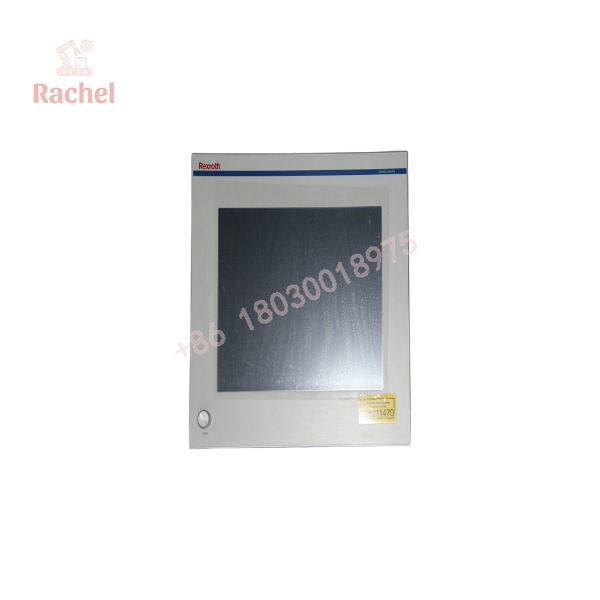
VDP40
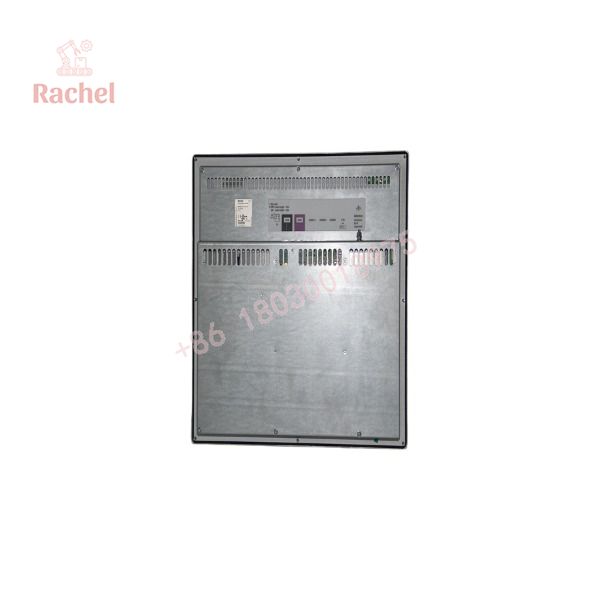
VDP40
Transparency SOP: QA & Testing
For Bosch Rexroth VDP40 new surplus and refurbished units, the verification process should include:
Quality Inspection Checklist
- Confirm Bosch Rexroth / Indramat identification label.
- Verify complete VDP40 model suffix.
- Inspect display surface, bezel, keys, and touchscreen.
- Check CDI/CDI+ connector condition.
- Verify 24 VDC power input.
- Test display output and brightness.
- Verify touchscreen or key operation where equipped.
- Check communication with compatible Rexroth control hardware.
- Record inspection results and warranty status.
A display that powers on is not necessarily ready for production use. Communication testing is essential.
The Veteran’s Tech Trap Guide
⚠️ Do not order only by “VDP40.”
VDP40 is a product family. The full part number determines screen size, interface type, mounting style, and operator controls.
⚠️ Check CDI versus CDI+ compatibility.
Many Rexroth operator panels use dedicated communication interfaces. A panel with the wrong interface may physically mount but fail to communicate.
PRO TIP: Photograph the rear connector area and nameplate before ordering a replacement. This avoids expensive compatibility mistakes.
⚠️ Do not ignore machine software settings.
Some HMI replacements require checking visualization software versions, IPC communication settings, and stored machine configurations.
Dynamic FAQ
Q1: What is the Bosch Rexroth VDP40 used for?
The VDP40 is an industrial operator panel used for machine visualization, operator commands, and communication with Rexroth automation systems.
Q2: Is VDP40 a PLC controller?
No. It is an HMI/operator interface device. The control logic normally remains in the PLC, IPC, or motion controller.
Q3: Are all VDP40 panels interchangeable?
No. Replacement depends on the exact model number, display configuration, CDI interface type, mounting design, and machine software setup.
Q4: What information is needed to replace a VDP40 panel?
Provide the complete model number, machine manufacturer, existing IPC/controller type, connector photos, and current HMI configuration.
Q5: How are refurbished VDP40 units tested?
Testing should include display verification, power checks, communication testing, input device testing, connector inspection, and documented quality results.
Q6: Is new surplus Bosch Rexroth VDP40 available?
Availability depends on remaining lifecycle inventory. Buyers should verify the exact suffix, hardware condition, testing records, and warranty coverage before purchase.
Q7: Can a modern touchscreen replace an older VDP40?
Only after confirming software compatibility, communication protocol requirements, mechanical fit, and machine integration requirements. Legacy systems often depend on the original Rexroth interface architecture.

 Start Chat


