





Description
Product Introduction
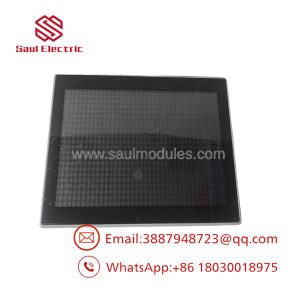
The Eaton XV-152-D6-84TVRC-10 is an industrial operator interface from the XV150 family that combines an HMI and a CoDeSys-based PLC runtime into a single platform. It was developed for OEM machinery, packaging equipment, process automation, and factory control systems requiring local visualization and machine logic.
Unlike standard operator panels that only display process data, this model integrates PLC functionality, reducing hardware count and cabinet wiring. Built-in Ethernet, RS232, RS485, CANopen, USB, and SD card support make it well suited for compact control architectures where panel space is limited.
Key Technical Specifications
| Parameter | Value |
|---|---|
| Manufacturer | Eaton |
| Product Series | XV150 |
| Model | XV-152-D6-84TVRC-10 |
| Display Size | 8.4-inch TFT Color |
| Resolution | VGA 640 × 480 |
| Touch Technology | 4-wire Resistive Touch |
| Supply Voltage | 24 VDC |
| Processor | 32-bit RISC CPU, 400 MHz |
| Operating System | Windows CE 5.0 |
| PLC Runtime | CoDeSys PLC License Included |
| Ethernet | 10/100 Mbps |
| Serial Ports | RS232, RS485 |
| Fieldbus | CANopen / easyNet |
| USB | USB Host 2.0 + USB Device |
| Storage | SD Card Slot |
| Front Protection | IP65 / NEMA 4X |
| Rear Protection | IP20 |
| Cooling | Fanless Passive Cooling |
| Mounting | Flush Panel Mount |
| Product Status | Discontinued by Eaton |
Application Scenarios & The “Trench” Experience
A food packaging line stops during second shift. The touchscreen still lights up, but the PLC application never starts. Production sits idle while maintenance searches for a discontinued XV150 panel. Four hours later, the line is still waiting because the replacement hardware wasn’t verified for firmware compatibility.
That happens more often than people admit.
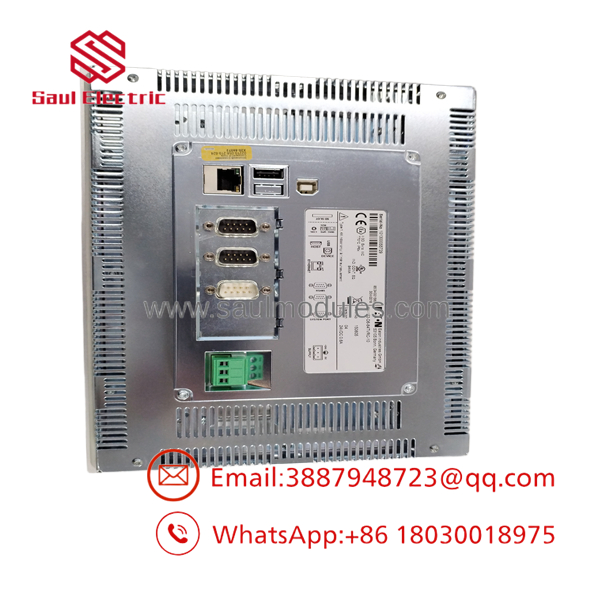
- XV-152-D6-84TVRC-10
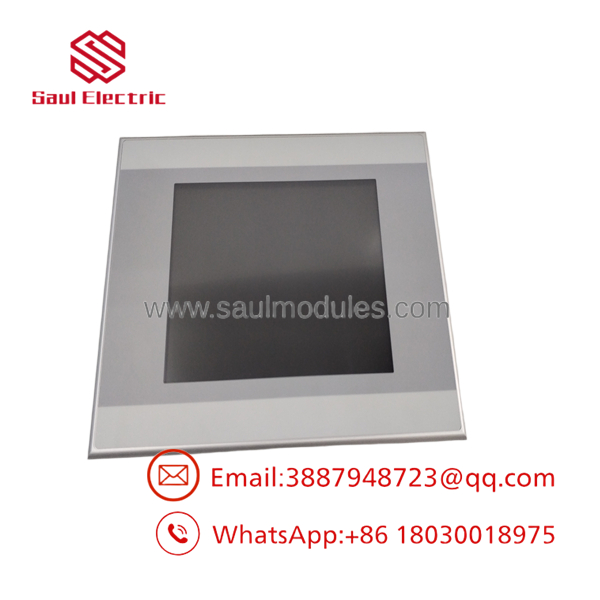
- XV-152-D6-84TVRC-10
Typical Applications
Packaging Machinery — Machine control and recipe management — Integrated HMI and PLC reduce cabinet space and wiring.
Water Treatment — Pump station monitoring — CANopen and serial communications simplify integration with distributed equipment.
Material Handling — Conveyor and sorter control — Local visualization combined with machine logic improves troubleshooting.
OEM Machine Builders — Compact machine controllers — One hardware platform replaces separate PLC and HMI devices.
Manufacturing Cells — Operator interface with distributed I/O — Ethernet and serial interfaces support mixed communication architectures.
Field Replacement Example
A machine builder supporting pharmaceutical packaging equipment needed to replace an XV-152 panel that had operated continuously for over twelve years. The original project existed only on archived media, and the replacement had to match both the hardware revision and the CoDeSys runtime. After verifying firmware revision, backing up the SD card, and restoring the application, production resumed within one maintenance window. The largest time savings came from confirming compatibility before installation rather than discovering problems after power-up.
Transparency SOP: Quality Assurance & Testing
We don’t just ship boxes; we test them on actual Eaton hardware whenever practical.
- Inbound Inspection
- Verify Eaton identification labels.
- Inspect OEM seals.
- Check housing, touchscreen, connectors, and mounting frame.
- Screen for counterfeit indicators.
- Live Rig Testing
- Power-on verification using regulated 24 VDC.
- Boot operating system.
- Verify touchscreen calibration.
- Test Ethernet communication.
- Verify RS232, RS485, and CAN communication ports.
- Electrical Parameter Checks
- Measure input current.
- Verify power stability.
- Inspect display brightness.
- Check touchscreen response over the full display.
- Firmware Verification
- Record operating system version.
- Record PLC runtime revision.
- Verify successful project loading where applicable.
- Final QC
- Photograph tested unit.
- Anti-static packaging.
- Shock-resistant packing.
- Serial number traceability.
The Veteran’s Tech Trap Guide
⚠️ Firmware matters more than many engineers expect.
An XV150 replacement may boot normally yet refuse to execute the project if the CoDeSys runtime differs from the original installation. Verify software compatibility before ordering.
⚠️ Back up everything first.
Copy the SD card and archive the complete project before disconnecting the old panel. Sometimes the failing touchscreen is still readable long enough to save the application.
❗ Don’t assume every XV150 model is interchangeable.
Different suffixes indicate different communication interfaces. Replacing a CANopen version with a PROFIBUS model will create communication failures even though the hardware appears identical.
⚠️ Verify panel cutout and connector clearance.
The display dimensions may match another XV150 unit, but cable routing and communication ports can differ between variants. Confirm mechanical compatibility before installation.
Frequently Asked Questions (FAQ)
Q1. Does the XV-152-D6-84TVRC-10 support hot swapping?
No. Remove power before replacing the unit. Disconnecting or reconnecting the panel while energized can interrupt communications and may damage connected equipment.
Q2. Can I load my existing CoDeSys application onto this panel?
Usually yes, provided the runtime version is compatible. Always verify the original project version and firmware before deployment.
Q3. Is this model still manufactured?
No. Eaton has discontinued this model, making surplus inventory the primary source for replacements.
Q4. Will it communicate with legacy CANopen equipment?
Yes. This model includes an onboard CANopen/easyNet interface along with Ethernet, RS232, and RS485 communications. Verify node addressing and baud rate during commissioning.
Q5. What warranty is typically provided?
A 12-month functional warranty is commonly offered by reputable industrial surplus suppliers after successful inspection and operational testing. Warranty terms vary by supplier.
Q6. Why is surplus inventory less expensive than ordering directly from the OEM?
Most available units come from excess project inventory, plant decommissioning, or unused maintenance stock. They are genuine OEM products but are no longer part of Eaton’s active production program.
Q7. What should I verify before installation?
Check the firmware revision, CoDeSys runtime version, communication interface requirements, power supply, panel cutout dimensions, and project backup. Verify exact pinouts with the OEM datasheet before installation to avoid unnecessary commissioning delays.

 Start Chat


