





Description
Product Introduction
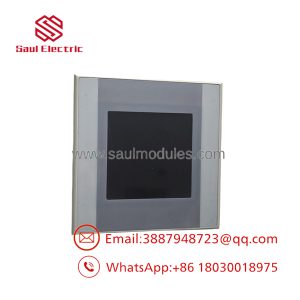
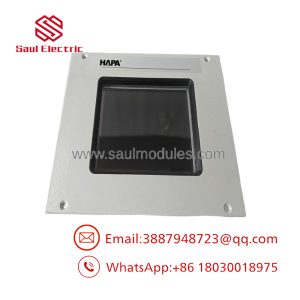
The Eaton XVH-340-57CAN-1-10 is a compact industrial HMI from the XVH300 family designed for machine operation, process visualization, and alarm management. It was widely deployed on packaging equipment, conveyor systems, material handling machinery, and OEM production equipment where a reliable operator interface was required.
Unlike the HMI-PLC variants in the XVH300 family, this model is HMI only. It does not support an integrated PLC runtime. It provides Ethernet and CAN communication, making it suitable for systems where the control logic resides in an external PLC while the panel handles visualization and operator interaction.
Key Technical Specifications
| Parameter | Value |
|---|---|
| Manufacturer | Eaton |
| Product Family | XVH300 |
| Model | XVH-340-57CAN-1-10 |
| Catalog Number | 139870 |
| Product Type | Industrial HMI |
| Display | 5.7-inch CSTN Color LCD |
| Resolution | 320 × 240 (QVGA) |
| Colors | 256 |
| Touch Technology | Infrared Touch |
| Processor | 32-bit RISC CPU, 200 MHz |
| Operating System | Windows CE (license required) |
| Internal Memory | 64 MB DRAM |
| Flash Storage | Approx. 1.5 MB available |
| External Storage | 1 × CompactFlash Type I/II |
| Ethernet | 1 × 10/100Base-T |
| Fieldbus | 1 × CAN |
| USB | 1 × USB Device |
| Supply Voltage | 24 VDC |
| Heat Dissipation | 19.2 W |
| Front Protection | Laminated non-reflective safety glass |
| Mounting | Flush Panel Mount |
| PLC Capability | Not supported |
Application Scenarios & The “Trench” Experience
A machine suddenly stops after a weekend power outage. The PLC is running normally, field I/O is healthy, but operators can’t acknowledge alarms because the HMI never boots. Maintenance immediately assumes the PLC has failed. Two hours later they discover the CompactFlash card inside the XVH300 is corrupted.
The controller was never the problem.
Typical Applications
Packaging Industry — Cartoners and shrink wrappers — Displays machine status while communicating with the PLC through Ethernet and CAN.
Material Handling — Conveyor systems — Provides alarm history and operator commands without adding PLC processing.
Water Treatment — Local operator stations — CAN communication connects efficiently with distributed controllers.
Machine Builders — Compact OEM equipment — Small footprint fits limited control cabinet space.
Manufacturing Equipment — Stand-alone operator terminals — Reliable visualization for legacy automation systems.
Field Replacement Example
An automotive supplier experienced an HMI failure on a conveyor transfer station that had operated continuously for more than a decade. The replacement hardware powered up correctly, but the application would not start because the CompactFlash card from the failed unit had deteriorated. After restoring the archived GALILEO project onto a replacement CompactFlash card and confirming the Ethernet configuration, production resumed during the same maintenance shift. The lesson wasn’t about replacing hardware—it was about protecting application backups.
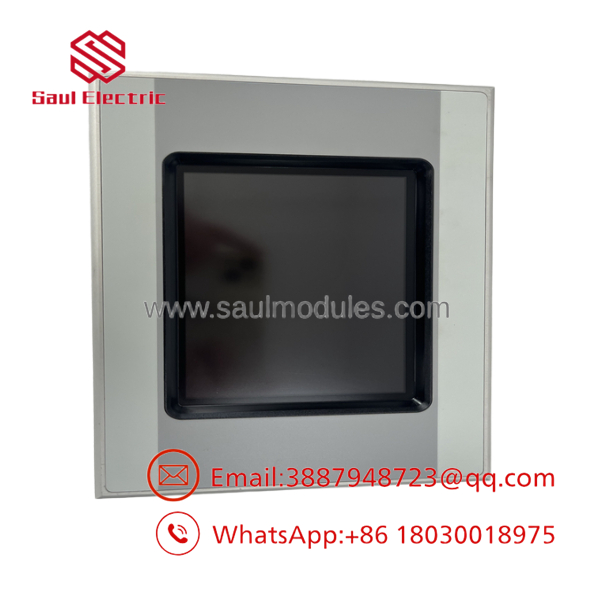
- XVH-340-57CAN-1-10
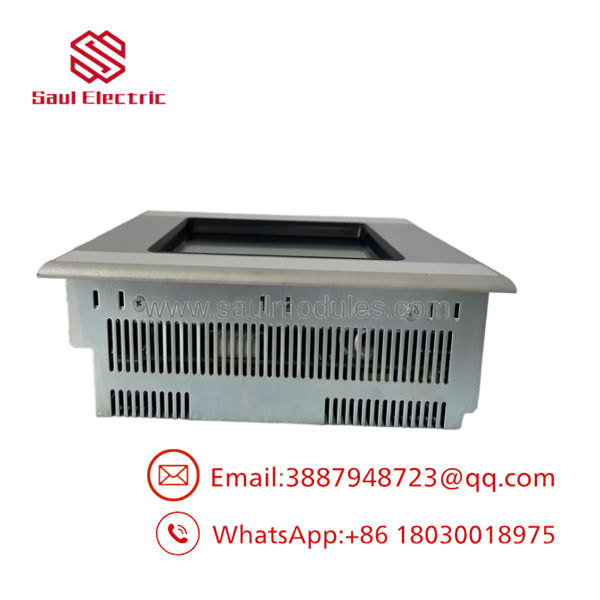
- XVH-340-57CAN-1-10
Transparency SOP: Quality Assurance & Testing
We don’t just ship boxes; we test them on actual Eaton operator panels whenever practical.
- Inbound Inspection
- Verify Eaton catalog number and product label.
- Inspect display, touch surface, enclosure, and connectors.
- Check for evidence of unauthorized repair.
- Screen for counterfeit components.
- Live Rig Testing
- Apply regulated 24 VDC.
- Verify Windows CE startup.
- Test infrared touch response.
- Verify Ethernet communication.
- Confirm CAN interface operation.
- Electrical Parameter Checks
- Measure supply current.
- Verify LCD brightness.
- Test CompactFlash slot.
- Verify USB communication.
- Firmware Verification
- Record Windows CE revision.
- Verify GALILEO runtime compatibility.
- Confirm boot sequence and storage integrity.
- Final QC & Packaging
- Functional inspection.
- Anti-static packaging.
- Shock-resistant shipping protection.
- Serial number traceability.
The Veteran’s Tech Trap Guide
⚠️ This is not an HMI-PLC model.
Don’t spend hours searching for missing PLC logic. The XVH-340-57CAN-1-10 cannot execute PLC programs. It is strictly an operator interface.
⚠️ Protect the CompactFlash card.
The operating system, GALILEO project, and recipes are commonly stored on the CF card. Before replacing the panel, make a complete image of the card if it is still readable.
❗ CAN communication isn’t plug-and-play.
Verify baud rate, node ID, and network termination before blaming the hardware. Most communication faults after replacement are configuration issues.
⚠️ Watch the backlight age.
CCFL backlights gradually lose brightness after years of continuous operation. A dim display is often a worn backlight rather than a failed LCD. Typical backlight life is approximately 50,000 hours under normal conditions.
Frequently Asked Questions (FAQ)
Q1. Does the XVH-340-57CAN-1-10 include an integrated PLC?
No. This model is an HMI only and does not support PLC runtime functionality. If an integrated HMI-PLC is required, another XVH300 variant must be selected.
Q2. Does it support hot swapping?
No. Disconnect machine power before removing or installing the panel. Replacing the unit while energized risks communication interruptions and CompactFlash file corruption.
Q3. Which engineering software is used?
Visualization projects are developed using GALILEO. The Windows CE operating system requires the appropriate licensing and CompactFlash storage.
Q4. Is this model still manufactured?
No. The has been discontinued and is typically available only through industrial surplus suppliers or refurbished inventory.
Q5. What warranty is typically offered?
Most reputable industrial automation suppliers provide a 12-month functional warranty for tested New Surplus or professionally refurbished equipment. Warranty terms vary by supplier.
Q6. Why is surplus inventory less expensive than buying directly from the OEM?
Most available units come from unused maintenance stock, canceled machine projects, or plant modernization programs. They are genuine Eaton products that remain in circulation after production ended.
Q7. What should I verify before installation?
Verify the CompactFlash card contents, Windows CE license, GALILEO project version, CAN network parameters, Ethernet settings, supply voltage, and panel cutout dimensions. Verify exact wiring, connector assignments, and communication parameters with the official Eaton documentation before energizing the replacement.

 Start Chat


