





Description
Core Product Summary
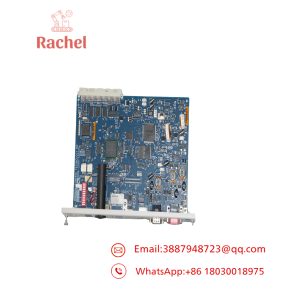
The HollySys FM020 is a Modbus communication module associated with the HOLLiAS MACS FM-series distributed control system hardware. It provides a communication interface for integrating Modbus data exchange into an industrial control architecture.
The FM020 is identified with two physical interface options: RS-485 through a terminal interface and RS-232 through a DB9 connector. These interfaces are relevant when assessing the module for an existing control cabinet, field-device connection, or serial communication arrangement. Selection should account for the installed system configuration, the required interface, and the communication settings of the connected equipment.
Key Technical Specifications
| Parameter | Specification |
|---|---|
| Brand | HollySys |
| Model | FM020 |
| Product type | Modbus communication module |
| System family | HOLLiAS MACS FM series |
| Communication interface | RS-485 and RS-232 |
| RS-485 connection | Terminal interface |
| RS-232 connection | DB9 connector |
Engineering Selection Highlights
- Communication function: FM020 is identified as a Modbus communication module, making its protocol role central to hardware selection.
- RS-485 interface: The terminal-based connection is relevant when checking the serial wiring arrangement in the existing installation.
- RS-232 interface: The DB9 connector provides a distinct physical connection option that should be matched to the intended equipment.
- FM-series system context: Confirm that the installed HOLLiAS MACS configuration supports the specific FM020 hardware revision.
- Replacement assessment: Compare the complete model designation, interface arrangement, and existing wiring before selecting a replacement unit.
System Compatibility & Integration Requirements
| Item | Integration consideration |
|---|---|
| Control system | HOLLiAS MACS FM-series hardware context |
| Serial interface | Match RS-485 or RS-232 to the intended connection |
| Physical connection | Confirm terminal-interface or DB9 requirements |
| Communication configuration | Match the connected equipment’s Modbus settings to the applicable module configuration |
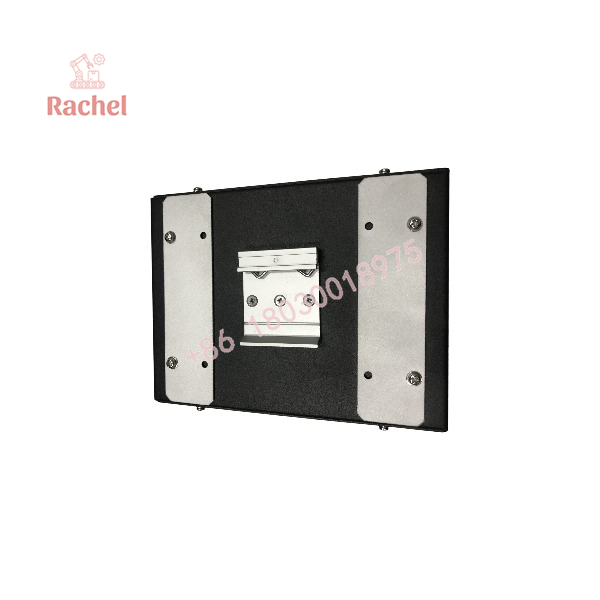
FM020
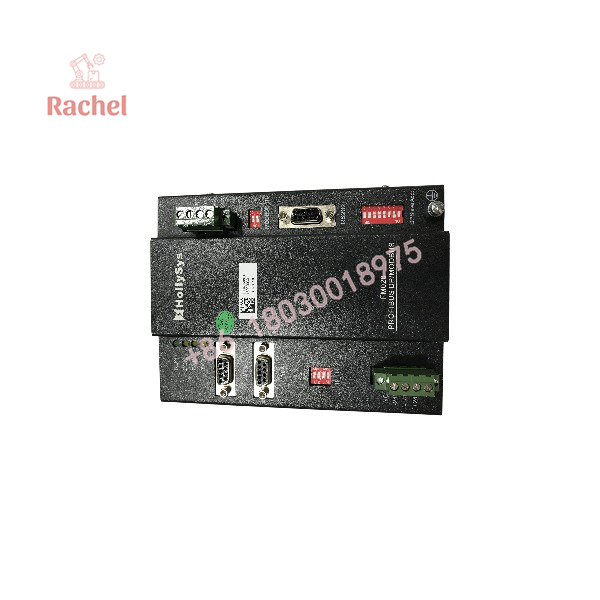
FM020
Applications & System Role
The HollySys FM020 serves a communication function within an industrial automation architecture. Its role is distinct from that of a conventional digital input or analog output module: the relevant selection criteria concern serial communications and Modbus data exchange.
In a control-system integration, communication hardware provides the interface through which configured data can be exchanged between control equipment and connected devices. The appropriate connection depends on the physical interface, network arrangement, and communication requirements of the installed system.
For maintenance and procurement, identifying the exact module is particularly important when an existing installation uses dedicated serial wiring. An RS-485 terminal connection and an RS-232 DB9 connection require different physical connection arrangements. The intended interface should therefore be established before ordering or installing the module.
FAQ
What is the HollySys FM020?
The HollySys FM020 is a Modbus communication module associated with HOLLiAS MACS FM-series hardware.
Which communication interfaces are identified for the FM020?
The available product documentation identifies RS-485 through a terminal interface and RS-232 through a DB9 connector.
Is the HollySys FM020 a digital input module?
The available hardware-selection information identifies the FM020 as a communication module, not a digital input module.
What should be checked before replacing an FM020?
Confirm the full model designation, the installed system configuration, the required serial interface, and the existing wiring arrangement.
Can the FM020 be selected solely by its model number?
The model number is an important starting point, but physical interface requirements and the installed system configuration should also be considered before purchase or installation.

 Start Chat


