





Description
Product Introduction & Engineering Value
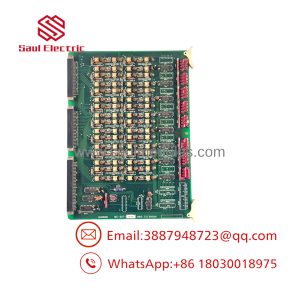
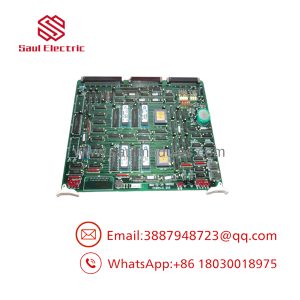
The NABCO KM69029 is a legacy PCB for which publicly available technical documentation is sparse. Current market records identify the manufacturer as NABCO and the manufacturer’s part number as KM69029, but do not publish a complete electrical specification.
For maintenance procurement, that means a generic description such as “NABCO control board” is insufficient. Match the complete KM69029 marking, board revision, connector arrangement, and host equipment before installation. This is particularly important when dealing with discontinued or low-volume spare parts.
Technical Specifications
| Parameter | Specification / Status |
|---|---|
| Manufacturer | NABCO |
| Part Number | KM69029 |
| Component Type | Printed Circuit Board |
| Board Function | Control-system PCB — exact function requires system-level verification |
| Application Family | Not conclusively identified in available public documentation |
| Input Voltage | Not publicly verified |
| I/O Count | Not publicly verified |
| Communication Protocol | Not publicly verified |
| Firmware | Not publicly verified |
| Board Revision | Verify from actual PCB |
| Dimensions | Verify from actual unit |
| Condition in Current Listing | New / New Other |
| Market Availability | Limited secondary-market stock |
Technical caution: Do not populate an engineering specification sheet with assumed voltage, I/O, communication, or dimensional values for KM69029. The available product record identifies it as a NABCO PCB but does not establish those parameters.
Field Application & the “Trench” Experience
A maintenance department discovers a failed board in an older NABCO-controlled installation. The plant’s original documentation is incomplete, and the equipment database contains only the entry “NABCO PCB.”
That is a procurement problem.
The technician removes the existing board and photographs the complete identification. The marking KM69029 is visible on the PCB. Instead of ordering a visually similar NABCO board, procurement searches the exact part number and asks the supplier for photographs of the actual replacement.
The spare arrives. Before installation, the team compares the PCB layout, connector positions, component population, mounting arrangement, and identification markings against the removed board.
No guessing.
Specific application scenarios
- Legacy NABCO control-system maintenance — maintaining a verified replacement PCB when original system documentation is limited.
- Marine automation spare-parts management — preserving an identified board as an emergency replacement for aging NABCO equipment.
- Industrial control cabinet refurbishment — cataloging obsolete NABCO electronic assemblies before equipment overhaul.
Because the publicly available record does not identify a specific controller family, these should be regarded as procurement/application scenarios rather than confirmed OEM applications.
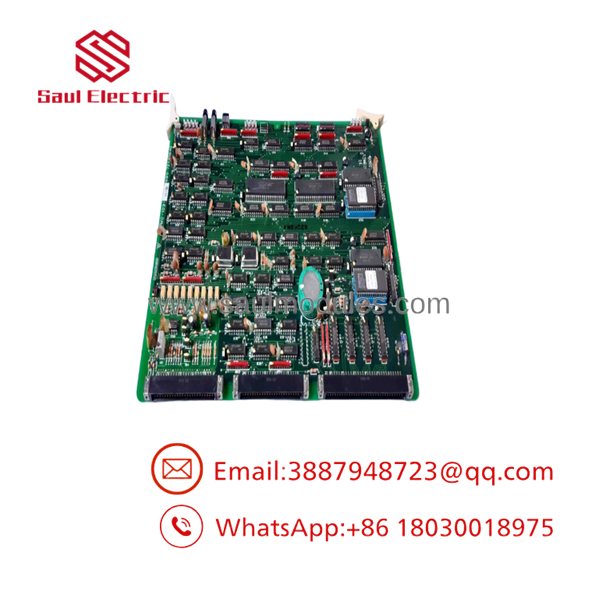
KM69029
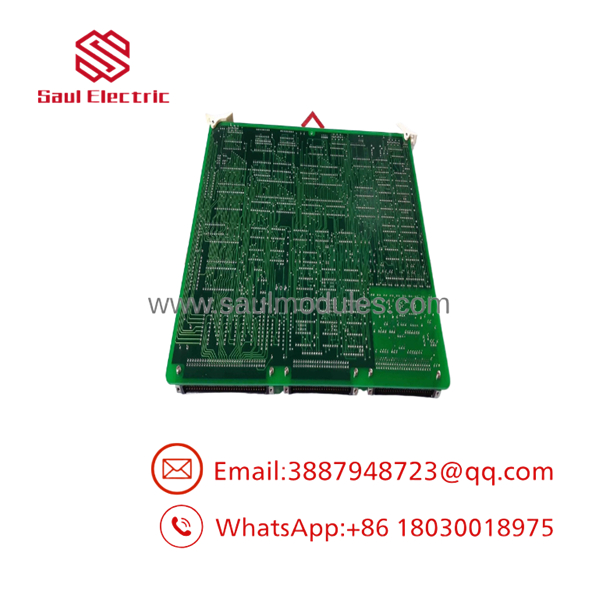
KM69029
Transparency SOP: QA & Testing
For New Surplus stock, the inspection process should be more rigorous than checking whether the board looks unused.
Step 1 — Identity
Confirm the actual PCB marking:
- NABCO
- KM69029
- Any revision number
- Serial or manufacturing code
- Additional assembly numbers
Step 2 — Physical inspection
Check connectors, PCB traces, solder joints, component bodies, mounting holes, and evidence of moisture or corrosion.
Step 3 — Comparison
Compare the replacement against photographs of the installed board. Pay particular attention to connector orientation and component population.
Step 4 — Electrical testing
Use an appropriate test fixture or the original host equipment to verify power rails, continuity, and functional operation. Do not claim a board is functionally tested merely because it powers up on a bench.
Step 5 — Documentation
Record photographs and test results against the spare-parts inventory record.
A current market listing classifies as “New: Other” rather than simply presenting it as factory-fresh production stock. That distinction should be retained in procurement documentation.
The Veteran’s Tech Trap Guide
⚠️ Trap #1 — Assuming the application from the brand
NABCO has produced control equipment for multiple applications. The brand alone does not establish what controls.
⚠️ Trap #2 — Assuming electrical specifications
No reliable public source located for this part establishes its supply voltage, I/O configuration, communications interface, or firmware. Do not invent those values in a purchase specification.
⚠️ Trap #3 — Buying from a stock photograph
Legacy PCB listings can use generic product photographs. Ask for pictures of the actual board, including the identification label and PCB surface.
PRO TIP: Add the equipment model and the board revision to your inventory record alongside . The part number should remain searchable, but the host-system information gives future technicians the context they need.
Dynamic FAQ
What is NABCO ?
is identified in available market records as a NABCO printed circuit board. The public listing does not provide sufficient information to conclusively identify its specific controller function.
Is a PLC module?
There is insufficient reliable public documentation to classify it specifically as a PLC CPU, I/O module, or communications module. It should be described conservatively as a NABCO printed circuit board unless the installed equipment documentation establishes a more specific function.
What specifications should I verify before ordering?
At minimum, verify the complete number, board revision, host equipment model, connector arrangement, mounting configuration, and photographs of the installed PCB.
Is still readily available?
No. Current evidence points to limited secondary-market availability, with individual listings rather than evidence of broad current production distribution.
How do I verify New Surplus authenticity?
Request photographs of the actual board and confirm the markings. Also ask the supplier to state whether the unit is factory-sealed, unused surplus, open-box, or previously installed.
What warranty should I request?
For a legacy PCB, request written warranty coverage, the return period, and the supplier’s testing statement. Do not treat “New Other” or “New Surplus” as equivalent to a current-production OEM warranty.

 Start Chat


