





Description
Product Introduction & Engineering Value
Large industrial displays often remain in service long after the original control computer has exceeded its expected lifecycle. When the display fails, replacing the entire operator station can introduce unnecessary software migration, downtime, and integration risks.
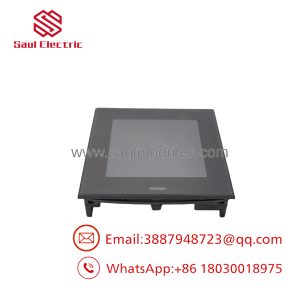
The PRO-FACE FP3900-T41 was designed as an industrial visualization terminal for PC-based automation equipment. It provides a 19-inch SXGA display with touchscreen functionality, allowing operators to interact directly with industrial applications while maintaining the existing control software environment.
For replacement projects, the critical identifiers are FP3900-T41 and global code PFXFP3900TA. The FP3900-T41 belongs to the FP3900T family, which includes models with and without front USB functions. Verify the exact suffix before ordering.
Technical Specifications
| Parameter | Specification |
|---|---|
| Manufacturer | PRO-FACE |
| Series | FP3000 / FP3900T |
| Model | FP3900-T41 |
| Global Code | PFXFP3900TA |
| Product Type | Industrial Flat Panel Display |
| Display Size | 19 inch |
| LCD Type | TFT Color LCD |
| Resolution | 1280 × 1024 pixels (SXGA) |
| Display Colors | 16,777,216 colors |
| Effective Display Area | 376.32 × 301.056 mm |
| Touch Panel Type | Analog resistive film |
| Touch Resolution | 1024 × 1024 |
| Touch Interface | RS-232C or USB 2.0 Type-B |
| Video Interface | Analog RGB / DVI-D |
| Power Supply | AC100–240V |
| Frequency | 50/60Hz |
| Power Consumption | AC100V: 1.1A or less / AC240V: 0.7A or less |
| Backlight | CCFL |
| Mounting | Panel mount / VESA compatible |
| Operating Temperature | 0°C to 50°C |
| Certifications | UL, CSA, CE, RoHS references |
The FP3900-T41 specifications include SXGA resolution, 19-inch TFT display, analog RGB and DVI-D input, resistive touch operation, AC100–240V input, and industrial environmental ratings.
Field Application & the “Trench” Experience
A factory inspection system installed more than a decade ago continues to operate correctly, but the operator display begins showing unstable brightness and occasional touch response errors.
The maintenance team identifies the failed unit as:
PRO-FACE FP3900-T41
Global Code: PFXFP3900TA
Before replacement, they verify:
- Industrial PC video output type
- DVI-D or analog RGB connection
- Touch communication method
- Panel cutout dimensions
- AC power wiring
The replacement display is installed without changing the inspection software or industrial computer.
That is the advantage of repairing the display layer instead of redesigning the entire workstation.
Typical applications include:
- Machine vision inspection stations
- CNC machining operator interfaces
- Semiconductor manufacturing equipment
- Factory automation control desks
- Industrial PC monitoring systems
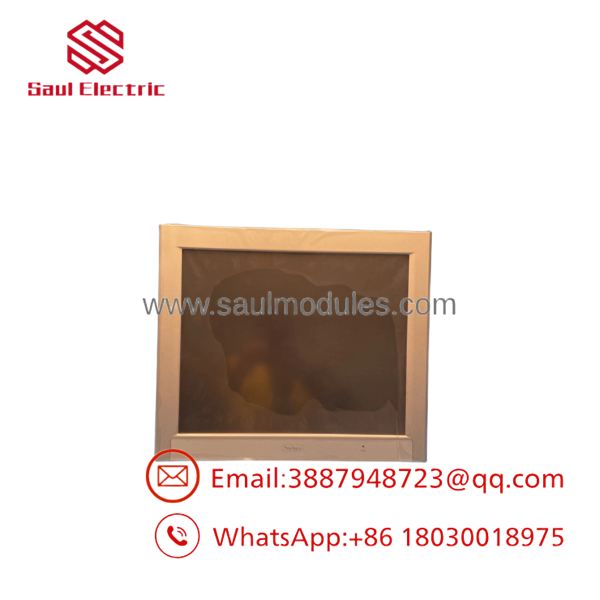
FP3900-T41
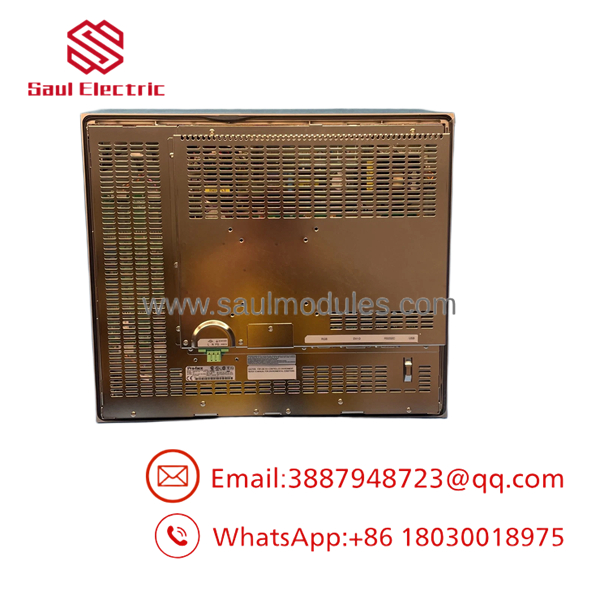
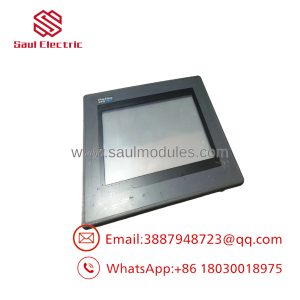
FP3900-T41
Transparency SOP: QA & Testing
A surplus should be evaluated as an industrial electronic assembly, not simply as a monitor.
Incoming Inspection
- Confirm:
- PRO-FACE label
- model marking
- PFXFP3900TA identification
- Record serial number and revision information.
- Inspect enclosure and mounting hardware.
Display Test
- Apply AC100–240V power.
- Verify startup sequence.
- Check:
- Brightness uniformity
- Color output
- Pixel condition
- Image stability
Touch Function Test
- Test resistive touch response.
- Perform calibration.
- Verify RS-232C or USB touch communication.
Video Interface Test
Verify:
- Analog RGB input
- DVI-D input
- Signal stability
Final Quality Record
Document:
- Test date
- Display condition
- Touch response
- Communication verification
- Cosmetic condition
The is a legacy FP3000-series display. Current availability is generally through industrial surplus, repair, and refurbished equipment channels.
The Veteran’s Tech Trap Guide
⚠️ Do noith -U.
The two models belong to the same family, but the front USB configuration differs.
- — standard version
- — front USB version
Verify the installed hardware before replacement.
⚠️ Check the video source first.
A replacement display may power on correctly but show no image if the host computer uses an unsupported connection method.
Verify:
- DVI-D output
- Analog RGB output
- Resolution settings
⚠️ PRO TIP: Keep the original touch driver configuration.
The image signal and touchscreen communication are separate systems. A good picture does not guarantee correct touch operation.
⚠️ Do not judge condition only by appearance.
A clean front bezel does not confirm:
- Healthy CCFL backlight
- Accurate touchscreen response
- Reliable communication ports
Dynamic FAQ
Q1. What is theACE ?
TheACE is a 19-inch industrial flat panel touch display designed for PC-based automation systems. It belongs to the FP3000 Series.
Q2. What is the global part number?
The global code is:
PFXFP3900TA
Q3. What is the display resolution?
The uses:
1280 × 1024 pixels (SXGA)
with a TFT color LCD panel.
oes include PLC communication?
No. This unit is an industrial display terminal. It receives video from a connected industrial PC and sends touchscreen input back through RS-232C or USB communication.
Q5. What power suoes require?
The unit uses:
AC100–240V, 50/60Hz
with an allowable voltage range of approximately AC85–264V.
Can replace another PRO-FACE display?
Only after checking:
- Display size
- Panel cutout
- Video interface
- Touch interface
- Power requirements
Physical similarity does not guarantee electrical compatibility.
Q7. Is Nelus available?
Availability depends on industrial spare inventory. Because the FP3900T series is a discontinued/legacy product family, buyers typically source new old stock, refurbished units, or tested used displays.
Q8. How should buyers verify authenticity?
Request:
- Actual unit photos
- Rear labeing
- Power-on test image
- Touchscreen test report
- Video input verification
- Warranty terms
For discontinued industrial displays, test evidence is more valuable than a catalog listing alone.

 Start Chat


