





Description
Product Introduction & Engineering Value
The GP470-EG11 represents an earlier generation of industrial HMIs built for long-running factory equipment. Many machines using this panel remain operational because the PLC, mechanical hardware, and application logic continue to perform reliably.
This model was designed as a GP470 Series graphic control panel, providing operator visualization and PLC communication functions through a compact industrial enclosure. Its EL display technology was selected for readability and long service operation in industrial environments.
For replacement planning, engineers should identify the complete model number GP470-EG11, confirm the AC power configuration, and preserve the original screen project before removing the installed unit.
Technical Specifications
| Parameter | Specification |
|---|---|
| Manufacturer | PRO-FACE |
| Series | GP70/50/30/10 Series |
| Model | GP470-EG11 |
| Product Type | Graphic Control Panel (HMI) |
| Display Type | High-intensity EL monochrome display |
| Display Resolution | 640 × 400 dots |
| Display Size | 8.9 inch class |
| Input Voltage | AC85–132V, 50/60Hz |
| Power Consumption | 50VA or less |
| Allowable Power Failure | 20ms or less |
| External Dimensions | Approx. 274W × 216H × 56.5D mm |
| Mounting Type | Panel mount |
| Operating Temperature | 0°C to 50°C |
| Communication | Serial PLC communication interfaces |
| Programming Software | GP-PRO/PB series |
The GP470-EG11 specifications identify it as an AC-powered GP470 Series HMI with a high-intensity EL display, 640 × 400-dot resolution, and industrial panel-mount design.
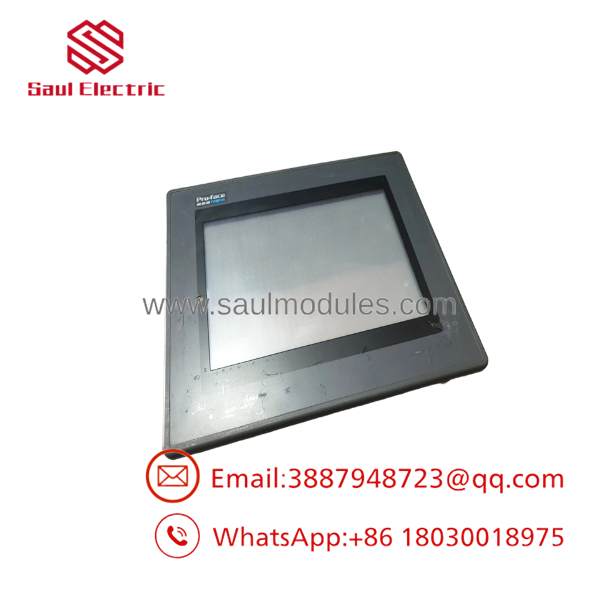
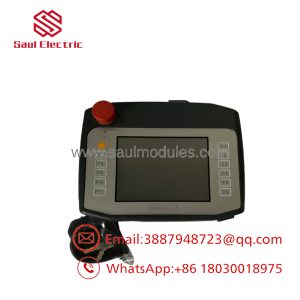
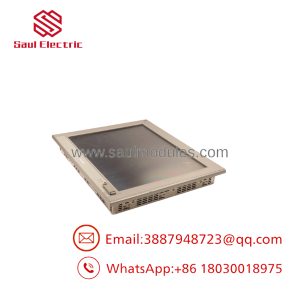
GP470-EG11
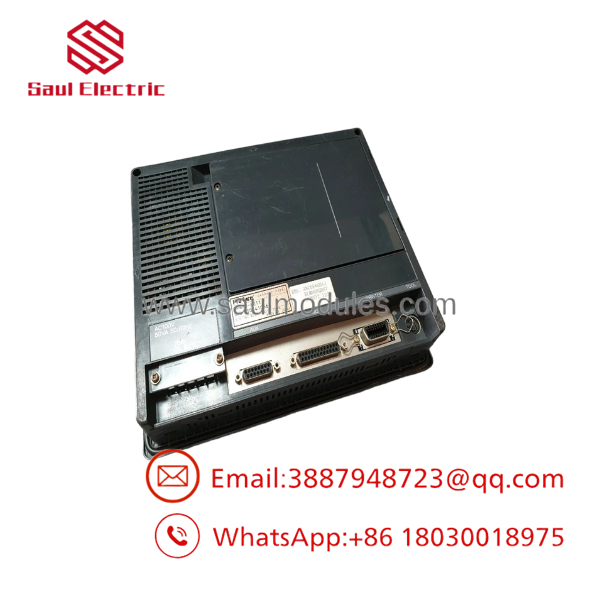
GP470-EG11
Field Application & the “Trench” Experience
A metal-processing machine installed in the late 1990s continues running with its original PLC and control program. The only failure is the operator panel: the display becomes difficult to read after years of continuous operation.
The maintenance team identifies the failed unit as:
PRO-FACE GP470-EG11
Before replacement, they verify:
- Existing PLC communication cable
- GP screen project backup
- Panel cutout dimensions
- AC power wiring
- Communication driver settings
The team decides to keep the original PLC instead of redesigning the entire machine. The HMI is replaced, tested, and returned to production.
This approach is common with legacy automation equipment where the control logic is still reliable but the operator interface hardware has reached its service limit.
Typical applications include:
- Machine tool operator panels
- Packaging equipment interfaces
- Material handling systems
- Factory production monitoring stations
- Legacy PLC visualization terminals
Transparency SOP: QA & Testing
Legacy HMIs require careful verification because display technology and internal memory degrade over time.
Inspection Workflow
1. Identification Review
- Confirm:
- PRO-FACE label
- -EG11 model marking
- Serial information
- Compare with the customer’s installed unit.
2. Display Evaluation
- Power the unit.
- Verify:
- EL display brightness
- Character visibility
- Screen stability
- Contrast adjustment
3. Communication Testing
- Check PLC communication port operation.
- Verify communication parameters.
- Test data exchange where possible.
4. Functional Testing
- Load or verify the application project.
- Check:
- Screen navigation
- Alarm messages
- Data display
- Operator inputs
PRO-Fists as discontinued, with replacement recommendations including GP4000-series models. Replacement projects require review of panel dimensions, power supply changes, and software compatibility.
The Veteran’s Tech Trap Guide
⚠️ Do not assume GP4000 replacement is a plug-in swap.
Although PRO-FACE provides replacement options, newer HMIs may require:
- Project conversion
- Different communication settings
- Software updates
- Power supply changes
⚠️ Check the display technology difference.
Theinal uses an EL monochrome display. A replacement TFT LCD unit will behave differently:
- Different brightness characteristics
- Different contrast behavior
- Different screen appearance
⚠️ PRO TIP: Back up the project before removing the panel.
Old systems may depend on legacy GP-PRO/PB project files. Losing the original screen data can create unnecessary reconstruction work.
⚠️ Verify AC power before installation.
The requires:
AC85–132V, 50/60Hz
Do not directly install a DC24V replacement without reviewing the machine electrical design.
Dynamic FAQ
Q1. What is theFACE ?
TheFACE is a Series industrial graphic control panel (HMI) with a high-intensity EL monochrome display and 640 × 400-dot resolution.
. Is still manufactured?
No. PRO-Fists as discontinued, with end of sales on December 26, 2002 and end of repair support on March 26, 2008.
Q3. What power sudoes use?
The unit requires:
AC85–132V, 50/60Hz
with power consumption of approximately 50VA or less.
Q4. What is the display resolution?
The display resolution is:
640 × 400 dots
using a high-intensity EL monochrome display.
Can be replaced by a newer PRO-FACE HMI?
Yes, but it requires compatibility review. PRO-FACE lists GP4000-series replacement options, including models with matching panel cut dimensions.
Q6. What programming software was used?
The series was supported by PRO-FACE GP-PRO/PB development software. Existing project files should be preserved before replacement.
Q7. Is Neplus available?
Availability depends on industrial spare inventory. Since the model has been discontinued for many years, sources are typically surplus, refurbished, or tested used equipment suppliers.
Q8. How should buyers verify a replacement unit?
Request:
- Actual unit photographs
- Model labewing
- Power-on display test
- Communication test results
- Project compatibility confirmation
- Warranty or return terms
For legacy HMIs, verified operating condition is more important than appearance alone.

 Start Chat


