





Description
Product Introduction
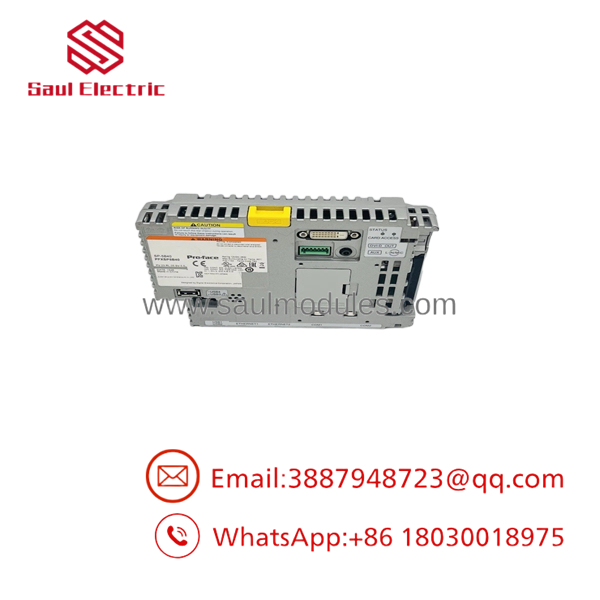
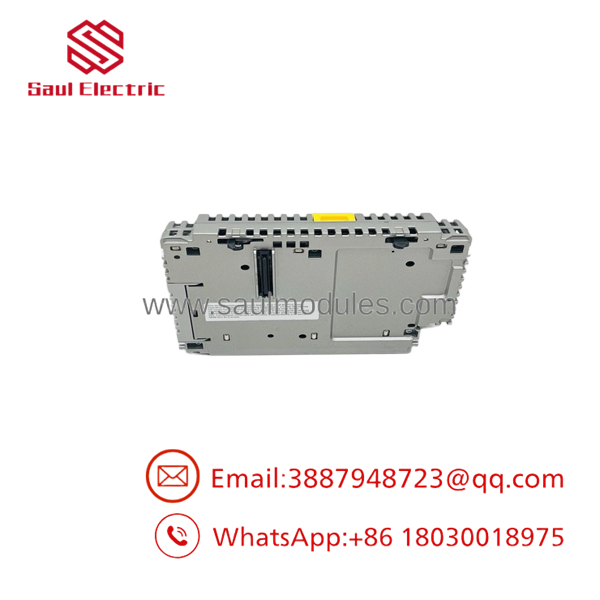
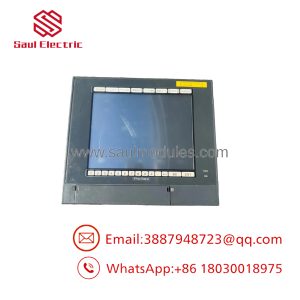
The Pro-Face PFXSP5B40 is the high-performance “Open Box” processing engine for the flagship SP5000 modular HMI family. Manufactured by Digital Electronics Corporation (Pro-Face / Schneider Electric), this unit snaps onto the back of any SP5000 series smart display panel (from 7-inch wide up to 15-inch premium displays). Running Windows Embedded Standard 7 on an x86 architecture, it lets operators run standard Windows applications, PDF viewers, plant SCADA nodes, and custom database scripts alongside traditional operator screen interface graphics.
By decoupling the processing engine from the display screen, the PFXSP5B40 solves a major industrial headache: screen damage no longer requires swapping out expensive computer hardware. The unit delivers dual independent Ethernet channels to bridge OT control networks with IT enterprise networks safely, while handling heavy graphics processing and multi-protocol driver communication with zero latency.
Key Technical Specifications
| Parameter | Specification |
|---|---|
| Model Code | PFXSP5B40 (Part of SP-5B40 family) |
| Operating System | Windows Embedded Standard 7 (32-bit/64-bit platform) |
| Display Support | Snaps to SP5000 Series Smart Displays & Premium Displays |
| Input Voltage | 12V DC to 24V DC (±20% wide input isolation range) |
| Ethernet Interfaces | 2× RJ-45 Ports (10BASE-T/100BASE-TX/1000BASE-T Gigabit) |
| Serial Communication | COM1 (RS-232C), COM2 (RS-422/485 configurable, isolated) |
| USB Interfaces | 3× USB 2.0 Type A, 1× USB 2.0 Mini-B (Maintenance) |
| Expansion Storage | CFast Card Slot (for OS/runtime), SD Card Slot (for logging/data) |
| Operating Temperature | 32°F to 140°F (0°C to +60°C) |
| Cooling Method | Fanless solid-state convection cooling |
Application Scenarios & The “Trench” Experience
The “Trench” Reality
It is 1:30 AM on a critical automotive line. A forklift backs into a 15-inch HMI enclosure, shattering the front glass panel completely. On traditional all-in-one panel PCs, that mistake means pulling the whole computer, losing IP addresses, reloading Windows images, and spending hours re-licensing SCADA runtime software. With the modular SP5000 system, you simply unsnap the rear PFXSP5B40 box module from the broken screen, clip it onto a fresh replacement display panel, and boot up. You are back online in under ten minutes with zero software re-installation or network re-configuration.
Target Applications
- Automotive & Heavy Manufacturing – Running client SCADA applications, MES traceability software, and PDF assembly manuals simultaneously right at the cell.
- Pharmaceutical Batch Production – Serving as a dual-network gateway that logs batch data directly to server databases while running local machine control.
- Complex OEM Packaging Lines – Managing multi-axis motion controllers via Ethernet/IP or Modbus TCP while displaying high-resolution machine diagnostics.
Field Replacement Case
A food processing plant experienced severe network isolation issues when an older, single-NIC HMI tried to manage both machine-level PLC traffic and plant-wide ERP database reporting, causing packet collisions and screen freezes. Upgrading the processing side to a PFXSP5B40 module allowed field engineers to physically segregate OT and IT traffic across its dual Gigabit Ethernet ports, eliminating screen latency instantly without replacing the existing cabinet cutout.
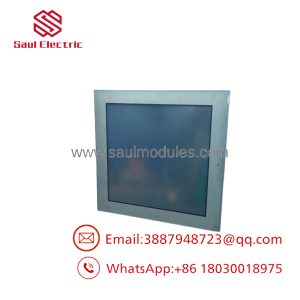
PFXSP5B40
PFXSP5B40
Transparency SOP: Quality Assurance & Testing
We treat these high-end modular controllers with strict engineering discipline before shipping:
- Inbound Visual & Connector Audit: Checking multi-pin panel snap connectors, CFast card slot pins, chassis ground tabs, and serial port threads for physical wear or contamination.
- DC Power & Isolation Diagnostics: Powering the module under 12V and 24V DC rails to verify internal DC-DC converter efficiency and ripple noise suppression.
- Display Mount Handshake Test: Snapping the module onto an SP5000 test panel to verify mechanical locking latch operation and video bus data integrity.
- I/O & Network Burn-In: Exercising both Gigabit Ethernet ports, USB storage buses, CFast read/write speeds, and COM1/COM2 serial loops under continuous load.
- Operating System & Runtime Integrity: Booting into Windows Embedded, running memory diagnostics, checking system event logs, and vacuum-sealing the module in ESD static-shielding bags.
The Veteran’s Tech Trap Guide
⚠️ Trap 1: CFast Card Compatibility & OS Licences Do not try to slap a generic commercial CFast card into the and expect Windows to boot. Pro-Face uses specific industrial-grade CFast media formatted with exact partition structures and runtime licenses. Always verify whether you are transferring your original OEM Pro-Face CFast card or purchasing a pre-loaded unit.
❗ Trap 2: Power Supply Sizing Matters The powers both itself and the attached screen module. If you are snapping it onto a large 15-inch Premium Display with high backlight draw, ensure your 24V DC power supply can deliver at least 3.5 to 4 Amps peak current. Under-sizing the power supply causes random system reboots during screen backlight bursts.
⚠️ Trap 3: Respect the NVRAM / Battery Backup If your runtime application relies on internal retentive memory for machine recipe storage, check the status of the internal backup battery. If the module has been sitting in storage for over two years, replace the small coin cell battery before deploying to avoid losing recipe offsets during plant shutdowns.
Frequently Asked Questions
Q: What is the main difference between a “Open Box” and a PFXSP5B10 “Power Box”?
The (Open Box) runs Windows Embedded Standard 7, supporting open Windows applications, complex SCADA runtime, and heavy multi-tasking. The PFXSP5B10 (Power Box) runs Pro-Face’s dedicated RTOS (Real-Time Operating System) designed strictly for standard GP-Pro EX HMI screen runtime files.
Q: Can I mount the as a blind box without attaching a screen?
Yes. You can use the as a standalone industrial PC box controller inside an enclosure, using network connections or remote viewer tools to access the desktop interface, though it shines brightest when snapped to an smart display.
Q: Do I need to buy a new software license when replacing a dead box?
If you transfer your existing OEM CFast card from the dead unit to the replacement hardware, your software licenses, Windows image, and screen application project files will transfer directly without needing new registration keys.
Q: Can I hot-swap the box module off the display screen while powered on?
No! To be honest, unclipping the processing box from the display panel while 24V DC power is applied will arc the high-density inter-board connector pins, which can fry the display controller board. Always disconnect main power before separating the box from the display.
Q: What warranty covers your surplus modules?
Every pre-tested new-surplus and refurbished unit is backed by our full 12-month direct replacement warranty from our stocked inventory.

 Start Chat


