





Description
Product Introduction & Engineering Value
The hardest part of replacing an industrial PC is rarely mounting the hardware. The real challenge is preserving the software environment that production equipment depends on.
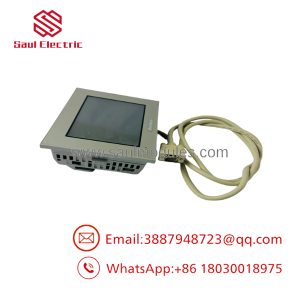
The PRO-FACE PS4700-V1-CD-D-4G-W732-SSD-WGP was configured for industrial applications requiring Windows-based HMI software, SCADA packages, machine monitoring tools, and custom automation applications. With its 15-inch XGA touchscreen, Core2 Duo processor, SSD storage, and Windows 7 platform, it fits legacy automation systems where software continuity is critical.
This is a configured PS4700 unit rather than a generic computer. The part number identifies important hardware selections, including display size, CPU type, memory, operating system, and storage configuration. Correct identification is essential during replacement planning.
Technical Specifications
| Parameter | Specification |
|---|---|
| Manufacturer | PRO-FACE |
| Series | PS4700 |
| Model Configuration | PS4700-V1-CD-D-4G-W732-SSD-WGP |
| Product Type | Industrial Panel Computer |
| Display Size | 15 inch |
| Display Type | TFT Active Matrix LCD |
| Display Resolution | 1024 × 768 pixels (XGA) |
| Display Colors | 16 million colors |
| Touch Panel Type | Analog resistive film |
| Touch Resolution | 4096 × 4096 |
| CPU | Intel Core2 Duo P8400 2.26GHz |
| Chipset | Intel GM45 |
| Graphics Controller | Intel GMA 4500MHD |
| Main Memory | 4GB DDR3 SDRAM |
| Storage | SSD |
| Operating System | Windows 7 Ultimate 32-bit |
| Power Input | DC24V |
| Expansion Slots | 1 PCI slot |
| Serial Interface | RS-232C ×2 |
| Ethernet | 10/100/1000 Mbps LAN ×2 |
| USB Interface | USB 2.0 ports |
| Video Output | DVI-I |
| CompactFlash Slot | Available |
| Mounting | Panel mount |
| Front Protection | Industrial panel front protection |
The PS4700 family supports 15-inch XGA displays, Core2 Duo P8400 processors, DDR3 memory options, Windows XP/Windows 7 environments, SSD or HDD storage, resistive touch panels, and industrial communication interfaces.
Field Application & the “Trench” Experience
A machine builder operating a high-speed inspection system faced a familiar problem. The PLC controller was stable, but the industrial computer running the inspection interface began showing SSD failures and unexpected Windows shutdowns.
The maintenance team identified the original computer:
PRO-FACE PS4700-V1-CD-D-4G-W732-SSD-WGP
The replacement review included:
- Confirming the Windows 7 image.
- Checking the inspection software license.
- Verifying camera interface drivers.
- Confirming PLC communication settings.
- Testing touchscreen calibration.
The team avoided a complete machine redesign. The PLC, field devices, and operator workflow remained unchanged.
Typical applications:
- Machine vision inspection stations
- Packaging line control terminals
- Semiconductor manufacturing equipment interfaces
- Production data collection stations
- Legacy SCADA operator panels
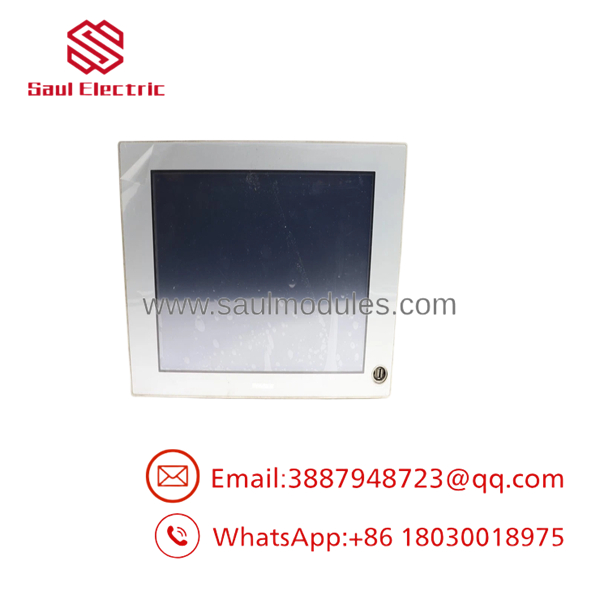
PS4700-V1-CD-D-4G-W732-SSD-WGP
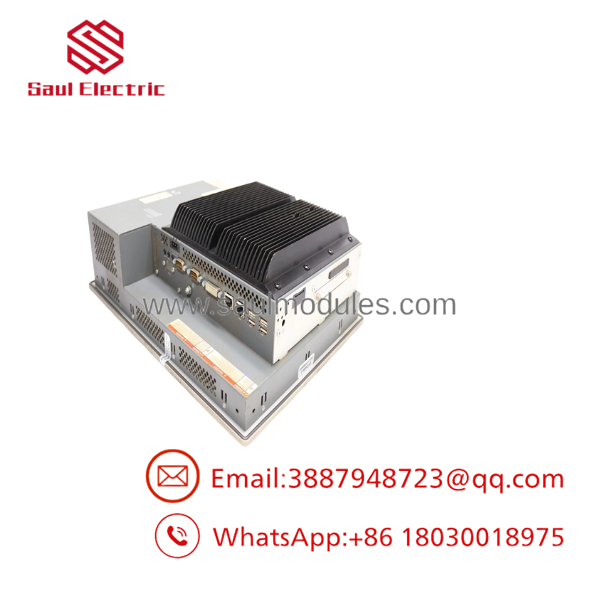
PS4700-V1-CD-D-4G-W732-SSD-WGP
Transparency SOP: QA & Testing
Industrial panel computers require system-level validation.
Inspection Workflow
Hardware Identification
- Confirm:
- PRO-FACE label
- model family
- CPU configuration
- Memory capacity
- Storage type
Display and Touch Test
Verify:
- XGA image output
- LCD brightness
- Touch calibration
- Full-screen response
- Pixel condition
Computer Function Test
Perform:
- BIOS startup check
- Windows 7 boot verification
- SSD health check
- Memory diagnostics
Industrial Interface Test
Check:
- Ethernet communication
- Serial communication
- USB ports
- DVI output
- Expansion slot operation
Extended Runtime Test
Monitor:
- Startup stability
- Temperature behavior
- Application launch
- Touch response consistency
A tested industrial PC should demonstrate operational stability, not only cosmetic condition.
The Veteran’s Tech Trap Guide
⚠️ Do not replace the with a standard office PC.
Industrial applications often depend on:
- Resistive touchscreen drivers
- Legacy communication drivers
- Industrial expansion cards
- Fixed Windows environments
A normal PC may run Windows but still fail machine integration.
⚠️ PRO TIP: Protect the SSD image before replacement.
The operating system is only part of the system. The SSD may contain:
- HMI runtime software
- Machine configuration files
- Database files
- Custom drivers
- License information
⚠️ Check expansion hardware before ordering.
The family supports PCI expansion configurations. Existing communication cards or specialty hardware may not transfer directly to another computer platform.
⚠️ Verify DC24V wiring carefully.
The -V1-CD-D configuration uses DC power input. Replacing it with an AC-powered industrial PC requires electrical review.
Dynamic FAQ
Q1. What is PRO-FACE -V1-CD-D-4G-W732-SSD-WGP?
It is a PRO-FACE Series industrial panel computer configured with a 15-inch touchscreen display, Intel Core2 Duo processor, Windows 7 32-bit operating system, 4GB memory, and SSD storage.
Q2. What processor does this configuration use?
This configuration uses:
Intel Core2 Duo P8400, 2.26GHz
with Intel GM45 chipset architecture.
Q3. What display does -V1-CD-D-4G-W732-SSD-WGP use?
The unit uses:
- 15-inch TFT color LCD
- 1024 × 768 XGA resolution
- Analog resistive touchscreen
Q4. What operating system is installed?
This configuration includes:
Windows 7 Ultimate 32-bit
The family also supported other legacy Windows platforms depending on configuration.
Q5. Is -V1-CD-D-4G-W732-SSD-WGP still manufactured?
The series has reached end-of-sale status. PRO-FACE lists models as discontinued, with replacement planning generally moving toward newer industrial PC platforms.
Q6. Can this unit replace another ?
Only after confirming:
- CPU configuration
- Memory size
- Storage type
- OS version
- Expansion slot requirements
- Power supply type
configurations vary significantly.
Q7. Is New Surplus available?
Availability depends on industrial spare inventory. Because these are configured industrial PCs, new surplus and refurbished sources should verify the complete model code.
Q8. What should buyers request before purchase?
Recommended verification:
- Actual unit photos
- Model label confirmation
- SSD condition report
- Windows activation information
- Touchscreen test results
- Power-on video
- Warranty terms
For legacy industrial computers, matching the exact configuration is the safest path to minimizing commissioning downtime.

 Start Chat


