





Description
Product Introduction
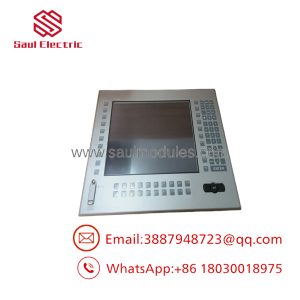
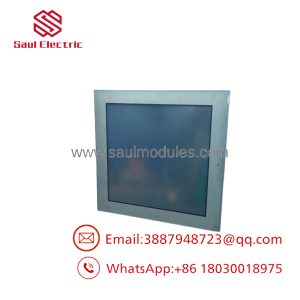
The QuickPanel QPL21100C2P is a legacy 12.1-inch industrial operator interface display terminal. Originally designed under the Total Control Products line (later acquired and distributed by GE Fanuc and Pro-Face partnerships), this unit served as a reliable workhorse terminal across thousands of manufacturing facilities.
The QPL21100C2P features a high-visibility 12.1-inch TFT color display, a full-surface analog resistive touchscreen, and an integrated 100–120V AC power supply. Configured via QuickDesigner software (v3.7 and compatible build environments), it provides real-time protocol translation and serial communications with major PLC platforms, including GE Series 90-30/90-70, Allen-Bradley SLC/ControlLogix, Modicon, and Omron controllers.
Key Technical Specifications
| Parameter | Specification |
| Model Code | QPL21100C2P / QPL-21100-C2P |
| Display Type | 12.1-inch Thin Film Transistor (TFT) Color LCD |
| Active Screen Area | Approx. 9.8″ W × 7.35″ H (249 mm × 186 mm) |
| Touch Screen | Analog Resistive Touch Overlay |
| Input Power | 100V AC to 120V AC (50/60 Hz) |
| Primary Serial Port (SIO) | RS-232C / RS-422 / RS-485 serial communication port |
| Auxiliary Port (AUX) | Printer / Diagnostic Expansion Interface |
| Configuration Software | QuickDesigner (v3.7 or compatible) |
| Front Enclosure Rating | NEMA Type 4X / 12, IP65 equivalent (when panel mounted) |
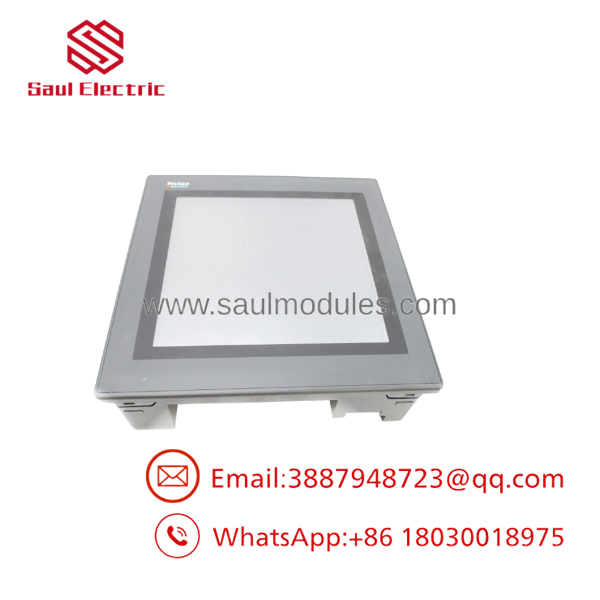
QPL21100C2P
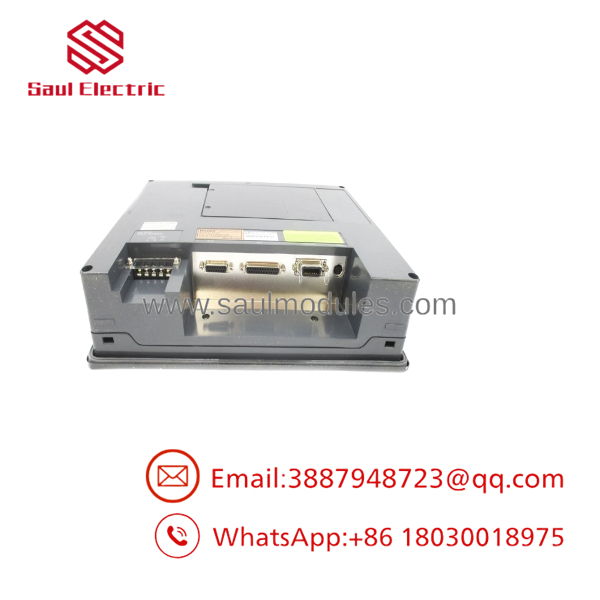
QPL21100C2P
Application Scenarios & The “Trench” Experience
The “Trench” Reality
When an aging QPL21100C2P display backlight dims or the touch matrix loses calibration on a critical line, plant engineers face a dilemma: migrating to a modern HMI requires rewriting the entire screen project, re-addressing PLC tags, and altering panel cutout dimensions. Sourcing an exact QPL21100C2P drop-in replacement allows maintenance personnel to re-load the original QuickDesigner application project, land the existing serial cabling, and restore machine operations with zero panel modification.
Target Applications
- Material Handling & Palletizing – Displaying conveyor speed, lane status, and photo-eye blockages.
- Chemical Batching & Blending – Monitoring valve sequences, vessel temperatures, and batch alarm history.
- Legacy OEM Machinery – Serving as the primary interface on older packaging equipment, cartoners, and stamping controls.
Transparency SOP: Quality Assurance & Testing
Every replacement QPL21100C2P unit is thoroughly tested prior to dispatch:
- Physical & Bezel Inspection: Inspecting the front bezel overlay for cracks, wear, and verifying panel mounting gasket integrity.
- AC Power Supply Load Check: Testing the internal power supply module under continuous 120V AC load conditions.
- Display & Touch Screen Matrix Calibration: Checking CCFL backlight brightness, screen uniformity, and executing 9-point touch coordinate alignment tests.
- Serial Communication (SIO) Loopback: Communicating over RS-232 and RS-422 ports with PLC test benches to confirm serial driver stability.
- Static Protection & Secure Packaging: Cleaning, anti-static wrapping, and foam-encapsulated shipping boxes.
The Veteran’s Tech Trap Guide
⚠️ Trap 1: Check Your Input Voltage Spec
The is an AC-powered model (100–120V AC). Do not confuse it with 24V DC QuickPanel variants (such as QPL-21100-D2P). Applying 24V DC to an AC terminal block will fail to power the unit, while applying 120V AC to a DC model will destroy the terminal.
❗ Trap 2: QuickDesigner Project Download Compatibility
Uploading or downloading project files requires the matching version of QuickDesigner software and a dedicated programming download cable (RS-232 serial). Ensure your computer’s USB-to-Serial adapter supports hardware handshaking signals.
⚠️ Trap 3: Preserving Screen Backlights
Because 12.1-inch legacy panels use CCFL tube backlights, configure the screen-saver / backlight turn-off timer in QuickDesigner settings. Setting the display to shut off after 15–20 minutes of inactivity significantly extends the LCD backlight lifespan.
Frequently Asked Questions
Q: Is the QuickPanel still in active production?
No. The QPL series is discontinued by the manufacturer. Surplus and fully refurbished units are available to keep installed control panels operational.
Q: How do I transfer my application file to a new ?
You can download the project file using QuickDesigner software connected via the serial programming cable, or move the project via memory card if equipped.
Q: What is the direct DC-powered equivalent of this model?
The DC-powered equivalent in the same 12.1-inch QuickPanel lineup is typically the QPL21100D2P (or QPL-21100-D2P), which accepts a 24V DC input instead of 120V AC.

 Start Chat


