





Description
Key Technical Specifications
| Parameter | Specification Value |
|---|---|
| Manufacturer | ABB |
| Order Code | 1TGE120021R0010 |
| Model Nomenclature | MNS iS MLink |
| Application Environment | MNS iS Low Voltage Motor Control Centers (MCC) |
| Processor Architecture | Embedded industrial real-time communication processor |
| Network Interfaces | 2x RJ45 Ethernet Ports (LAN 1 / LAN 2 for DCS/SCADA connection) |
| Serial Interfacing | 2x D-Sub 9-pin connections (Serial 1 / Serial 2 for local sub-networks) |
| Supported Protocols | Profibus DP, Modbus RTU, Modbus TCP, Profinet, Ethernet/IP (depending on software configuration) |
| Input Supply Voltage | 24 V DC internal system backplane distribution |
| Diagnostic Indicators | Dedicated LED cluster for Power, System Status, and Network Activity tracking |
| Enclosure Rating | IP20 standard industrial housing |
Product Introduction & Supply Chain Strategy
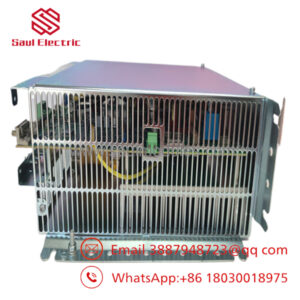
The ABB 1TGE120021R0010 MNS iS MLink module functions as the central communication hub and data routing gateway for ABB’s MNS iS intelligent low-voltage switchgear platforms. This controller gathers real-time current, voltage, thermal logs, and operational safety metrics from smart motor protection components down on the switchgear floor. By collecting this raw telemetry, the MLink translates and forwards critical data streams up to higher-level Distributed Control Systems (DCS) and SCADA environments while routing remote start, stop, and interlocking commands back down to the field.
Within continuous processing environments—such as oil refineries, large data centers, and heavy chemical facilities—the MLink module represents a single point of data convergence. If a communication gateway fails due to long-term high thermal exposure or networking line disturbances, the plant doesn’t just lose visibility; the master DCS loses its ability to coordinate motor control center logic, often resulting in an immediate production halt. Relying on repaired or used communication cards introduces serious performance concerns, such as memory allocation faults or network drops under heavy traffic. Sourcing a verified New Surplus 1TGE120021R0010 module guarantees clean internal memory buffers, full network hardware capability, and an immediate reduction in unexpected plant downtime.
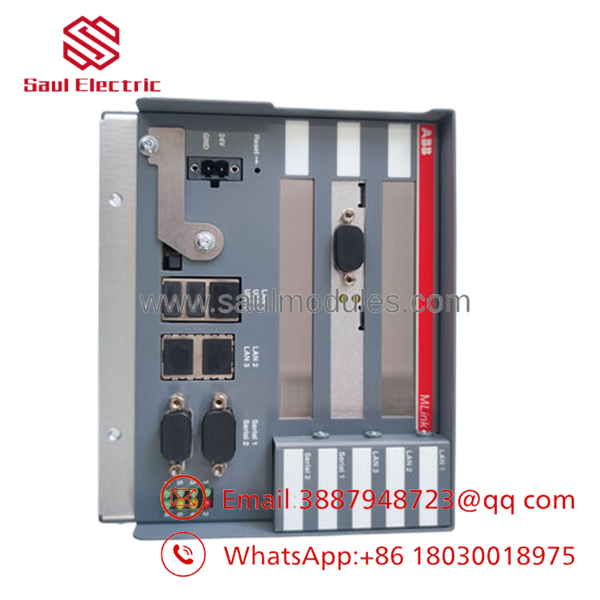
- 1TGE120021R0010
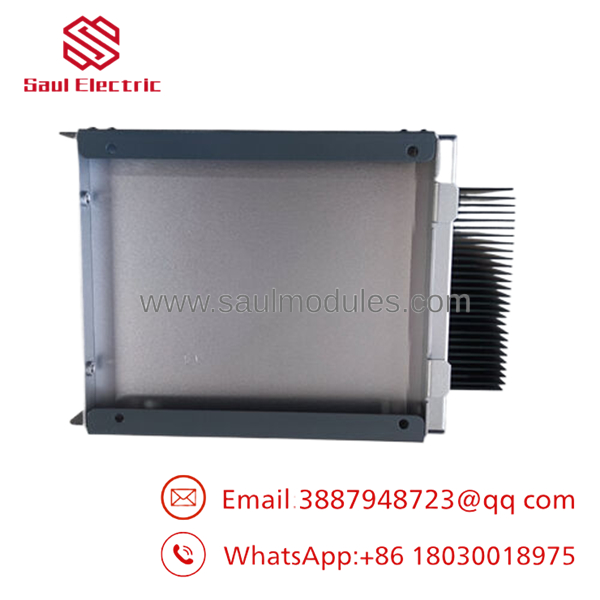
- 1TGE120021R0010
Installation & Configuration Guide
Stage 1: Pre-Installation (Prep & Safety)
- Safely isolate the targeted auxiliary control panel section of the MNS iS switchgear cubicle and implement full lock-out/tag-out (LOTO) procedures.
- Confirm that the auxiliary 24 V DC internal distribution line feeding the gateway slot is completely de-energized.
- Attach a grounded anti-static wrist strap to your arm before unboxing the replacement gateway to prevent electrostatic discharge (ESD) damage.
- Record the specific network layout details, including IP addresses, subnet masks, and physical node addresses, from your plant infrastructure documentation.
Stage 2: Removal
- Unplug the RJ45 network cables and any D-Sub serial interface plugs, ensuring all network cables are marked with their correct port locations (LAN 1 / LAN 2).
- Loosen the captive retaining fasteners or release the mechanical lock mechanism holding the MLink module frame onto the control rack layout.
- Carefully slide the gateway out along its guide tracks to avoid applying physical stress to the rear backplane pin connections.
- Place the removed hardware unit directly into a static-shielded storage bag.
Stage 3: Installation (Clone & Seat)
- Check that the part number and hardware revision index on the replacement unit match the 1TGE120021R0010 engineering specification.
- Align the module with the internal guide rails and push it firmly into place until the rear edge connectors slide smoothly into the backplane socket.
- Tighten all retaining fasteners to ensure the module maintains a secure ground connection to the cabinet frame.
- Re-insert the network and serial communication cables into their respective interfaces, checking that all connectors click or lock into place securely.
Stage 4: Power-On & Testing
- Energize the 24 V DC auxiliary control power line to initialize the module, keeping the primary motor starter power loops isolated.
- Observe the front LED matrix to verify the module boots up correctly into an active operational state without displaying system fault indicators.
- Connect your engineering terminal to the gateway and use ABB’s MNS iS engineering software suite to load the site-specific network configuration parameters.
- Verify that communication with the master DCS/SCADA network is fully restored, clear all remaining LOTO tags, and execute a controlled loop check to return the system to normal service.
Firmware/Software Versions & Upgrade Notes
The operational protocols and network behavior of the 1TGE120021R0010 are managed directly by its internal firmware configuration. When replacing this module, you must verify that the new unit’s firmware version aligns with the software configuration file used by your existing switchgear setup.
If you are replacing an older revision card, you may need to perform a targeted firmware flash via the MNS iS engineering tool suite to ensure full compatibility with your network profiles. Always back up your system configuration files before initiating a firmware update to prevent parameter mapping mismatches or communication drops across your fieldbus nodes.
Frequently Asked Questions (FAQ)
Does this 1TGE120021R0010 module come pre-loaded with our plant’s IP address and motor profiles?
No. The module is supplied as a clean, factory-fresh hardware unit. After inserting the module into your switchgear panel, you must use the ABB MNS iS configuration tool to upload your facility’s specific IP addresses, fieldbus parameters, and motor starter mapping configurations.
Why should we choose a New Surplus MLink over a cheaper refurbished communication unit?
Communication gateways process large volumes of continuous network data and operate in warm switchgear control enclosures. Refurbished units may have components like network transformers or capacitors that have degraded from past thermal exposure, which can cause random network drops or data corruption under high load. Sourcing a New Surplus unit ensures your communication pathways remain highly stable and reliable.
What is the specific function of the dual Ethernet ports on the front panel?
The dual RJ45 interfaces allow you to set up separate network pathways for your facility. Typically, one port handles data transmission to the main DCS/SCADA control network, while the second port provides a dedicated local channel for plant engineers to connect diagnostics tools and manage system configuration tasks.
Can this module be hot-swapped while the entire MCC switchgear line is powered up?
While the MNS iS system features a highly modular design, it is best practice to isolate the specific 24 V DC auxiliary power line feeding the gateway card slot before removing or installing hardware. This precaution protects the sensitive electronic pins from voltage arcs and prevents communication errors on adjacent system nodes.
What parameters are covered under the 1-year warranty package?
Our comprehensive 1-year warranty covers all processing component defects, I/O channel path failures, and terminal anomalies. If the control board experiences any signal failures or component defects during standard operation within this window, we will provide an immediate replacement module or issue a full refund.

 Start Chat


