





Description
Key Technical Specifications
- Device Type: Voltage Protection and Control Intelligent Electronic Device (IED)
- Series: ABB Relion® 615
- Configuration: Standard Configuration A/B family
- Primary Functions: Overvoltage, undervoltage, frequency protection, voltage regulation, circuit breaker control
- Communication Protocols: IEC 61850, IEC 60870-5-103, Modbus, DNP3
- Engineering Software: ABB PCM600 Protection and Control IED Manager
- Mounting Type: Withdrawable plug-in relay unit
- Auxiliary Supply: 24–250 V AC/DC range (depending on hardware variant)
- Frequency Rating: 50/60 Hz systems
- Protection Standards: IEC 60255 series
- Operating Temperature: −25 to +55 °C typical operating range
- Communication Features: IEC 61850 GOOSE messaging, optional process bus functions
- Monitoring Functions: Disturbance recorder, event logging, self-supervision
Product Introduction
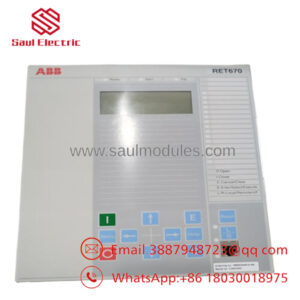
ABB REU615 HBUAEAADANB6ANN1XG is a Relion® 615 Series voltage protection and control relay designed for medium-voltage utility and industrial power systems. It monitors voltage conditions, frequency behavior, and provides protection, control, and communication functions inside substation automation environments.
The relay is commonly selected for applications requiring IEC 61850 integration, voltage supervision, load shedding, synchronism checking, or transformer voltage regulation schemes. Configuration must be verified against the existing engineering file before replacement.
Installation & Configuration Guide
Stage 1: Pre-Installation Preparation (Approx. 10 minutes)
⚠️ Safety First
- Notify operations about planned downtime.
- Verify the protected feeder or equipment is in a safe operating state.
- Apply lockout/tagout procedures before removing the relay.
- Wait at least 5 minutes after isolation to allow stored energy discharge.
Tools Required
- ESD wrist strap
- PH1 screwdriver
- Multimeter
- Wire labels
- Smartphone/camera for documentation
Data Backup
- Connect ABB PCM600.
- Export the current relay configuration.
- Record firmware version.
- Save communication settings.
- Photograph terminal wiring, labels, and relay settings.
Stage 2: Removing the Old Module (Approx. 10 minutes)
- Remove the front cover/bezel if installed.
- Label all terminal connections before removal.
- Disconnect wiring carefully. Do not pull on conductors.
- Release the relay locking mechanism.
- Pull the withdrawable unit straight out.
⚠️ Inspection Point
- Check the rear connector pins.
- Remove dust or contamination.
- Do not discard the old relay until the replacement is fully commissioned.
Stage 3: Installing the New Module (Approx. 10 minutes)
- Wear an ESD strap before handling the relay.
- Verify the replacement model:
- ABB REU615
- HBUAEAADANB6ANN1XG
- Clone the existing configuration:
- Communication parameters
- Signal matrix settings
- Binary input/output mapping
- Protection settings
- Insert the relay into the chassis.
- Confirm the locking mechanism engages.
- Reconnect terminals using correct torque.
Self Checklist
- Model number verified
- Wiring confirmed
- Communication parameters restored
- Relay fully seated
Stage 4: Power-On & Testing (Approx. 15 minutes)
Pre-Power Check
- Measure auxiliary supply voltage.
- Confirm no wiring shorts.
- Verify grounding connection.
Power-On Steps
- Energize the relay supply.
- Check front LEDs:
- Green LED = normal operation
- Red LED = fault indication
- Connect PCM600.
- Verify:
- Firmware version
- Relay communication
- Configuration file
- Perform functional tests:
- Voltage measurement
- Binary inputs
- Trip outputs
- IEC 61850 communication
⚠️ Troubleshooting Note
If communication fails:
- Check IP address settings.
- Confirm IEC 61850 configuration.
- Verify station engineering database matches the relay configuration.
If protection functions show unexpected alarms:
- Compare old and new firmware versions.
- Reload the correct application configuration.
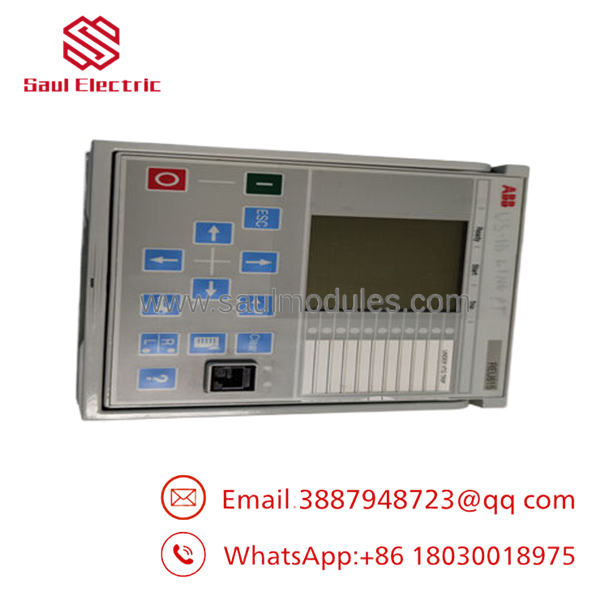
- REU615 HBUAEAADANB6ANN1XG
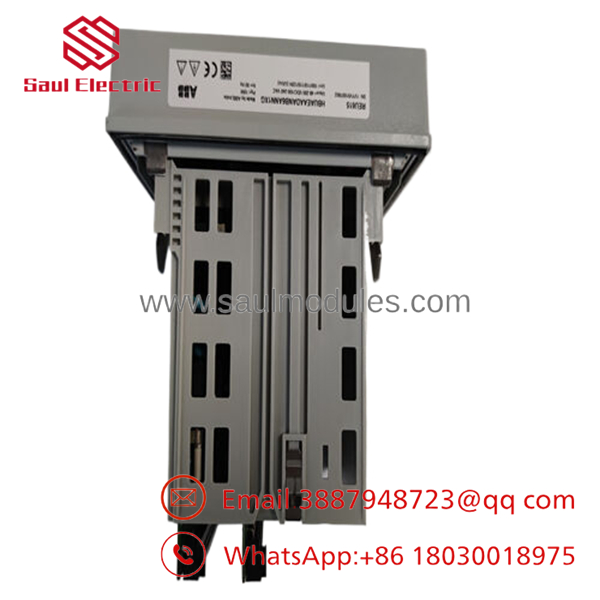
- REU615 HBUAEAADANB6ANN1XG
Frequently Asked Questions (FAQ)
Q1: Can ABB REU615 HBUAEAADANB6ANN1XG be hot-swapped under power?
No. The REU615 uses a withdrawable design, but replacement should follow site safety procedures. Removing the relay under live conditions can create risks to the protection circuit and connected equipment. Always isolate power before removal.
Q2: Is ABB HBUAEAADANB6ANN1XG obsolete?
The belongs to the ABB Relion® 615 product family. Availability depends on production status and regional inventory. For replacement projects, confirm the exact hardware order code, firmware, and engineering compatibility before installation.
Q3: Will I lose my protection settings when replacing the relay?
The settings are stored in the relay configuration. Before replacement, export the PCM600 project and keep a backup. The new relay requires configuration download and verification before returning to service.
Q4: Why is this unit priced differently from a new ABB factory order?
Industrial automation and protection equipment pricing varies by availability, lifecycle status, and condition. New Original / New Surplus units may come from inventory channels rather than current production supply.
Q5: What communication protocols does the support?
The supports IEC 61850, IEC 60870-5-103, Modbus, and DNP3 communication depending on configuration. IEC 61850 GOOSE functions are commonly used for substation automation applications.
Q6: What should I check before installing a replacement ?
Verify:
- Exact ordering code
- Firmware compatibility
- PCM600 project availability
- IEC 61850 station configuration
- Terminal wiring
- Protection parameter settings
A matching model number alone does not guarantee a successful replacement. Always compare the engineering database with the installed relay configuration.

 Start Chat


