





Description
Key Technical Specifications
| Parameter | Value |
|---|---|
| Manufacturer | ABB |
| Part Number | 3BSE014666R1 |
| ABB Type Designation | CI541V1 |
| Catalog Description | Profibus Interface Submodule |
| Product Type | Communication module / Profibus-DP interface submodule |
| System Family | AC 400 / Advant OCS |
| Dimensions | 255 mm x 20 mm x 125 mm |
| Net Weight | 0.17 kg |
| HS Code | 85389091 |
| RoHS Status | Not RoHS compliant |
| WEEE Category | 5, small equipment |
| Country of Origin Seen in Listing | Sweden |
Product Introduction & Supply Chain Strategy
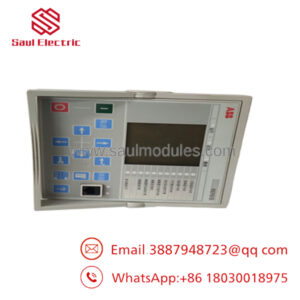
ABB CI541V1 3BSE014666R1 is a Profibus interface submodule for ABB Advant OCS and AC 400 environments. ABB’s product page and datasheet references identify it as a communication submodule, so its role is to keep controller-to-network data exchange stable in legacy systems.
From a supply-chain standpoint, this is a classic lifecycle-sensitive spare. Keep buffer stock if the installed base still depends on it, because communication cards like this can become bottlenecks quickly, and New Surplus usually gives the best TCO balance versus emergency sourcing.
Installation & Configuration Guide
Stage 1: Pre-Installation
- Apply lock-out/tag-out and verify the cabinet is safe.
- Use an ESD strap and document all wiring, labels, and module orientation.
- Record the current Profibus node settings and any controller configuration notes.
- Confirm the exact part number and revision before removal.
Stage 2: Removal
- Remove power and confirm discharge.
- Release the module from its slot or mounting position.
- Pull it straight out to avoid connector damage.
- Inspect the slot and bus connector for wear, contamination, or bent pins.
Stage 3: Installation
- Verify the replacement matches CI541V1 3BSE014666R1 exactly.
- Reinstall the module in the same slot and orientation.
- Restore any network settings, addresses, or bus parameters exactly as documented.
- Secure the module and reconnect wiring before energizing.
Stage 4: Power-On & Testing
- Check supply rails for shorts before power-up.
- Power up and confirm normal status indications.
- Verify Profibus communication to the controller and remote nodes.
- Validate data exchange and fault-free network behavior before returning to service.
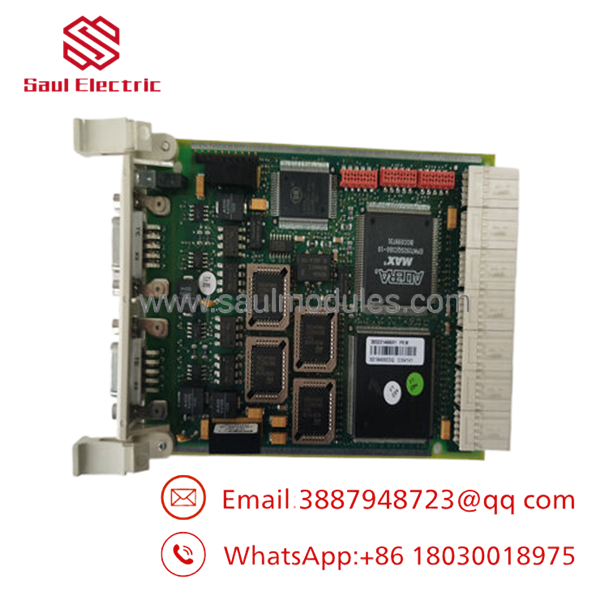
- CI541V1 3BSE014666R1
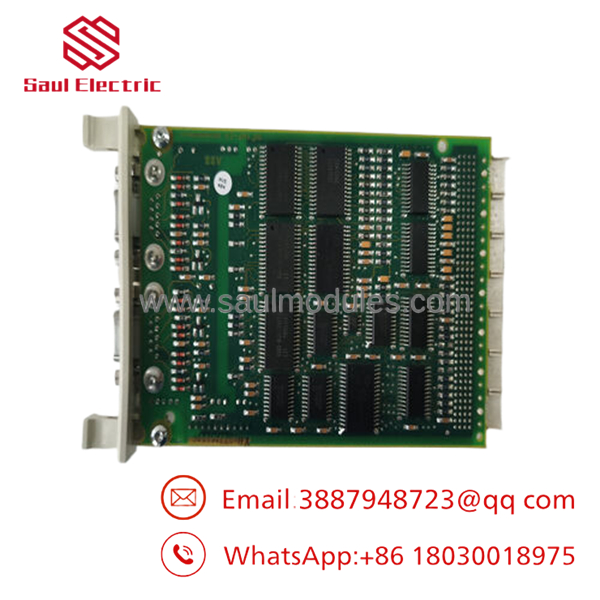
- CI541V1 3BSE014666R1
Firmware/Software Versions & Upgrade Notes
ABB identifies CI541V1 as a Profibus Interface Submodule in the AC 400 / Advant OCS environment, and the reviewed material points to a legacy communications role rather than a standalone smart device.
Keep the existing controller configuration unchanged during replacement unless the site documentation explicitly requires a change.
Avoid firmware upgrades or downgrades during the swap, because communications modules are sensitive to node settings and protocol compatibility.
Frequently Asked Questions (FAQ)
Is this really new? Public listings describe it as genuine new or original inventory, which is the right condition target for a legacy communications spare.
Why is it cheaper than OEM new but higher than a low-cost offer? New Surplus usually sits between OEM list pricing and lower-trust inventory because it preserves genuine OEM condition while avoiding full factory pricing.
Is this part obsolete or EOL? Yes, treat it as lifecycle-sensitive. It belongs to ABB’s older AC 400 / Advant OCS ecosystem rather than active mainstream catalog sales.
Can I hot-swap it? Do not assume hot-swap capability. Isolate power first and replace it as a controlled maintenance task.
Will my programming be retained automatically? Not by the submodule itself. Back up node settings and controller configuration before removal.
What warranty should I expect? Market listings commonly present it as new original inventory, but exact warranty terms depend on supplier.
How should I stock it? Keep 1 unit on site for a critical legacy network, and add a second only if lead time variability is high or cross-site sharing is not practical.


 Start Chat


