





Description
3. Key Technical Specifications
- Communication Protocol: Modbus TCP
- Number of Channels: 2 (Ch1: 10/100 Mbit/s full duplex, Ch2: 10 Mbit/s half duplex)
- Master/Slave: Both supported
- Max Stations: 70 slaves and 8 masters combined across channels
- Connector: RJ-45 female (8-pin)
- Max Units on CEX Bus: 12
- Power Consumption: Typ. 160 mA at 24 V (powered via CEX bus)
- Operating Temperature: 0 to +55 °C
- Storage Temperature: -40 to +70 °C
- Dimensions (W x H x D): 59 mm x 185 mm x 127.5 mm
- Weight (including base): Approx. 700 g
- Hot Swap: Supported
- Module Redundancy: Supported
4. Product Introduction
The ABB CI867K01 (3BSE043660R1) is a dual-channel Modbus TCP interface for AC800M controllers. It enables the controller to communicate with Modbus TCP devices such as variable frequency drives, power meters, and third-party controllers over Ethernet.
In AC800M installations, this module handles bidirectional data exchange for process control and monitoring. It provides two Ethernet ports for network flexibility and supports both master and slave modes, which simplifies integration in mixed-vendor environments without requiring additional gateways in many cases.
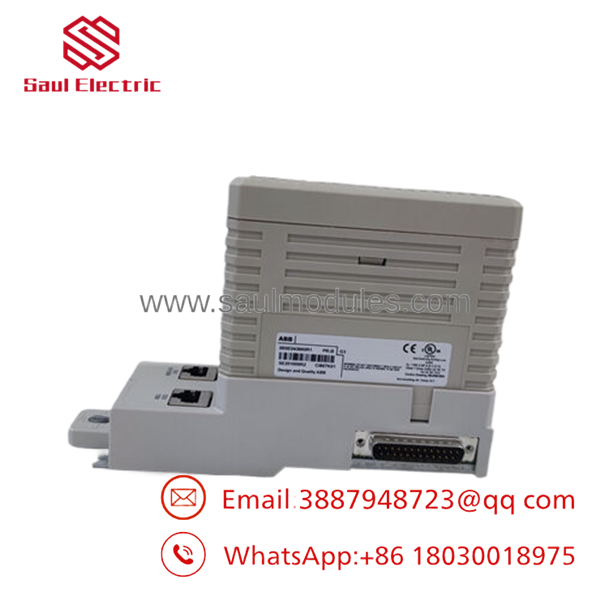
- CI867K01 3BSE043660R1
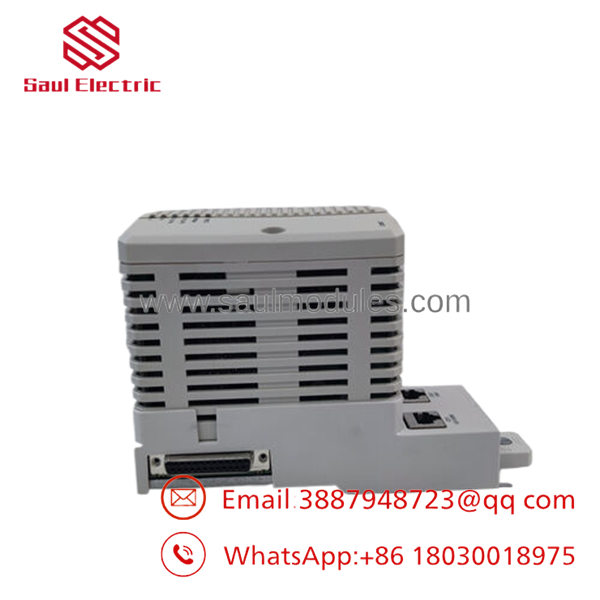
- CI867K01 3BSE043660R1
5. Installation & Configuration Guide
Stage 1: Pre-Installation Preparation (15-20 minutes) ⚠️ Safety First: Inform operations, confirm safe conditions, perform lockout/tagout, and allow 5 minutes for discharge. Tools Required: ESD wrist strap, PH1 screwdriver, multimeter, labels, and camera. Data Backup: Save Modbus mappings, photograph cable connections and port usage, record IP settings.
Stage 2: Removing the Old Module
- Remove front cover.
- Label and disconnect Ethernet cables.
- Release tabs and extract the module straight out.
- Check backplane condition.
⚠️ Keep the removed module accessible for comparison.
Stage 3: Installing the New Module (10-15 minutes)
- Match the exact model CI867K01 and follow ESD protocols.
- Configuration Clone: Replicate settings based on reference photos.
- Insert firmly into the CEX slot until locked.
- Reconnect Ethernet cables securely.
Self-Checklist: [ ] Model confirmed, [ ] Settings matched, [ ] Seated properly, [ ] Connections tight.
Stage 4: Power-On & Testing (15-25 minutes) Pre-Power Check: Test 24 V rail for shorts. Power-On Steps:
- Energize the rack.
- Observe LED status.
- Connect via Control Builder and configure IP addresses.
- Download settings and test Modbus read/write operations.
- Validate data with connected devices.
⚠️ Troubleshooting Note: No communication often results from wrong channel selection, IP mismatch, or cable issues. Check error logs in Control Builder for details.
6. Frequently Asked Questions (FAQ)
Can this module be hot-swapped under power? Yes, it supports hot swap. In critical applications, however, scheduled downtime reduces risk to communications and the CEX bus.
Is this model obsolete, and is the stock genuinely new? This is a standard AC800M module that remains in active use. New Original units are factory surplus with full OEM packaging and traceability. Each passes power-on, communication, and thermal testing.
What is the direct replacement if this model is unavailable? The CI867A offers a streamlined single-channel design with updated performance. Verify firmware compatibility and port requirements before switching.
Will I lose my programming logic or Modbus mappings when swapping? The application logic remains in the CPU. You will need to re-establish or verify the CI867 communication parameters and connections after physical installation.
Why is the price lower than OEM list? These are new surplus modules. They receive complete inbound verification, functional testing on genuine AC800M hardware, and documentation—without the costs of current factory production runs. Test reports ship with each unit.

 Start Chat


