





Description
Key Technical Specifications
- Model: CP800
- Manufacturer: ABB
- Product family: Symphony Plus HPC800
- Function: Communication processor for PN800 plant network
- Supply voltage: 24 V DC
- Memory: 64 MB DRAM, 4 MB ROM
- Operating temperature: 0 to +55 C
- Storage temperature: -40 to +85 C
- Relative humidity: 20% to 95% non-condensing
- Dimensions: 243.84 x 73.66 x 170.18 mm
- Weight: 0.99 kg
- Programming capacity: Up to 30,000 INFI 90 function blocks
Product Introduction
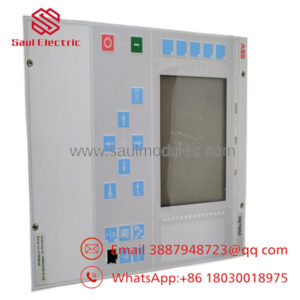
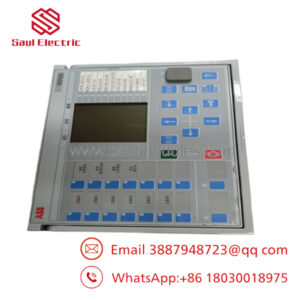
ABB CP800 is a communication processor module for the Symphony Plus HPC800 control system. It provides PN800 plant network communications and is used in industrial automation environments that need deterministic control data exchange and controller-to-network integration.
Field teams choose it for its fit within the HPC800 architecture, its modest power demand, and its documented memory and temperature envelope. Verify exact firmware and system compatibility before installation, especially if you are replacing an older communication module in a live plant.
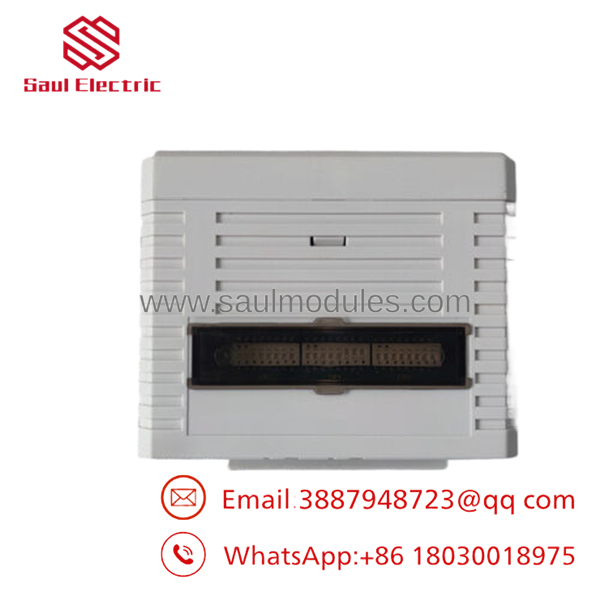
- CP800
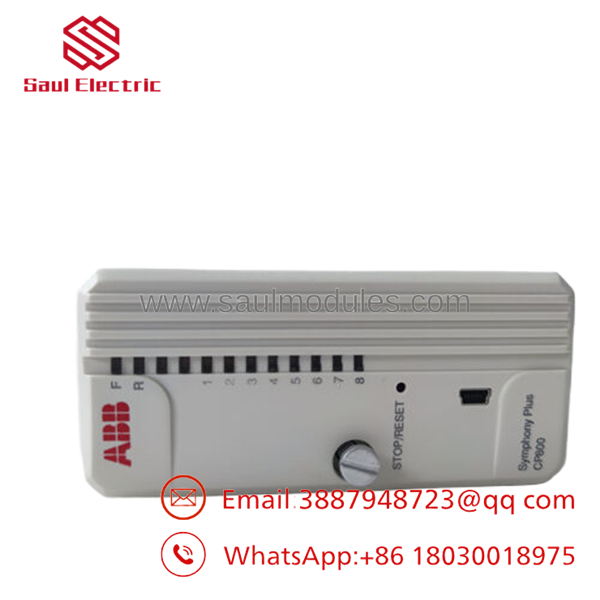
- CP800
Installation & Configuration Guide
Stage 1: Pre-Installation Preparation
Time estimate: 5–10 minutes
- ⚠️ Safety First: Notify operations, confirm the process is in a safe state, apply lockout/tagout, and wait at least 5 minutes for capacitor discharge.
- Gather the tools: ESD strap, PH1 screwdriver, multimeter, wire labels, and a smartphone for photos.
- Back up the running configuration, export logic if applicable, record IP settings, and photograph all DIP switches, jumpers, and terminal wiring.
- Verify the replacement part number matches exactly before touching the rack.
Stage 2: Removing the Old Module
Time estimate: 5 minutes
- Remove the front bezel or cover.
- Label and disconnect wiring carefully. Do not force terminals.
- Release the DIN rail or rack locking tabs and pull the module out straight to protect the backplane pins.
- Inspect the backplane for bent pins, dust, discoloration, or signs of overheating.
- ⚠️ Note: Keep the old module on hand until the new one is fully online and stable.
Stage 3: Installing the New Module
Time estimate: 5–10 minutes
- Put on the ESD strap and confirm the exact model number again.
- Configuration Clone: Replicate every DIP switch and jumper setting from your photos. Pay close attention to node address and bus termination.
- Insert the module into the rack or DIN rail until it seats fully and you hear the click.
- Reconnect wiring using the correct torque and terminal practice for your site.
- Check your work against the self-checklist: [] DIPs match, [] Wiring secured, [] Tabs locked.
Stage 4: Power-On & Testing
Time estimate: 10 minutes
- Use a multimeter to check the 24 V rail for shorts before energizing.
- Power up the rack first, not the field devices.
- Watch the LEDs. Green RUN is the normal sign; red ERR means a fault.
- Connect engineering software, confirm IP settings and firmware version, and load the backup configuration if required.
- Run a dry test of the I/O and communication path.
- ⚠️ Troubleshooting Note: If the ERR LED stays solid red, suspect a firmware mismatch first. If there is no comms, check IP configuration and the switch port.
Frequently Asked Questions
Q: Can I hot-swap the ABB CP800?
A: No. Treat it as a powered-down replacement unless the OEM manual for your exact rack says otherwise. Pulling it live risks backplane damage and a very expensive recovery job.
Q: Is this model obsolete?
A: It is a legacy HPC800 communication module, so stock is usually limited and condition matters. For procurement, confirm whether the unit is new surplus, refurbished, or factory-sealed before you commit.
Q: What is the direct replacement if CP800 is out of stock?
A: There is no safe guess here. You need to verify the OEM migration path against the installed HPC800 hardware, firmware level, and plant network design before ordering a substitute.
Q: Will I lose my programming when I swap the module?
A: Usually not if the logic is stored in the controller and you back up the configuration first. Still, document everything before removal; I have seen a simple comms swap turn into a two-shift recovery because nobody captured the original settings.
Q: Why is your price lower than ABB list price?
A: Surplus and secondary-market stock often costs less than factory channel pricing. The trade-off is that you must confirm condition, traceability, and test status instead of assuming it is factory fresh.
Q: What condition should I expect?
A: For this kind of part, the honest options are New Original, New Surplus, or Refurbished and tested. If a seller cannot state the condition clearly, that is a procurement risk.
Q: How do I avoid installation mistakes?
A: Copy the switch settings exactly, verify wiring against the old module, and do not skip the power-off and ESD steps. Most field failures on replacements come from firmware mismatch, switch misconfiguration, or bad handling, not from the module itself.

 Start Chat


