





Description
Key Technical Specifications
- Manufacturer: ABB
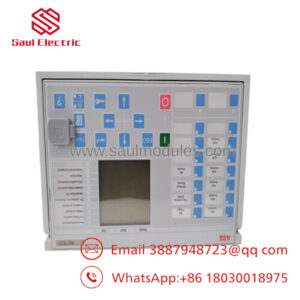
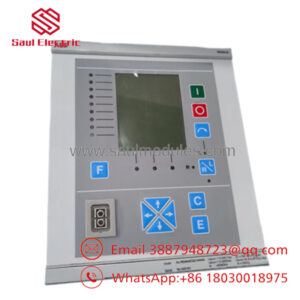
- Model: SA9923A-E
- Part Number: HIEE450964R0001
- Product Type: Control system module
- Operating Temperature: -10°C to +55°C
- Storage Temperature: -20°C to +65°C
- Protection Rating: IP20
- Estimated Dimensions: 0.3 in x 10.5 in x 7.0 in
- Estimated Weight: 0.5 kg
- Condition: New
Product Introduction
ABB SA9923A-E, part number HIEE450964R0001, is an ABB control system module used in industrial automation and control applications. It is typically sourced as a replacement part for legacy installations where exact model matching matters.
Buyers usually choose this unit when they need ABB-compatible hardware with known physical dimensions, IP20 protection, and a defined operating temperature range. For replacement work, confirm the exact terminaling, firmware, and rack compatibility against the installed system before ordering.
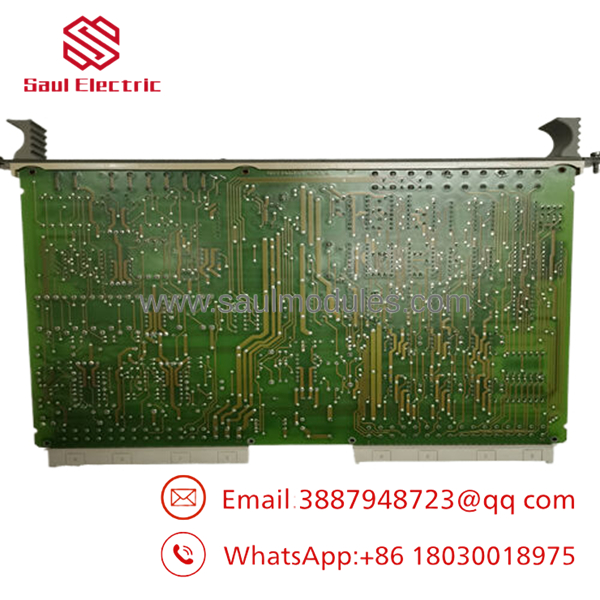
- SA9923A-E
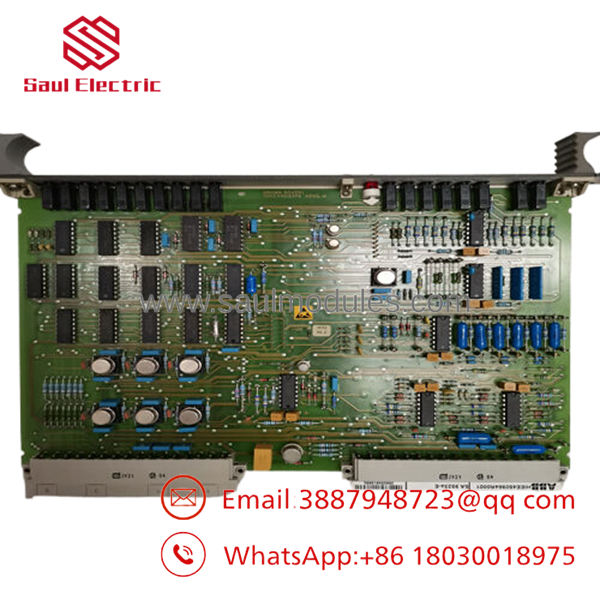
- SA9923A-E
Installation & Configuration Guide
Stage 1: Pre-Installation Preparation
- Notify operations and create downtime. Verify the process is in a safe state, apply lockout/tagout, and wait at least 5 minutes for capacitor discharge.
- Gather an ESD strap, PH1 screwdriver, multimeter, wire labels, and a smartphone for photos.
- Back up the running logic, document IP addresses, and photograph all DIP switches, jumpers, and terminal wiring layouts.
- Confirm the replacement model number matches exactly before you unpack it.
Stage 2: Removing the Old Module
- Remove the front bezel or cover.
- Label every wire before disconnecting it. Do not force terminals.
- Release the DIN-rail or rack locking tabs and pull the module straight out to protect backplane pins.
- Inspect the backplane for bent pins, corrosion, dust, or heat damage.
- Keep the old module on hand until the new one is running correctly.
Stage 3: Installing the New Module
- Put on the ESD strap and verify the exact model match.
- Clone the configuration exactly. Copy every DIP switch and jumper position from your photos, especially node address and bus termination settings.
- Insert the module into the rack until it seats fully and you hear the click.
- Reattach wiring with the correct torque and verify shield termination as required.
- Check off the install list: [] DIPs match, [] Wiring secured, [] Tabs locked.
Stage 4: Power-On & Testing
- Use a multimeter to check for shorts on the 24 V rail before energizing.
- Power up the rack first, not the field devices.
- Watch the LEDs carefully. Green RUN usually indicates normal operation; red ERR points to a fault.
- Connect the engineering software, verify IP address and firmware version, and download backup logic if required.
- Run a dry test of the I/O before returning the process to service.
- If the ERR LED stays solid red, suspect a firmware mismatch. If comms fail, check the IP settings and switch port first.
Frequently Asked Questions
Can this be hot-swapped under power?
No, do not assume it can. Without ABB-specific confirmation, hot-swapping risks backplane damage and a longer outage. Kill power first and verify discharge.
Is SA9923A-E obsolete?
It is commonly traded as a legacy or limited-stock part. That means availability can change quickly, so exact-match sourcing matters.
Will I lose my programming when I replace it?
Usually the logic lives in the controller or system, not the spare module itself, but that depends on the installation. Back up the existing configuration before removal.
Is this a direct replacement for HIEE450964R0001?
The model and part number are commonly paired, but you still need to verify rack, wiring, and firmware compatibility before installation. Do not rely on model similarity alone.
Why is the price lower than OEM list price?
Because surplus and secondary-market stock often sells below factory list pricing. The tradeoff is that condition, test history, and remaining availability must be checked carefully.
What condition is this unit sold in?
The usual commercial listing is New Original or New Surplus, depending on stock source. If you need refurbished, that should be stated explicitly and backed by test records.

 Start Chat


