





Description
Key Technical Specifications
- Product Type: 8-channel digital input module.
- Input Voltage (AC): 164 to 264 V AC.
- Input Current (AC): 7.6 mA at 230 V AC.
- Input Voltage (DC): 175 to 275 V DC.
- Input Current (DC): 1.6 mA at 220 V DC.
- Input Isolation: Individually isolated channels.
- Status Indication: Input state indication LEDs.
- Protection: Current limiting and EMC protection on each channel.
- Field Supervision: Voltage supervision of field input power.
- Connection: Detachable connectors.
- Series: ABB S800 I/O.
Product Introduction
The ABB DI803 is an 8-channel 230 V AC/DC digital input module for the ABB S800 I/O system. It reads high-voltage field signals, provides individual channel isolation, and includes status LEDs plus field-power supervision.
Engineers use it when they need direct compatibility with existing S800 I/O installations and want to keep the original field wiring intact. It is a straightforward replacement part, but you still need to verify the exact terminal style, channel mapping, and cabinet wiring before installation.
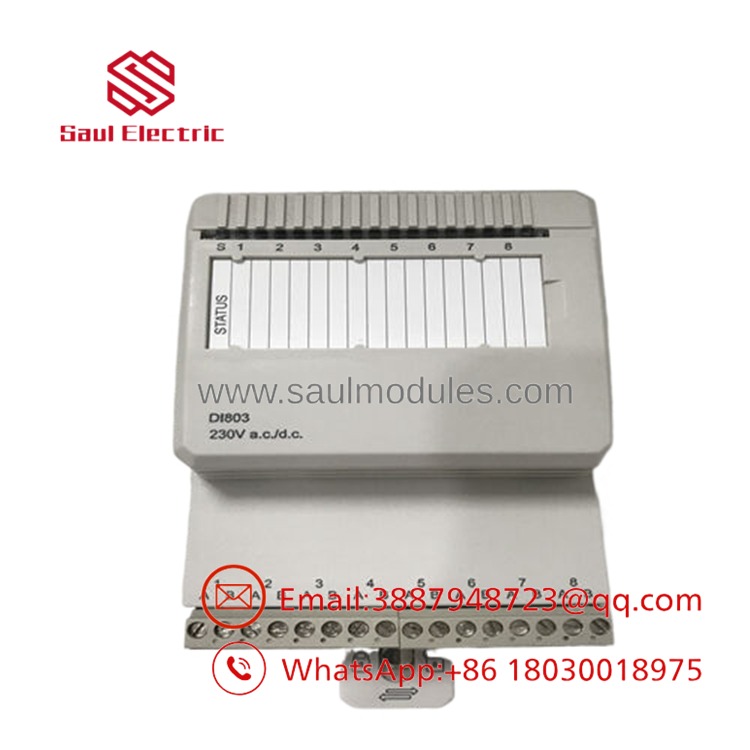
- DI803
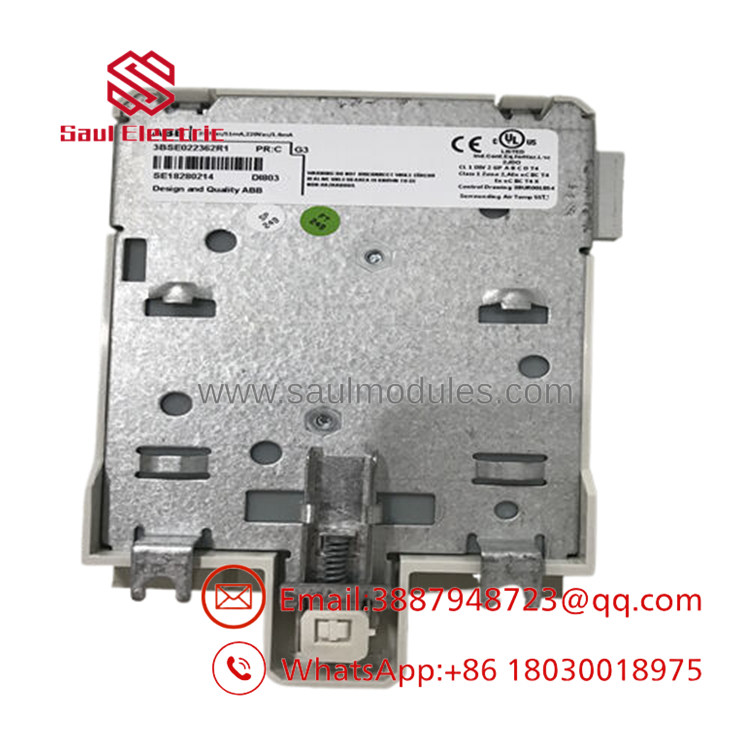
- DI803
Installation & Configuration Guide
Stage 1: Pre-Installation Preparation
Time estimate: 5-8 minutes.
- ⚠️ Safety First: Notify operations of downtime, verify safe state, lock out/tag out power, and wait at least 5 minutes for capacitor discharge.
- Gather tools: ESD strap, PH1 screwdriver, multimeter, wire labels, and a smartphone for photos.
- Back up the running configuration, document the input list, and photograph the terminal wiring and any connector coding.
- Verify the replacement part number exactly matches DI803 before opening the package.
Stage 2: Removing the Old Module
Time estimate: 5 minutes.
- Remove the front cover or access panel.
- Label and disconnect the field wires carefully; do not force the terminal blocks.
- Release the module from the mounting base or rack and pull it straight out.
- Inspect the base, connectors, and wiring for bent pins, dust, or heat damage.
- ⚠️ Note: Keep the old module until the new one is fully commissioned.
Stage 3: Installing the New Module
Time estimate: 8-10 minutes.
- Put on the ESD strap and confirm the model number matches the removed unit.
- Configuration clone is critical: copy any address, bus, or channel-related settings from the old module photo.
- Seat the module fully in the rack or base until locked.
- Reconnect the field wiring using the original labeling and routing.
- Check the self-list: [] settings match, [] wiring secured, [] module seated, [] lock engaged.
Stage 4: Power-On & Testing
Time estimate: 8-12 minutes.
- Pre-power check: use a multimeter to check for shorts and confirm field voltage is within the module’s rated range.
- Power up the controller and I/O system first, not the field circuits.
- Confirm the input LEDs respond to known live signals.
- Verify the controller sees all 8 channels correctly and the input states change as expected.
- Run a point-by-point functional test from the control system or maintenance workstation.
- ⚠️ Troubleshooting Note: If an input does not register, check field voltage, wiring polarity, channel isolation, and connector seating before assuming module failure.
Frequently Asked Questions
Can this module be hot-swapped under power?
Usually no. Treat it as a powered-down replacement unless the exact ABB system documentation explicitly allows live removal. On S800 I/O hardware, pulling modules live is how you create avoidable downtime.
Is the DI803 obsolete?
Yes, it is commonly treated as a legacy or limited-stock spare. That is why most buyers look for new surplus or tested refurbished units.
What is the direct replacement if this module is unavailable?
The replacement has to match the S800 I/O architecture, input voltage class, isolation behavior, and connector arrangement. Do not assume a similar ABB digital input module will work without checking the datasheet.
Will I lose my programming when I replace the module?
No, not if you are only swapping an input module. The controller logic should remain intact, but you still need to confirm channel mapping and hardware configuration after the swap.
Why is your price lower than ABB list price?
Because this part is often sourced from surplus channels or refurbished stock rather than fresh OEM production. That is normal for discontinued industrial hardware, but you should still verify condition and warranty.
What condition should I expect?
Most available stock is new surplus or refurbished tested. Ask for photos, test status, and packaging details before you commit.
What is the most common installation mistake?
Skipping the photo of the old wiring before removal. That small mistake can turn a quick swap into an afternoon of tracing inputs one by one.


 Start Chat


