





Description
Key Technical Specifications
| Parameter | Value |
|---|---|
| Manufacturer | ABB |
| Model | GDC806A0101 |
| Product Type | Industrial Control Module |
| Series | GDC800 Series |
| Primary Function | Control and processing module for industrial automation |
| Installation | Backplane-mounted control cabinet module |
| Interface | Industrial backplane connection |
| Application | Process automation and machinery control |
| Cooling | Passive cabinet cooling |
| Protection | Industrial enclosure installation |
| Maintenance Category | Critical automation spare |
| Lifecycle Status | Limited market availability; strategic stocking recommended |
Product Introduction & Supply Chain Strategy
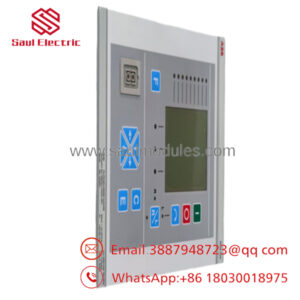
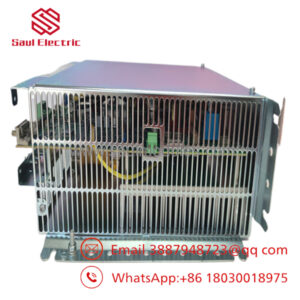
The ABB GDC806A0101 is an industrial control module designed for ABB automation platforms requiring dependable processing and control functions within industrial production systems. It is intended for installation in industrial control cabinets where stable operation and long service life are essential.
This product is a Brand New Surplus unit. It is not used, not pulled from a decommissioned plant, and not refurbished. All modules undergo rigorous quality verification to ensure OEM-level reliability. Because worldwide availability is limited, maintaining 1–2 GDC806A0101 modules as buffer stock helps reduce lead time variability, supports vendor consolidation, and lowers Total Cost of Ownership (TCO). Genuine New Surplus inventory also avoids the hidden risks associated with refurbished electronics.
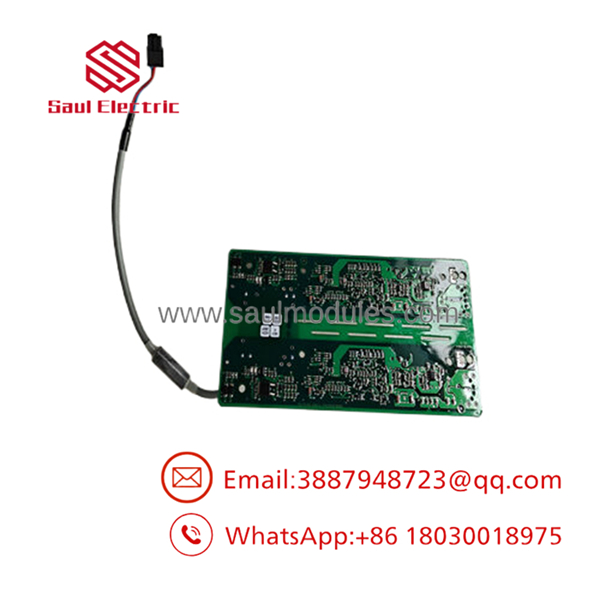
- GDC806A0101
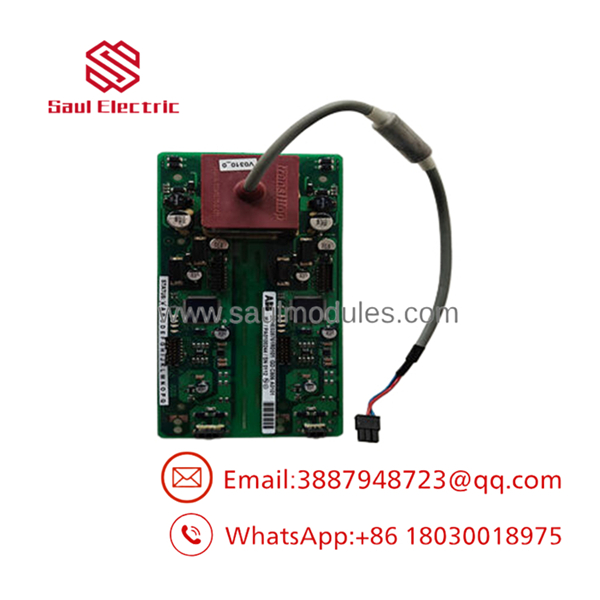
- GDC806A0101
Installation & Configuration Guide
Stage 1: Pre-Installation (Prep & Safety)
- Perform Lock-Out/Tag-Out (LOTO).
- Disconnect all cabinet power supplies.
- Wear a grounded ESD wrist strap.
- Photograph:
- Module location
- Backplane slot
- Cable routing
- Connector orientation
- Back up all controller parameters before replacement.
Stage 2: Removal
- Disconnect all interface cables.
- Release the retaining hardware.
- Remove the module evenly to avoid bending backplane pins.
- Inspect connectors for contamination, oxidation, or mechanical damage.
Stage 3: Installation (Clone & Seat)
- Verify the replacement model is ABB GDC806A0101.
- Install the module into the identical slot.
- Secure all retaining hardware.
- Restore every cable according to the original documentation.
- Verify cabinet grounding before energizing the system.
Stage 4: Power-On & Testing
- Restore control power.
- Verify normal controller startup.
- Confirm module recognition by the control system.
- Check communication diagnostics.
- Verify all associated process functions before returning the equipment to production.
Firmware/Software Versions & Upgrade Notes
- Verify controller firmware compatibility before installing the replacement module.
- Record the existing firmware revision before removing the original hardware.
- Back up controller configuration and application files before maintenance.
- Avoid firmware upgrades during emergency hardware replacement unless compatibility has been fully validated.
- If replacing a failed module, restore the original hardware configuration before modifying firmware.
- Verify all controller diagnostics after commissioning to confirm proper integration.
Engineering Note: Public ABB documentation for the is limited. Firmware compatibility should always be verified against the installed control platform documentation before commissioning.
Frequently Asked Questions (FAQ)
Q1. Is this module genuinely new?
Yes. This is a New Original / New Surplus ABB module. It is not used, repaired, or refurbished. Every unit undergoes OEM serial verification, visual inspection, electrical verification, and ESD-safe packaging before shipment.
Q2. Why is New Surplus priced below OEM factory supply but above refurbished products?
Our pricing reflects the global cost of sourcing genuine New Surplus inventory. While typically costing more than refurbished hardware, it eliminates hidden component aging, undocumented repairs, and premature failures that can result in expensive production downtime.
Q3. Is the considered obsolete?
Global market availability is limited, making advance inventory planning advisable. Facilities operating this hardware should classify it as an A-Class critical spare, maintain 1–2 units on-site, and evaluate a planned last-time-buy if the installed equipment is expected to remain in service for several years.
Q4. Can the be hot-swapped?
No. Always isolate cabinet power before replacing the module. Hot-swapping may damage the module, the backplane connector, or interrupt controller operation.
Q5. Will replacing the module require software changes?
Normally, no. When replacing the module with the identical model and hardware revision, controller logic generally remains unchanged. After installation, verify all diagnostics and application functions before resuming production.
Q6. What quality verification is completed before shipment?
Every New Surplus follows a documented SOP including:
- OEM serial number verification
- Inbound traceability inspection
- Visual inspection
- Power-on verification (where applicable)
- Connector integrity inspection
- Electrical continuity testing
- Ground continuity verification
- QC inspector approval
- ESD-safe packaging
- Heavy-duty export shipping preparation
Q7. What inventory strategy provides the lowest Total Cost of Ownership (TCO)?
For facilities where the supports production-critical automation systems, classify it as an A-Class critical spare. Maintain 1–2 units as buffer stock, implement vendor consolidation, standardize hardware revisions across plants, and establish cross-site inventory sharing whenever possible. If the control platform is approaching end-of-life, execute a planned last-time-buy before global inventory declines further. This approach minimizes lead time variability, reduces stock-out incidents, controls carrying costs, and delivers a lower Total Cost of Ownership (TCO).

 Start Chat


