





Description
Key Technical Specifications
- Part Number: 64610805
- Module Type: Pulse Encoder Interface Module
- Compatible Drives: ABB ACS800 and DCS800 series
- Encoder Input: Differential or single-ended incremental encoder signals
- Channels: A, B, Z pulse channels
- Encoder Supply Voltage: +15 V DC or +24 V DC
- Maximum Input Frequency: 200 kHz
- Power Consumption: Approx. 55 mA from available 250 mA supply
- Installation Location: RMIO board option slot / compatible adapter interface
- Mounting: Plug-in option module
- Feedback Resolution: 15-bit speed feedback resolution (application dependent)
- Operating Environment: Industrial drive cabinet environment
Product Introduction
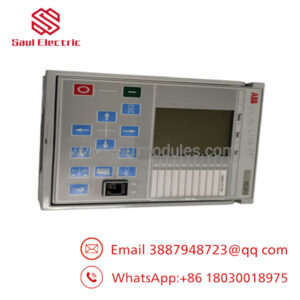
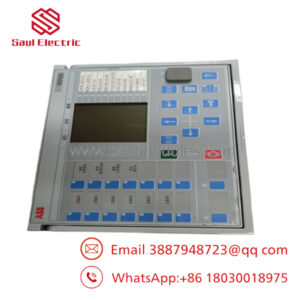
ABB RTAC-01 OPTION/SP KIT is a pulse encoder interface option module used with ABB ACS800 and DCS800 drive systems. It converts incremental encoder pulse signals into digital feedback data for motor speed and position control applications. The module supports differential and single-ended encoder connections with 15 V DC or 24 V DC encoder supply options.
In field replacement work on ABB drive systems, this module is commonly used when restoring encoder feedback after an option board failure. Before installation, verify the drive firmware, RMIO board compatibility, encoder voltage, and existing parameter backup.
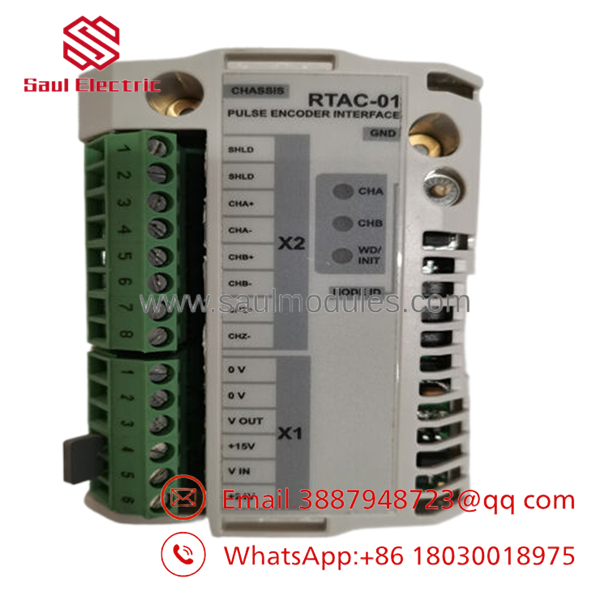
- RTAC-01 OPTION/SP KIT
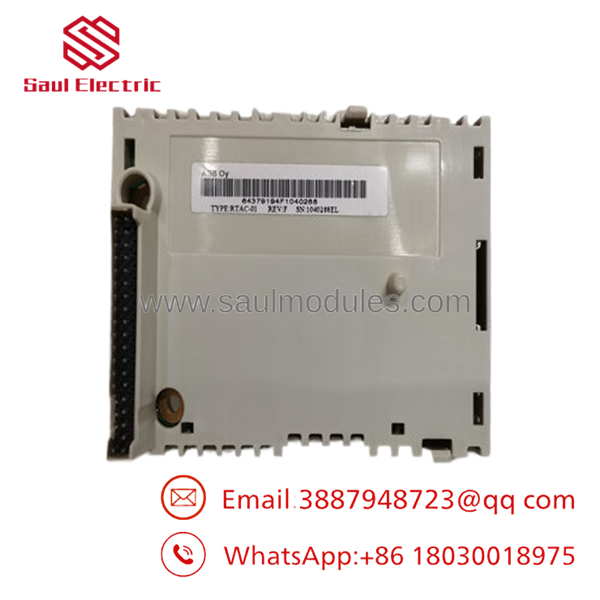
- RTAC-01 OPTION/SP KIT
Installation & Configuration Guide
Stage 1: Pre-Installation Preparation (Approx. 10 minutes)
⚠️ Safety First
- Notify operations about the planned drive shutdown.
- Stop the motor using the approved procedure.
- Isolate incoming power and apply lockout/tagout.
- Wait for DC bus discharge before opening the drive cabinet.
- Confirm DC voltage is near zero with a multimeter.
Tools Required
- ESD wrist strap
- PH1 screwdriver
- Multimeter
- Wire labels
- Smartphone for documentation
Data Backup
- Connect ABB DriveWindow/Drive Composer if available.
- Save current drive parameters.
- Record encoder settings.
- Photograph existing option board wiring.
- Confirm old RTAC module jumper settings.
Stage 2: Removing the Old Module (Approx. 10 minutes)
- Open the ABB drive cabinet.
- Remove the front cover according to the drive manual.
- Label encoder wiring:
- Channel A
- Channel B
- Channel Z
- Encoder supply
- Shield connection
- Disconnect terminals carefully.
- Remove fixing screws.
- Pull the old option module straight out.
⚠️ Inspection Point
Check:
- RMIO connector pins
- Dust contamination
- Loose mounting hardware
- Damaged encoder cable shield
Keep the old module until the replacement is fully tested.
Stage 3: Installing the New Module (Approx. 10 minutes)
- Wear ESD protection.
- Verify:
- ABB RTAC-01 OPTION/SP KIT
- Correct encoder voltage requirement
- Set encoder supply jumper:
- 15 V DC or 24 V DC
- Insert the module into the correct option slot.
- Tighten mounting screws.
- Reconnect encoder wiring.
Self Checklist
- Correct module installed
- Encoder voltage jumper verified
- Shield connected correctly
- Mounting screws secured
Stage 4: Power-On & Testing (Approx. 15 minutes)
Pre-Power Check
- Verify no short circuits.
- Confirm encoder wiring polarity.
- Check auxiliary supply.
Power-On Steps
- Restore drive power.
- Check drive fault history.
- Open drive parameter software.
- Confirm encoder feedback parameters.
- Rotate motor slowly.
- Verify:
- Speed feedback value
- Encoder direction
- No encoder loss alarm
⚠️ Troubleshooting Note
If encoder feedback is missing:
- Check A/B channel wiring.
- Verify encoder supply voltage.
- Confirm jumper setting.
- Check drive parameter configuration.
A very common field mistake is installing the module correctly but leaving the encoder voltage jumper at the factory setting instead of matching the installed encoder.
Frequently Asked Questions (FAQ)
Q1: Is ABB RTAC-01 OPTION/SP KIT compatible with ACS800 drives?
Yes. RTAC-01 is designed as an encoder interface option for ABB ACS800 drive systems and is also used with DCS800 applications. Always verify the exact drive type and firmware before replacement.
Q2: Can I install while the drive is powered?
No. Do not install or remove the module under power. The drive DC bus and control electronics must be isolated before accessing the option slot.
Q3: What encoder signals does support?
The module supports incremental encoder feedback with differential or single-ended signals. It handles A, B, and Z channels depending on encoder configuration.
Q4: Why does the motor run but show encoder fault after replacement?
Most cases come from configuration mismatch:
- Wrong encoder supply voltage
- Incorrect A/B channel wiring
- Missing shield connection
- Wrong drive parameter settings
The hardware may be correct while the feedback setup is incorrect.
Q5: Is this a new ABB factory part or refurbished?
Availability varies by supplier. Industrial spare parts are commonly sold as New Original, New Surplus, or Refurbished Tested. Confirm the actual condition, serial information, and test report before purchase.
Q6: What is the replacement part number for ?
The commonly referenced ABB ordering code is . Confirm against the drive documentation because ABB option codes can vary by drive family and revision.
Q7: What should I check before ordering ?
Verify:
- ABB drive model
- RMIO board version
- Encoder type
- Encoder voltage requirement
- Existing parameter backup
- Required option slot availability
Matching only the name is not enough for a guaranteed commissioning result.

 Start Chat


