





Description
3. Key Technical Specifications
| Parameter | Value |
|---|---|
| Module Type | Remote analog input unit |
| Channels | 8 analog inputs |
| Input Range | Typically -10 to +10 V or 0-20/4-20 mA (configuration dependent) |
| Resolution | 12-bit |
| Supply Voltage | 24 V DC |
| Communication | CS31 bus interface |
| Operating Temperature | 0 to +60 °C |
| Mounting | DIN rail or remote station |
| Diagnostics | Status LEDs, bus communication monitoring |
4. Product Introduction
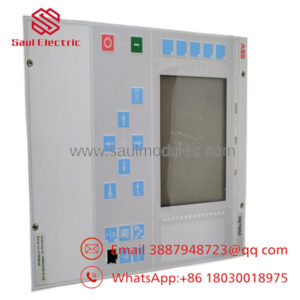
The ABB ICSE08B5 FPR3346501R1012 is a remote analog input module for the Procontic CS31 automation system. It provides 8 channels for acquiring analog signals from field devices in distributed control architectures.
This unit extends the I/O capability of CS31 masters by allowing remote placement of analog inputs, reducing field wiring while maintaining reliable data exchange over the CS31 bus.
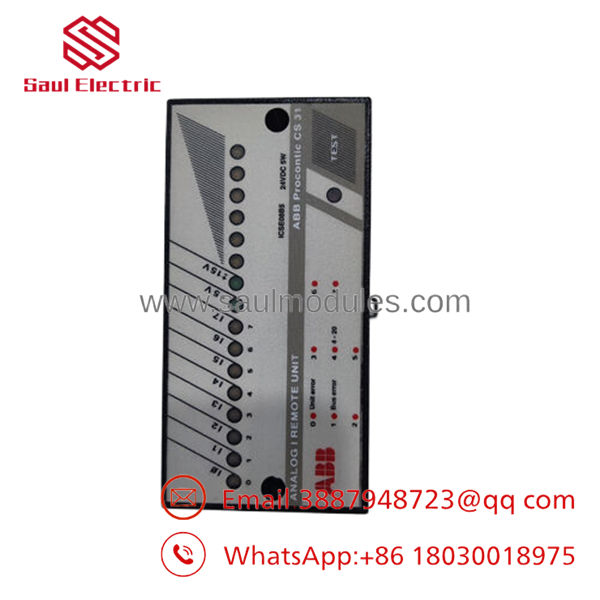
- ICSE08B5 FPR3346501R1012
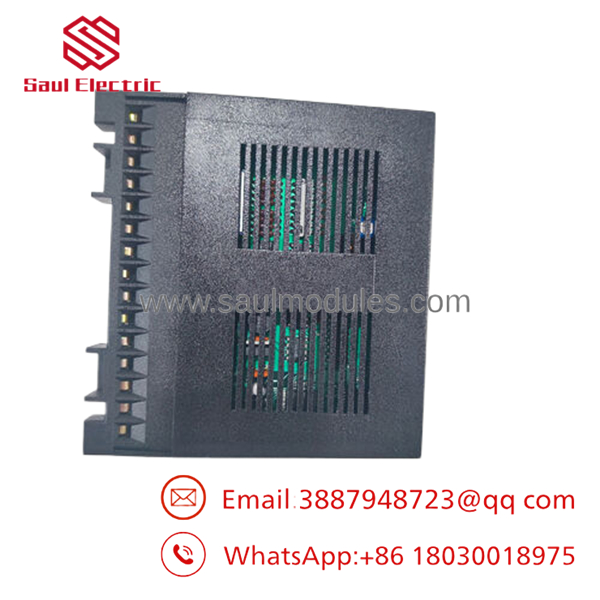
- ICSE08B5 FPR3346501R1012
5. Installation & Configuration Guide
Stage 1: Pre-Installation Preparation (10-15 minutes) ⚠️ Safety First: Isolate power to the bus segment. Verify safe state. Tools Required: ESD strap, screwdriver, multimeter, bus configuration tool. Data Backup: Document current I/O addresses and parameters. Photograph existing wiring.
Stage 2: Removing the Old Module (5-10 minutes)
- Power down the remote station.
- Disconnect field wiring and bus cables.
- Remove from DIN rail or mounting.
- Inspect bus connectors. ⚠️ Note: Label all terminals before removal.
Stage 3: Installing the New Module (10 minutes)
- Use ESD protection. Match exact part number.
- Mount securely on DIN rail.
- Set any address switches if required.
- Reconnect bus and field wiring. Self-Checklist: [ ] Address correct, [ ] Wiring verified, [ ] Bus termination proper.
Stage 4: Power-On & Testing (15 minutes) Pre-Power Check: Confirm 24 V DC supply and no shorts. Power-On Steps:
- Energize the station.
- Check module LEDs for normal operation.
- Verify communication with master controller.
- Test each analog channel with known signals.
- Monitor for errors in control logic. ⚠️ Troubleshooting Note: No communication typically indicates address mismatch or bus wiring issues. Check termination resistors.
6. Frequently Asked Questions (FAQ)
Is the ICSE08B5 hot-swappable on the CS31 bus? No. Power down the affected segment to avoid bus disturbances or module damage.
Is this module obsolete? The CS31 system is legacy. New surplus units provide continued support for installed bases. Verify bus master compatibility before deployment.
How many channels does it support? Eight analog input channels, typically configurable for voltage or current signals depending on the exact variant and wiring.
Will my existing CS31 configuration work without changes? Address and parameter settings should transfer if the replacement matches the original. Re-validate scaling and alarms after installation.
Why is availability better through surplus channels? Legacy I/O modules have limited new production. Surplus stock with rigorous testing offers immediate delivery while maintaining full OEM specifications.
What bus considerations are important? Proper termination, correct node addressing, and cable shielding are critical for reliable communication. Test the full segment after replacement.

 Start Chat


