





Description
Key Technical Specifications
| Parameter | Value |
|---|---|
| Manufacturer | ABB |
| Model | NDPI-02 |
| Part Number | 3BHL000764P0001 |
| Equivalent Part Number | 58914444 |
| Product Type | Control Panel Interface Board |
| Primary Function | Operator panel communication interface |
| Installation | Internal drive control cabinet |
| Compatible Equipment | ABB ACS Medium Voltage Drive Systems (application dependent) |
| Interface | Panel Bus Communication |
| PCB Type | Industrial Interface Board |
| Condition | New Original / New Surplus |
| Warranty | Typically 12 Months |
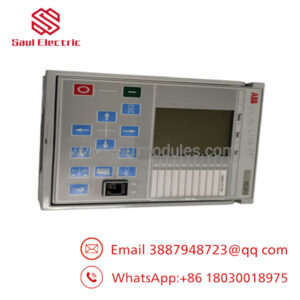
ABB documentation identifies the NDPI-02 as the Control Panel Interface used between the CDP-312R operator panel and the drive control system.
Product Introduction & Supply Chain Strategy
The ABB NDPI-02 is a control panel interface board used in ABB medium-voltage drive systems. It provides the communication link between the operator control panel and the drive controller, ensuring reliable parameter access, monitoring, and system operation during commissioning and maintenance.
This product is a Brand New Surplus unit. It is not used, not pulled from a decommissioned plant, and not refurbished. Maintaining buffer stock of the NDPI-02 reduces Total Cost of Ownership (TCO), minimizes lead time variability for legacy equipment, and avoids the reliability risks associated with refurbished electronic assemblies.
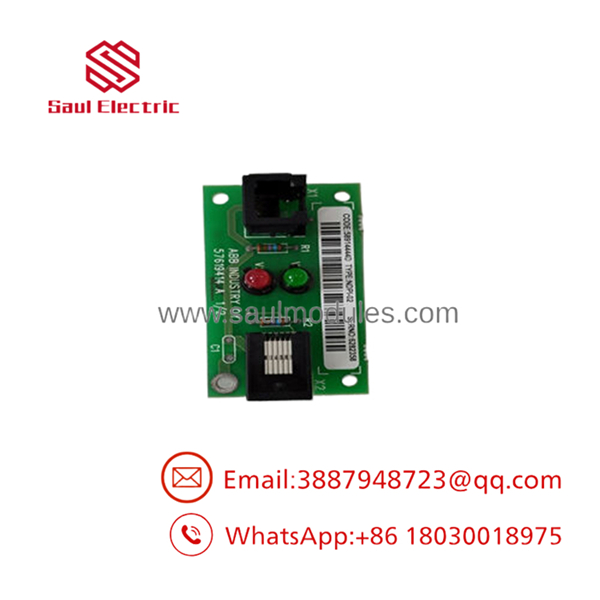
- NDPI-02
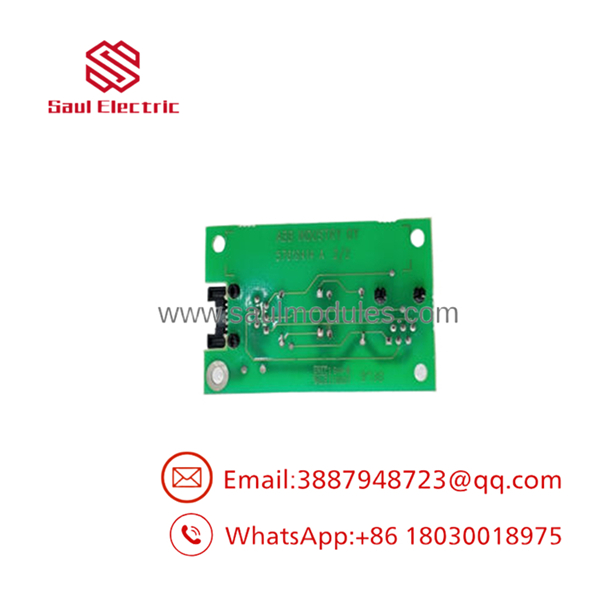
- NDPI-02
Installation & Configuration Guide
Stage 1 – Pre-Installation (Preparation & Safety)
- Apply lock-out/tag-out procedures.
- Remove all AC and control power.
- Wear a grounded ESD wrist strap.
- Photograph connector locations before removal.
- Record firmware and drive configuration.
Stage 2 – Removal
- Disconnect the operator panel cable carefully.
- Remove mounting hardware.
- Extract the interface board evenly.
- Avoid bending PCB edge connectors or damaging the backplane.
Stage 3 – Installation
- Verify the replacement part number matches 3BHL000764P0001.
- Install the board using proper ESD procedures.
- Reconnect all communication cables securely.
- Inspect connector alignment before restoring power.
Stage 4 – Power-On & Testing
- Restore control power.
- Verify the operator panel initializes correctly.
- Confirm communication between the HMI and drive.
- Check for communication or panel interface alarms.
- Perform a complete functional verification before returning the drive to service.
Firmware/Software Versions & Upgrade Notes
- Record the existing drive firmware before replacing the interface board.
- Confirm compatibility between the installed drive firmware and the operator panel.
- Restore all drive parameters after replacement if required.
- Avoid firmware upgrades during emergency maintenance unless compatibility requires it.
- Verify panel communication immediately after startup to ensure proper initialization.
Frequently Asked Questions (FAQ)
Q1. Is this a genuine new ABB board?
Yes. We supply New Original / New Surplus inventory. The board has not been installed in production equipment and is not refurbished.
Q2. What does the do?
The serves as the Control Panel Interface, providing communication between the ABB operator panel and the drive control electronics.
Q3. Is the still an active product?
The is primarily used in mature ABB drive platforms. Many facilities maintain strategic inventory because replacement lead times may increase as installed systems age.
Q4. Can this board be replaced while the drive is energized?
No. ABB recommends removing power before replacing internal electronic boards to prevent equipment damage and communication faults.
Q5. Will replacing the affect drive programming?
Normally, the interface board does not store application parameters. Nevertheless, always back up drive parameters before maintenance to simplify recovery if additional components require replacement.
Q6. What quality verification is performed before shipment?
Every New Surplus unit undergoes serial number verification, visual inspection, ESD-controlled handling, connector inspection, and functional quality verification before shipping.
Q7. What inventory strategy is recommended?
For production-critical ABB drive systems, maintain 1–2 units as buffer stock. This approach minimizes downtime, reduces lead time variability, supports vendor consolidation strategies, and lowers the Total Cost of Ownership by preventing extended production interruptions.


 Start Chat


