





Description
Key Technical Specifications
| Parameter | Value |
|---|---|
| Manufacturer | ABB |
| Model | PDD200A101 |
| Part Number | 3BHE019633R0101 |
| Product Type | Power Distribution & Driver Module |
| Platform | ABB UNITROL 6000 / ACS6000 (application dependent) |
| Primary Function | Internal power distribution and gate driver supervision |
| Control Supply | 24 V DC / 48 V DC |
| Communication | High-speed backplane interface |
| Isolation | Galvanically isolated power and signal paths |
| Installation | Industrial control cabinet |
| Condition | New Original / New Surplus |
| Warranty | Typically 12 Months |
The module distributes internal control power while supervising gate-drive signals for high-power converter systems used in industrial drives and excitation equipment.
Product Introduction & Supply Chain Strategy
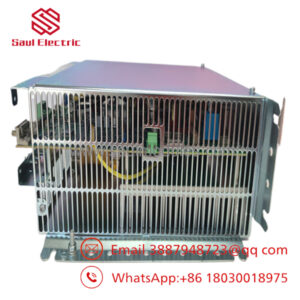
The ABB PDD200A101 (3BHE019633R0101) is a power distribution and driver module used in ABB high-power converter platforms, including selected UNITROL 6000 and ACS6000 systems. It distributes control power, supervises gate-drive circuits, and helps maintain reliable communication between power electronic assemblies.
This product is a Brand New Surplus unit. It is not used, not pulled from a decommissioned plant, and not refurbished. Maintaining New Surplus inventory reduces Total Cost of Ownership (TCO), minimizes production downtime caused by obsolete hardware, and avoids the reliability risks commonly associated with refurbished electronic modules.
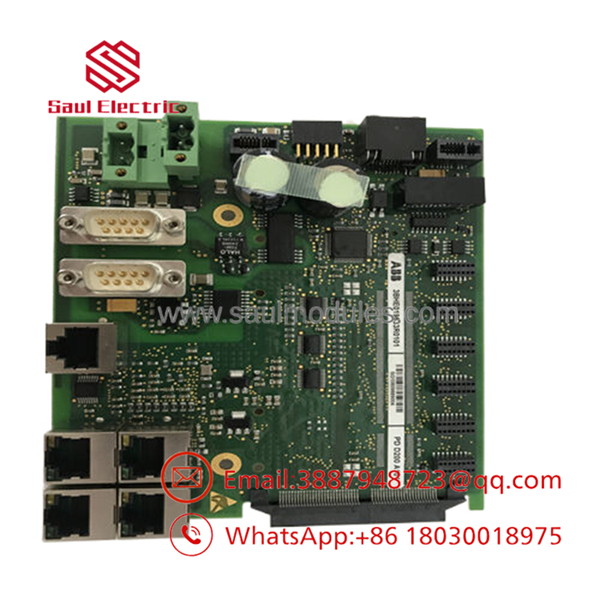
- PDD200A101
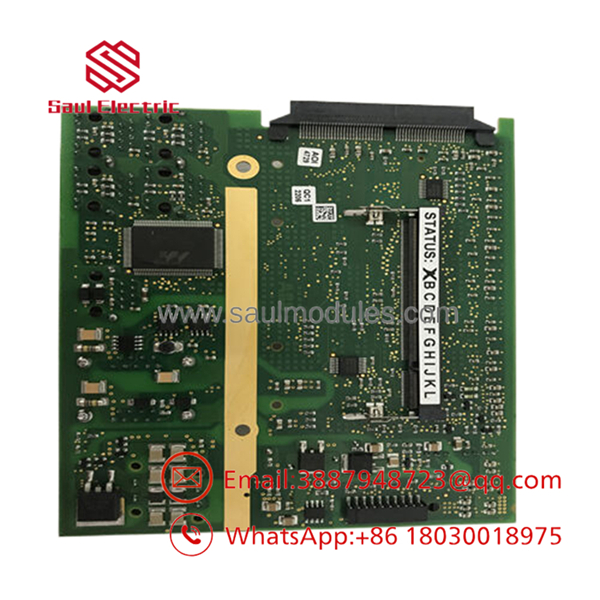
- PDD200A101
Installation & Configuration Guide
Stage 1 – Pre-Installation (Prep & Safety)
- Perform lock-out/tag-out procedures.
- Isolate all AC, DC, and auxiliary control power.
- Wait for DC bus capacitors to discharge completely.
- Wear a grounded ESD wrist strap.
- Photograph all ribbon cables, fiber-optic connections, and wiring before removal.
- Record firmware and hardware revision information.
Stage 2 – Removal
- Disconnect all communication and power connectors carefully.
- Remove retaining screws.
- Extract the module evenly without stressing the PCB.
- Inspect the backplane connectors for contamination or bent contacts.
Stage 3 – Installation (Clone & Seat)
- Verify the replacement module is PDD200A101 (3BHE019633R0101).
- Install the board firmly into the backplane.
- Reconnect every cable according to the original wiring documentation.
- Verify all locking mechanisms are fully engaged.
- Inspect connector alignment before restoring power.
Stage 4 – Power-On & Testing
- Restore auxiliary control power.
- Verify diagnostic LEDs indicate normal operation.
- Confirm internal communication with the controller.
- Verify proper gate-driver status and power distribution.
- Complete functional testing before returning the equipment to service.
Firmware/Software Versions & Upgrade Notes
- Record the existing firmware revision before replacing the module.
- Install a replacement board with the same hardware revision whenever possible.
- Verify compatibility with the installed UNITROL or ACS6000 controller software.
- Avoid firmware upgrades during emergency maintenance unless required for compatibility.
- After replacement, perform complete system diagnostics and verify all gate-driver and communication functions before commissioning.
Frequently Asked Questions (FAQ)
Q1. Is this a genuine new ABB module?
Yes. This is a New Original / New Surplus ABB module. It has never been installed in production equipment and is not refurbished.
Q2. What is the primary function of the PDD200A101?
The module distributes internal control power and supervises gate-driver signals used by high-power converters and excitation systems, supporting reliable operation of ABB UNITROL 6000 and ACS6000 platforms.
Q3. Is the still widely available?
The is primarily used in mature ABB power-conversion platforms. Many operators maintain buffer stock or execute last-time-buy strategies because availability can become limited as systems age.
Q4. Can this module be hot-swapped?
No. Always remove system power and allow the DC bus to discharge completely before replacing the module. Hot swapping may damage the converter or create unsafe operating conditions.
Q5. Will replacing the module affect system parameters?
The module itself generally does not store application programming, but controller parameters and firmware compatibility should always be verified before commissioning.
Q6. What quality verification is performed before shipment?
Each New Surplus module undergoes serial number verification, visual inspection, ESD-controlled handling, connector inspection, electrical verification, and final functional quality checks before shipment.
Q7. What inventory strategy is recommended?
For critical power conversion and generator excitation systems, maintain . This strategy reduces lead time variability, supports vendor consolidation, minimizes End-of-Life supply risks, and lowers the Total Cost of Ownership by preventing costly unplanned outages.

 Start Chat


