





Description
Key Technical Specifications
| Parameter | Value |
|---|---|
| Product Model | PP846 (3BSE042238R1) |
| Product Type | Operator Panel / HMI |
| Series | ABB Panel 800 |
| Display | 10.4-inch TFT Color LCD |
| Resolution | 800 × 600 pixels (SVGA) |
| Touch Interface | Resistive Touchscreen with Function Keys |
| Power Supply | 24 V DC (20–30 V DC) |
| Communication | Ethernet, RS-232, RS-422/RS-485, USB |
| Front Protection | IP66 (IP65 on some documentation) |
| Rear Protection | IP20 |
| Operating Temperature | 0 °C to +50 °C |
| Storage Temperature | -20 °C to +70 °C |
Product Introduction
The ABB PP846 (3BSE042238R1) is a Panel 800 operator panel designed for industrial human-machine interface (HMI) applications. It provides process visualization, alarm management, equipment control, and parameter adjustment for ABB automation platforms and compatible industrial controllers.
Its 10.4-inch color display, multiple industrial communication ports, and IP66 front protection make it suitable for power generation, water treatment, chemical processing, manufacturing, and process automation systems where dependable operator interaction is required.
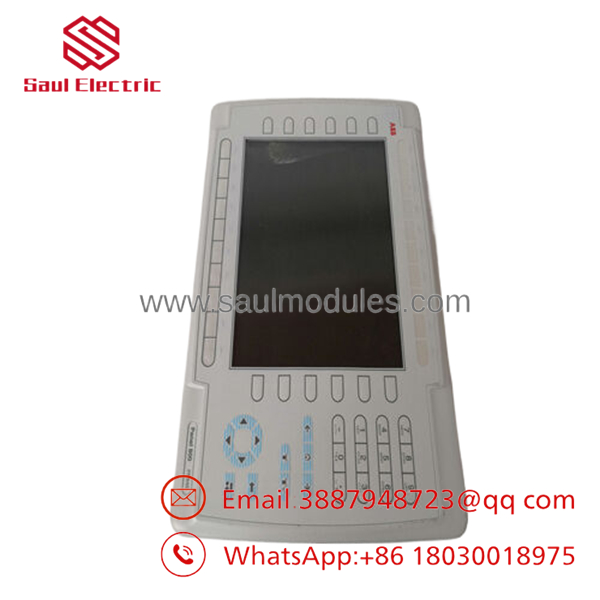
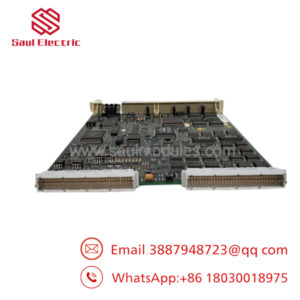
- PP846 3BSE042238R1
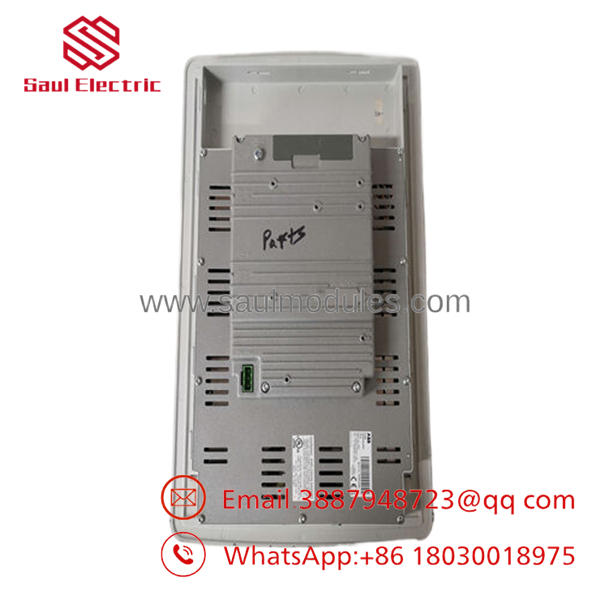
- PP846 3BSE042238R1
Troubleshooting Quick Reference
| Symptom | Possible Cause | Relevance to this Part | Quick Check Method | Recommendation |
|---|---|---|---|---|
| No display after power-up | No 24 V DC supply | ❌ Low | Measure 24 V DC at power connector | Verify power supply before replacing panel |
| Display remains black but backlight is on | LCD or firmware issue | ✅ High | Observe boot sequence and status LEDs | Reload project or replace panel if hardware fails |
| Touchscreen not responding | Touch calibration or hardware failure | ✅ High | Enter calibration mode if available | Recalibrate first, replace touch panel if unsuccessful |
| Ethernet communication lost | Network settings or cable fault | ❌ Low | Test RJ45 link LEDs and ping device | Verify IP settings and switch before replacing |
| Serial communication failure | Incorrect baud rate or wiring | ❌ Low | Compare serial settings with PLC configuration | Check RS-232/RS-485 parameters |
| Frequent reboot | Unstable power supply | ❌ Low | Monitor 24 V DC during startup | Check power supply capacity and wiring |
| Application will not start | Corrupted project file | ✅ Medium | Connect using Panel Builder software | Reload project from backup |
Service Note: Most PP846 replacements are unnecessary. In the field, power supply problems, damaged Ethernet cables, incorrect communication parameters, or corrupted application files are much more common than actual hardware failure. If troubleshooting reaches a dead end, provide photos of the display, terminal wiring, and diagnostic messages before ordering a replacement.
Frequently Asked Questions (FAQ)
1. Can I hot-swap the PP846 operator panel?
No. Disconnect system power before removing or installing the panel. Hot-swapping can interrupt communications and may damage equipment depending on the system architecture.
2. Which ABB systems is the compatible with?
It is primarily designed for the ABB Panel 800 family and integrates with ABB automation platforms including AC800M and 800xA through supported communication interfaces. Always verify software and firmware compatibility before installation.
3. Does replacing the panel erase my application?
The project is stored inside the HMI. Before replacement, back up the application using ABB Panel Builder software whenever possible. Installing a blank panel without restoring the project will not recover your screens automatically.
4. Why are New Surplus units usually less expensive than factory-direct products?
New Surplus units are genuine OEM products that were never installed but remained in excess inventory. They typically do not include the latest factory distribution channel pricing while still offering original ABB hardware.
5. What should I check before ordering a replacement?
Verify:
- Part number (3BSE042238R1)
- Firmware compatibility
- Display size
- Communication interfaces
- Panel cutout dimensions
- Power supply specifications
A mismatch in firmware or communication settings can prevent startup even when the hardware is fully functional.
6. Is firmware compatibility important?
Absolutely. I’ve seen maintenance teams replace an HMI only to spend hours troubleshooting because the project was created with a different Panel Builder version. Always back up the original project and document the firmware revision before removing the existing unit.
7. What warranty is typically available?
Most industrial automation suppliers offer a 12-month warranty on New Original or professionally tested surplus units, although warranty terms vary by supplier. Confirm warranty coverage before placing your order.


 Start Chat


