





Description
Key Technical Specifications
| Parameter | Value |
|---|---|
| Manufacturer | ABB |
| Model | PP846 |
| Order Number | 3BSE042238R1 |
| Product Family | Panel 800 |
| Product Type | Operator Panel (HMI) |
| Display | 5.7-inch TFT Color LCD |
| Resolution | 320 × 240 pixels |
| Touch Technology | Resistive Touch Screen |
| Power Supply | 24 V DC |
| Communication Ports | Ethernet, USB, RS-232, RS-422/RS-485 |
| Front Protection | IP66 |
| Rear Protection | IP20 |
| Mounting Depth | 58 mm (158 mm including cable clearance) |
| Operating Temperature | -20 °C to +55 °C |
| Configuration Software | ABB Panel Builder 800 |
| Front Panel Material | Polyester overlay on glass |
| Rear Housing | Powder-coated aluminum |
The PP846 is part of ABB’s Panel 800 HMI family and provides Ethernet and serial communications for operator interaction with PLCs and DCS controllers.
Product Introduction
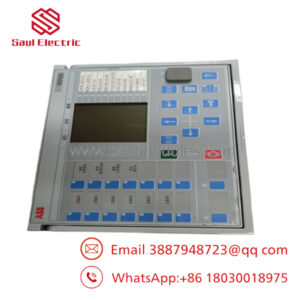
The ABB PP846 (3BSE042238R1) is a Panel 800 human-machine interface designed for industrial automation systems. It provides operators with graphical process visualization, alarm handling, recipe management, and machine control through a compact color touchscreen.
The panel supports Ethernet and serial communications, allowing integration with ABB AC 800M controllers as well as many third-party PLC platforms configured through Panel Builder 800. Its IP66 front protection and industrial construction make it suitable for demanding production environments.
Troubleshooting Quick Reference
| Symptom | Possible Cause | Relevance to this Part | Quick Check Method | Recommendation |
|---|---|---|---|---|
| Screen remains black | No 24 V DC input | ❌ Low | Measure 24 V DC at power connector | Check power supply before replacing HMI |
| Touch screen responds poorly | Touch calibration lost or screen wear | ✅ High | Enter calibration mode and test all corners | Recalibrate or replace touch panel if necessary |
| “Communication Lost” alarm | PLC network fault | ❌ Low | Ping Ethernet device or verify serial settings | Inspect network before replacing panel |
| HMI freezes during operation | Firmware or application fault | ⚠️ Medium | Restart panel and review diagnostic logs | Reload project or update firmware |
| Project cannot download | Communication settings mismatch | ⚠️ Medium | Verify Panel Builder 800 connection parameters | Check IP address and cable configuration |
| Display is dim | LCD backlight aging | ✅ High | Compare brightness with known good panel | LCD/backlight service or panel replacement |
| USB download fails | Unsupported USB drive or file system | ❌ Low | Test with FAT32 USB drive | Verify project files before replacing hardware |
Service Note
Most PP846 service calls are not caused by hardware failure. Incorrect IP settings, damaged Ethernet cables, outdated Panel Builder projects, or unstable 24 V DC power account for most startup problems. Before replacing the HMI, capture the communication settings, firmware revision, and application backup. These checks often eliminate unnecessary downtime.
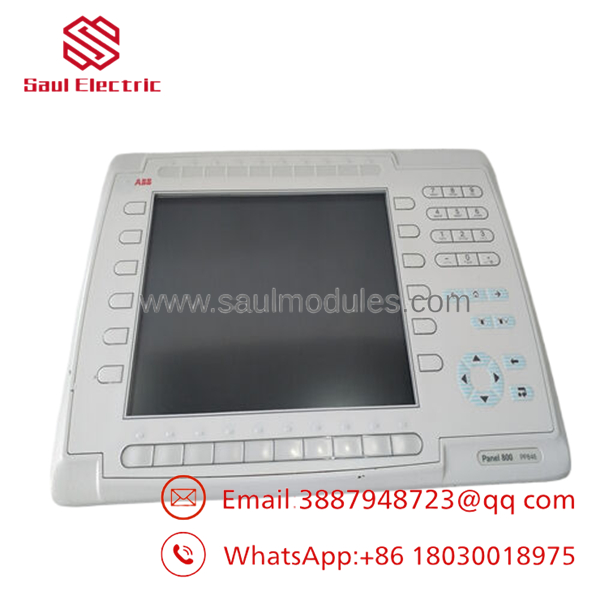
- PP846
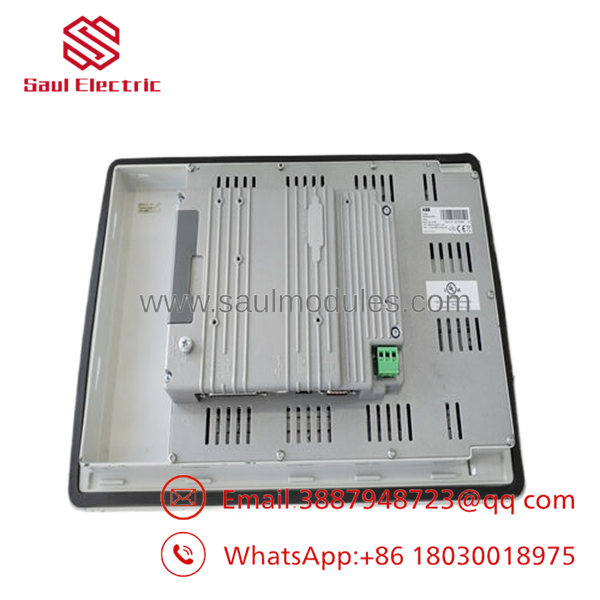
- PP846
Frequently Asked Questions (FAQ)
Q1. Can the communicate with controllers other than ABB?
Yes. Through Panel Builder 800, the supports communication drivers for ABB controllers as well as many third-party PLCs using Ethernet and serial protocols. Supported protocols depend on the installed runtime and project configuration.
Q2. Is the touchscreen designed for industrial environments?
Yes. The resistive touchscreen can be operated with gloves or a stylus, making it suitable for factory environments where capacitive consumer displays are impractical. The front panel is rated IP66 for protection against dust and water ingress.
Q3. Can I replace the without rebuilding my application?
Usually yes, provided the replacement uses a compatible firmware version. Back up the Panel Builder 800 project before removal, install the replacement panel, then download the existing application and verify communication settings.
Q4. Why won’t the replacement panel communicate with my PLC?
The most common causes are incorrect IP addresses, serial communication settings, or protocol configuration. I’ve seen technicians spend hours replacing hardware when the only problem was a duplicated IP address on the network. Verify the network configuration before suspecting the HMI itself.
Q5. Why is New Surplus inventory less expensive than buying directly from ABB?
New Surplus units are unused OEM inventory from canceled projects, maintenance stock, or excess warehouse inventory. They have not been commissioned in the field but are supplied through the secondary market, reducing procurement cost while retaining original ABB manufacturing quality.
Q6. What should I check before installing the replacement panel?
Before installation:
- Back up the complete Panel Builder 800 project.
- Record the firmware version.
- Photograph all communication and power wiring.
- Verify Ethernet IP addresses and serial parameters.
- Check mounting dimensions and panel cutout.
- Wear a grounded ESD wrist strap while handling the electronics.
A few minutes spent documenting the original installation can prevent hours of commissioning work.
Q7. How is each inspected before shipment?
A professional inspection process should include:
- ABB part number and serial number verification
- Cosmetic inspection for scratches, cracked displays, or connector damage
- Full touchscreen response test
- LCD brightness and pixel inspection
- Power-up verification at 24 V DC
- Ethernet and serial communication testing
- Firmware version documentation
- ESD-safe packaging with anti-static protection
- Final QC inspection before shipment
Functional test reports, display photos, and startup videos should be available upon request from the supplier.


 Start Chat


