





Description
Key Technical Specifications
- Manufacturer: ABB
- Model: SB511
- Ordering Number: 3BSE002348R1
- Series: Advant OCS
- Product Type: Backup power supply
- Input Voltage: 24-48 VDC
- Battery Type: NiCd, 12 V, 4 Ah
- Protection Rating: IP20
- Operating Temperature: -10°C to +40°C
- Dimensions: 73 x 233 x 212 mm
- Weight: 0.5 kg
Product Introduction
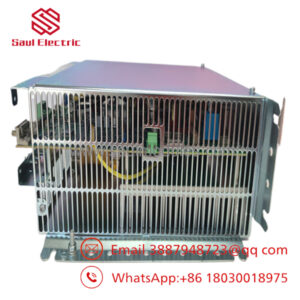
ABB SB511 3BSE002348R1 is a backup power supply for ABB Advant OCS systems. It provides 24-48 VDC backup power and charges a 12 V, 4 Ah NiCd battery for control-system continuity during mains loss.
It is typically selected for legacy ABB installations where exact part-number matching matters. The unit carries IP20 protection and a -10°C to +40°C operating range, so it belongs in controlled cabinet environments rather than harsh field exposure.
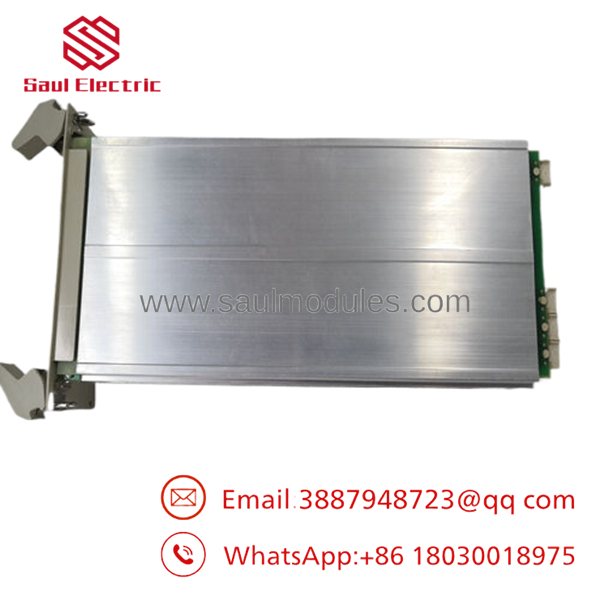
- SB511
Installation & Configuration Guide
Stage 1: Pre-Installation Preparation
- Notify operations and verify safe state. Apply lockout/tagout, isolate power, and wait 5 minutes for capacitor discharge.
- Gather an ESD strap, PH1 screwdriver, multimeter, wire labels, and a smartphone for photos.
- Back up the running logic if the system architecture requires it, document all wiring, and photograph jumpers, terminal blocks, and battery connections.
- Confirm the exact ordering number before opening the replacement package.
Stage 2: Removing the Old Module
- Remove the front cover or access panel.
- Label and disconnect all wires carefully. Do not pull on conductors.
- Release the mounting hardware and remove the unit straight out to avoid connector damage.
- Inspect the mounting area for dust, heat discoloration, corrosion, or loose terminals.
- Keep the removed unit until the replacement passes power-up tests.
Stage 3: Installing the New Module
- Put on the ESD strap and verify the model and ordering number match.
- Check all wiring and battery polarity before insertion.
- Mount the unit securely in the cabinet or rail position and confirm all fasteners are tight.
- Reconnect the wiring exactly as photographed, including battery leads and any alarm or status contacts.
- Confirm the setup: [] Wiring matches photos, [] All terminals torqued, [] Mounting secure.
Stage 4: Power-On & Testing
- Use a multimeter to check the 24-48 VDC supply for shorts or abnormal voltage before energizing.
- Apply power to the cabinet first, not the process loads.
- Verify status indicators, output presence, and battery charging behavior.
- Confirm downstream control equipment powers correctly and no alarm is active.
- Run a short functional check under normal load.
- If the unit does not start, check the battery circuit, input polarity, and fuse first.
Frequently Asked Questions
Can I hot-swap the SB511 under power?
No, do not treat it like a field-swappable I/O card. This is a power-related module, and pulling it live can drop the cabinet supply or damage the connected circuitry.
Is this model obsolete?
Yes, SB511 is commonly handled as a legacy ABB part. Stock is usually limited, so exact part-number verification is critical before purchase.
Is SB511 the same as 3BSE002348R1?
Yes, is the model name and 3BSE002348R1 is the ABB ordering number. Both identifiers should match the installed unit.
Will my control logic be lost when I replace it?
Not usually, because the logic normally resides elsewhere in the control system. Still, take a backup and record wiring before removal, since power-related failures can expose other configuration issues.
What condition do you sell it in?
The common commercial condition is New Original or New Surplus. If a seller offers refurbished stock, it should come with test records and a clear return policy.
Why is the price lower than ABB factory list pricing?
Because surplus and secondary-market inventory usually trades below OEM list price. The tradeoff is that lead time, test status, and remaining lifecycle need to be checked carefully.

 Start Chat


