





Description
Key Technical Specifications
| Parameter | Value |
| Manufacturer | ABB |
| Model Designation | SC560 |
| Product ID | 3BSE008105R1 |
| Component Type | Submodule Carrier and Base Processor Unit |
| Processor Type | 32-bit RISC high-efficiency processor |
| Clock Frequency | 100 MHz |
| Onboard Memory | 128 MB SDRAM |
| Flash Memory | 256 MB non-volatile storage |
| Expansion Capability | Supports up to 256 native I/O points (384 points total via CC-Link remote I/O) |
| Communication Interfaces | RS-232, RS-485, and Embedded Industrial Ethernet |
| Net Dimensions | 486 mm Depth × 27 mm Height × 288 mm Width |
| Net Weight | 0.76 kg |
| Operating Temperature | −25 to +60 °C (non-condensing humidity up to 95%) |
Product Introduction & Supply Chain Strategy
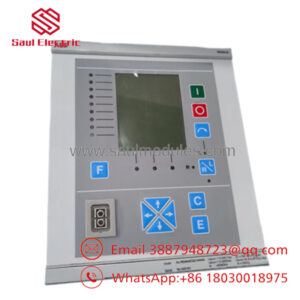
The ABB SC560 (3BSE008105R1) is a specialized submodule carrier module featuring an integrated local CPU, designed for legacy ABB distributed control environments and high-availability power generation monitoring. This module provides localized calculation power, manages secondary communication loops, and coordinates up to 384 decentralized I/O signals across complex hardware topologies. It acts as a rugged computational anchor in critical applications like turbine scheduling, power grid routing, and petrochemical process loops.
Procuring this component as a New Surplus asset directly mitigates the risks of Total Cost of Ownership (TCO) creep common to older production lines. Because the SC560 is an obsolete factory piece, lead times for direct OEM sourcing are non-existent or heavily delayed. Relying on repaired or second-hand electronics poses severe risks; micro-cracks in multi-layer boards and dried-out logic capacitors often escape standard visual testing. Securing verified new surplus units provides a 10–15 year operational lifespan, keeping your critical lines running without the gamble of refurb micro-faults.
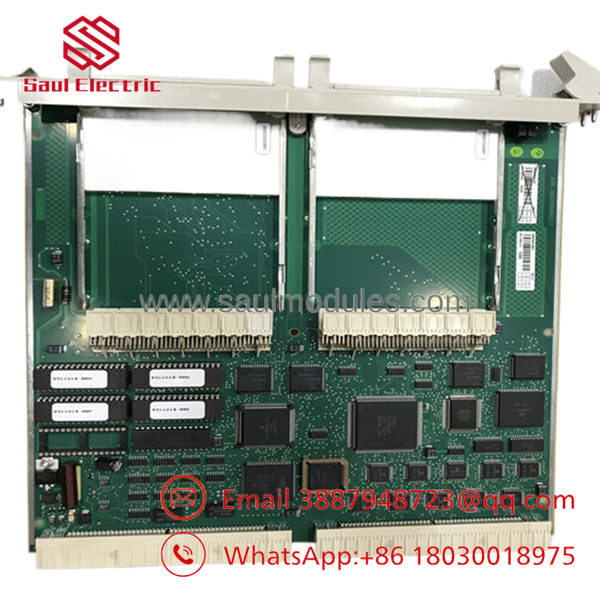
- SC560
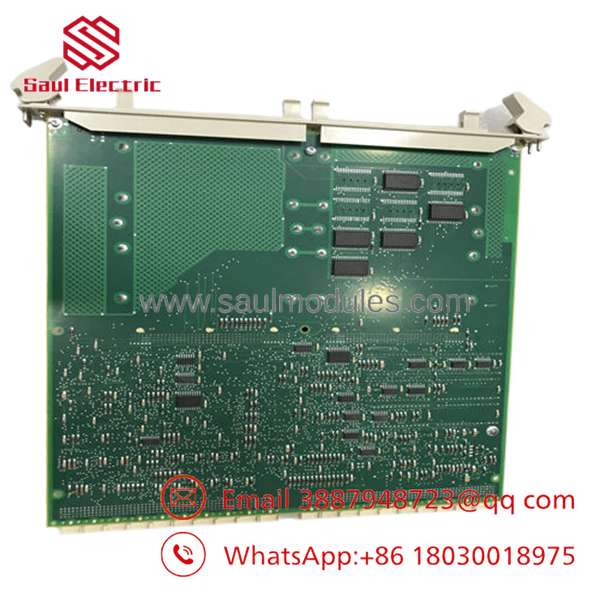
- SC560
Installation & Configuration Guide
Stage 1: Pre-Installation (Prep & Safety)
- Verify the entire rack enclosure is completely isolated from all primary power rails. Confirm all auxiliary power inputs read 0 V using a digital multimeter.
- Put on a grounded ESD wrist strap and clamp the terminal to the rack earth ground bar.
- Document or photograph all physical switch positions, backplane routing pins, and network cabling connected to the active carrier board.
Stage 2: Removal
- Unplug all localized communication links, serial cables, and terminal block interface connections from the carrier housing.
- Carefully loosen the top and bottom retaining screws that pin the module to the chassis backplane guide.
- Slide the carrier straight out of its guide rails, using uniform pressure on both edges to protect the fragile gold-plated connector pins from bending.
Stage 3: Installation (Clone & Seat)
- Set the DIP switches and hardware jumpers on the new surplus SC560 to match the exact pattern documented from the replaced module.
- Align the board edges with the chassis mounting grooves and slide the carrier unit smoothly into the rack until it locks fully into the backplane connectors.
- Hand-tighten the retaining screws to guarantee a low-resistance ground path to the metal frame. Reconnect all communication lines and serial buses.
Stage 4: Power-On & Testing
- Re-energize the primary 24 V DC system power supply and check for correct voltage stability.
- Monitor the local processor LEDs; ensure the boot cycle moves cleanly past initialization errors and transitions to a standard RUN or active communication handshake state.
- Connect your terminal PC to verify the local CPU registers are visible and then download the localized station logic parameters.
Firmware/Software Versions & Upgrade Notes
The module relies on an onboard 32-bit RISC architecture running dedicated controller system software. When executing a physical swap, you must cross-reference your system software level to avoid unexpected protocol time-outs or address translation problems.
Installing a carrier board with an incompatible firmware version can cause communication mismatches with existing remote I/O networks. Do not try to downgrade or flash the flash memory on a live network slot, as interrupted flash cycles will brick the local bootloader. Always check your master processor’s diagnostic panel to make sure your firmware matches the existing hardware profile before putting the replacement unit online.
Frequently Asked Questions (FAQ)
Is this submodule carrier completely new, or is it a cleaned-up used module?
This is a guaranteed New Surplus unit. It has never been placed into field service, run on a live factory rack, or rebuilt. It has been held in controlled storage conditions and opened only for our inbound operational quality control testing. We do not deal in refurbished components, ensuring you receive true zero-hour reliability.
Why should we pay more for a New Surplus instead of buying a cheap refurbished alternative?
Refurbished electronics carry substantial hidden vulnerabilities, including internal tracking on multi-layer PCBs and thermal degradation of logic gates from years of high-heat exposure. A cheap refurbished card that fails unexpected can cost tens of thousands of dollars in emergency line downtime. Buying new surplus inventory is a direct investment in long-term plant uptime and risk avoidance.
Does the integrated CPU on the require independent program licenses?
No separate software license is required for the hardware itself. The processing unit executes the application tasks downloaded directly from your central control engineering software suite. Once configured with the proper node addresses, it acts transparently within your existing control architecture.
Can I pull the module from the chassis while the rest of the rack is running?
No. The submodule carrier does not support hot-swapping. Pulling the carrier while power is applied to the backplane can cause inductive voltage spikes that destroy the local processor memory and disrupt surrounding active modules on the common communications bus.
What kind of warranty coverage applies to this hardware component?
We provide a full 1-year warranty on this New Surplus board, starting from the day it ships out of our facility. This policy matches the original factory warranty framework, giving your maintenance team complete peace of mind during emergency hardware swaps.


 Start Chat


