





Description
3. Key Technical Specifications
- Module Type: Network Interface Slave Module (NIS21)
- Communication: Cnet interface for controller-to-HCU links
- System Compatibility: Symphony Plus, Harmony Rack controllers
- Function: Implements Cnet communication in distributed control systems
- Mounting: Standard Harmony Rack backplane
- Power: Backplane powered
- Role: Slave module for network expansion and data exchange
- Alternative Designation: Also referenced as INNIS21 in some documentation
- Application: Industrial automation networks in power generation and process industries
- Condition Verification: Full functional testing in live rack environment
4. Product Introduction & Supply Chain Strategy
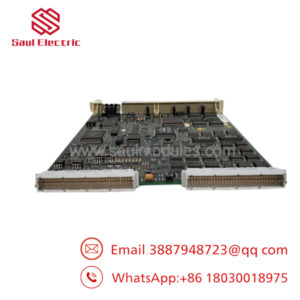
The ABB SPNIS21 is a Network Interface Slave Module that serves as the Cnet communication interface between Harmony Rack controllers and higher-level systems or Human-Central Units in Symphony Plus architectures. It enables reliable data exchange and network connectivity critical for coordinated control across plant areas.
Securing this module as New Surplus makes strong supply-chain sense for plants still running these systems. With the part at or near End of Life, New Surplus inventory protects against stock-outs that could halt operations, while delivering better Total Cost of Ownership than refurbished alternatives prone to early failure. It supports vendor consolidation efforts and allows strategic hoarding before full discontinuation forces premium last-time-buys from remaining OEM channels.
5. Installation & Configuration Guide
Stage 1: Pre-Installation (Prep & Safety) Implement lock-out/tag-out procedures. Use an ESD wrist strap and prepare tools. Photograph the existing module’s DIP switch settings, node addresses, and any wiring or jumpers. Confirm the new module’s serial number and QC report match system requirements.
Stage 2: Removal De-energize the affected rack segment if hot-swap is unsupported. Release the latches and extract the old module straight out along the backplane guides to protect connector pins.
Stage 3: Installation (Clone & Seat) Replicate all DIP switch and jumper settings exactly on the new SPNIS21 using the reference photos. Align the module carefully with the slot and press firmly into the backplane until fully seated and latched.
Stage 4: Power-On & Testing Re-apply power and monitor module LEDs for proper RUN status without errors. Verify Cnet communication handshake with the controller and HCU. Run network diagnostics and confirm data exchange before returning to full service.
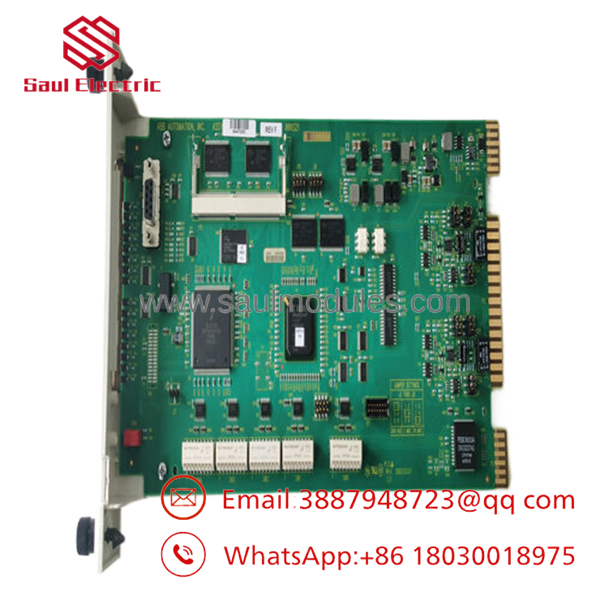
- SPNIS21
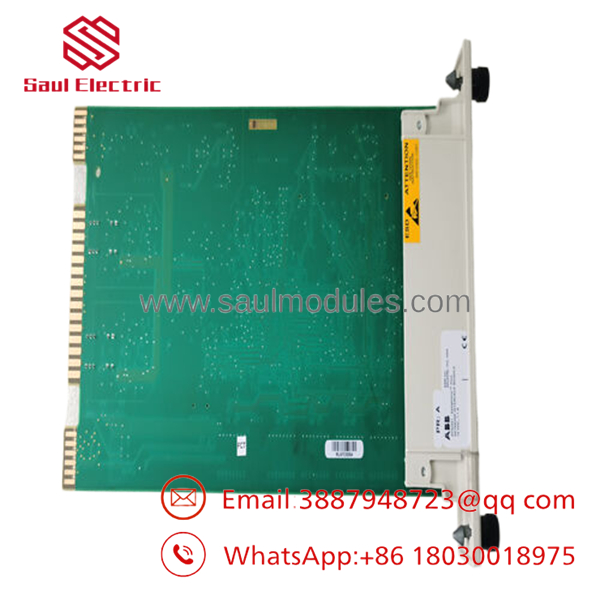
- SPNIS21
6. Firmware/Software Versions & Upgrade Notes
The SPNIS21 operates with the controller firmware version active in your Symphony Plus system. No onboard firmware upgrade is typically required on the module.
Document the current controller and network firmware before any swap. Mismatches between redundant controllers or with HCU software can cause communication timeouts or loss of synchronization. Perform hardware replacement first, validate network stability, and only then consider coordinated firmware updates across the system. Downgrading firmware after upgrade carries higher integration risk.
7. Frequently Asked Questions (FAQ)
Why pay more for this New Surplus SPNIS21 than refurbished versions? New Surplus units provide full expected service life with OEM-level reliability. Refurbished modules often carry degraded components that lead to unexpected network failures and costly downtime — expenses that quickly erase any upfront savings.
Are these modules genuinely new? Yes. These are Original New Surplus from authorized sources. They arrive in anti-static packaging with zero operational wear and complete traceability documentation. We maintain strict separation from any used or repaired stock.
Is the obsolete or facing End of Life? It is a mature module in the Symphony Plus lineup. We advise holding 1-2 units on-site as insurance and monitoring for official discontinuation notices to plan last-time-buys.
Can this module support hot-swapping? Hot-swap feasibility depends on your redundant configuration and plant procedures. Always prioritize safety and verify network redundancy before replacement to minimize communication disruption.
Will the new module retain existing network settings? Network addressing and parameters are set via DIP switches and controller configuration. Match the old settings precisely. The controller will then recognize the replacement module after proper seating and power cycle.
We provide a 1year warranty on these New Surplus modules, supported by our rack-based functional testing. This offers far greater protection than short-term refurbished warranties.
Do you support inventory sharing across multiple sites? Yes. We help optimize spare parts programs through cross-site pooling, frame agreements, and vendor-managed inventory to balance availability with capital efficiency for Symphony Plus users.

 Start Chat


