





Description
Key Technical Specifications
| Parameter | Value |
|---|---|
| Manufacturer | ABB |
| Model Designation | TP830 |
| Product ID | 3BSE018142R1 |
| MTU Type | Extended profile, dedicated field wire termination base |
| Supported Modules | Various S800 I/O modules (e.g., DI810, DO810, AI810, AO810) |
| Terminal Configurations | 2 vertical rows of 16 screw-clamp compression terminals |
| Wire Strip Length | 7 mm recommended |
| Wire Gauge Range | 0.2 to 2.5 mm² (24 to 14 AWG) |
| Backplane Interconnect | Integrated internal ModuleBus pass-through connectors |
| Mechanical Security | Customizable positioning keys to prevent inserting incorrect module types |
| Mounting Style | Horizontal or vertical standard 35 mm DIN Rail |
| Environmental Safety | Class I Div 2 cULus, ATEX Zone 2, G3 harsh environment rating |
| Dimensions & Weight | 122 mm W × 216 mm H × 51 mm D |
Product Introduction & Supply Chain Strategy
The ABB TP830 (3BSE018142R1) is an extended module termination unit (MTU) that serves as the physical backbone and field wiring interface for S800 I/O modules within the System 800xA automation framework. This structural baseplate snaps directly onto a standard DIN rail, providing a pass-through connection for the internal electrical ModuleBus data backbone. It features 32 heavy-duty screw terminals to land incoming field instrument lines, allowing maintenance teams to swap out active I/O cards smoothly without disturbing field wiring.
From an inventory and maintenance strategy standpoint, sourcing this baseplate as a New Surplus asset minimizes your Total Cost of Ownership (TCO) while guaranteeing absolute physical stability. Because the MTU handles the constant physical stress of heavy field wiring and structural module insertion, its internal bus connectors and screw blocks are prone to stripping, corrosion, and pin fatigue over long deployment cycles. Refurbished alternatives pose significant operational risks; hidden plastic degradation or microscopic fractures on the internal backplane copper traces can cause intermittent communication dropouts across the entire rack segment. Securing factory-clean, zero-hour surplus hardware ensures perfect terminal clamping torque and zero data bus signal losses.
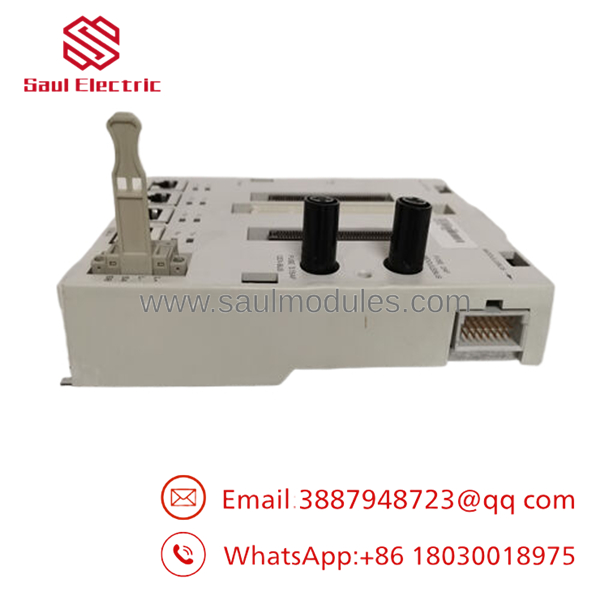
- TP830
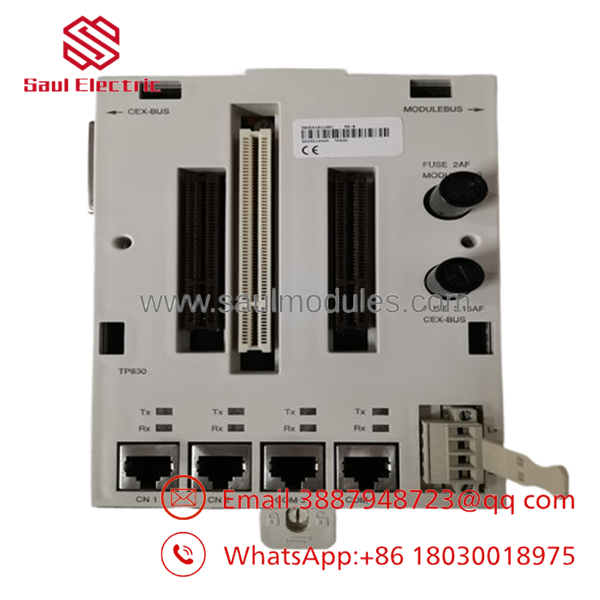
- TP830
Installation & Configuration Guide
Stage 1: Pre-Installation (Prep & Safety)
- De-energize the entire rack’s ModuleBus power and all field instrument power loops routed to this cabinet section.
- Put on a grounded ESD wrist strap and connect it to the bare copper cabinet grounding bar.
- Configure the mechanical keying pegs on the face of the TP830 to match the exact code of the specific I/O module type slated for this slot. This prevents putting an analog card onto a high-voltage digital baseplate.
Stage 2: Removal
- Unfasten all 32 screw terminals and pull the field wire bundles clear, ensuring all lines are labeled accurately.
- Disconnect the adjacent MTU modules by sliding the side-locking ModuleBus connectors outward.
- Insert a flathead screwdriver into the lower plastic DIN rail release latch, pry it downward, and lift the empty baseplate off the mounting rail.
Stage 3: Installation (Clone & Seat)
- Hook the top locking groove of the new surplus TP830 onto the 35 mm DIN rail, then press the lower section inward until the rail latch snaps shut.
- Slide the module horizontally along the rail to link its internal ModuleBus contacts into the adjacent MTU baseplate connector.
- Terminate your field wiring into the 32 designated screw slots, torquing each connection down firmly to eliminate high-resistance points.
Stage 4: Power-On & Testing
- Before plugging the live electronic I/O module onto the baseplate, use a multimeter to verify that no unexpected backfield voltages are bleeding across the terminal connections.
- Align the target S800 I/O card with the baseplate guide pins and push it straight home until the plastic side latches lock into the frame.
- Re-energize the primary power lines. Confirm the module initializes smoothly and that your engineering station registers no channel faults or broken loop errors.
Firmware/Software Versions & Upgrade Notes
The is a passive mechanical and electrical signal routing baseplate. It does not contain an internal microprocessor, non-volatile flash memory, or flashable firmware blocks. It functions independently of the software version layer driving your master AC 800M or field communication interfaces.
However, you must verify that the physical module assignment in your engineering Control Builder tool matches the card plugged into the baseplate. If your software configuration expects a specific module variant (e.g., an AI810) but the physical keying configuration on the is misaligned or altered, the I/O card will fail to seat correctly, and the controller will throw a persistent hardware mismatch alarm. Always document your physical mechanical key positions during field upgrades to prevent configuration errors.
Frequently Asked Questions (FAQ)
Is this baseplate brand new or an item salvaged from a decommissioned panel?
This module is a guaranteed New Surplus item. It has never been installed in a working field panel, wired into an active system, or subjected to industrial warehouse pollution. It is clean inventory preserved in controlled storage conditions and opened only for our inbound quality check. We maintain a zero-tolerance policy for refurbished components.
Why should we buy a New Surplus baseplate instead of a cheap refurbished unit?
Refurbished baseplates carry high risks of terminal thread wear and hidden oxidation on the copper ModuleBus pass-through pins. A stripped screw thread can back out under normal plant vibration, causing an intermittent open circuit on a critical field loop. Sourcing a new surplus component guarantees perfect mechanical integrity and a full operational lifespan, shielding your process from unexpected downtime.
What is the exact function of the small plastic wheels/pegs on the baseplate?
These are mechanical coding keys. They are configured to establish a unique mechanical profile that matches only one specific type of S800 I/O card. This safety mechanism ensures that if a technician tries to plug an incompatible card into the slot during an emergency swap, the module will be physically blocked from seating, preventing electrical damage.
Does the come with the ground termination elements included?
The features integrated internal grounding paths that link directly to the DIN rail upon installation. If your application requires independent, high-density field shield terminations, you can attach auxiliary grounding bars (such as the ABB TY801 split-shield terminal block) directly to the base of the assembly.
What type of warranty protection covers this hardware component?
We provide a comprehensive 1-year warranty on this New Surplus module termination unit, starting from the day it leaves our warehouse. This matches standard OEM protection parameters, giving your maintenance team complete peace of mind.

 Start Chat


