





Description
Key Technical Specifications
| Parameter | Value |
|---|---|
| Manufacturer | ABB |
| Model | UAC383AE01 |
| Cross Reference | HIEE300890R0001 |
| Product Classification | Measurement unit board / interface module |
| Supply Voltage | 24 V DC |
| Operating Temperature | -25 to +70 C |
| Protection Rating | IP20 in cabinet installation |
| Application Area | Industrial automation and control systems |
| Communications | Protocol support varies by system integration |
| Mounting | Control cabinet / backplane installation |
| Compliance | CE, UL 508, IEC 61131-2 |
Product Introduction & Supply Chain Strategy
ABB UAC383AE01 is a control-system board used in industrial automation environments for measurement, signal handling, and module-level interface tasks. It is typically applied in ABB-centric control architectures where reliable signal acquisition and cabinet-mounted operation matter most.
Buying this as New Surplus makes supply-chain sense because it preserves OEM provenance while avoiding the uncertainty of older field-return parts. For an obsolete module, that lowers Total Cost of Ownership (TCO), reduces stock-out risk, and gives you a controlled buffer stock position before lead time variability becomes a production issue.
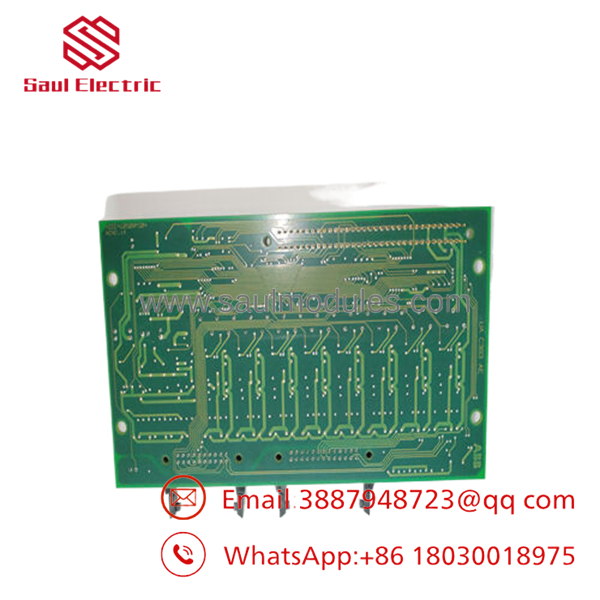
- UAC383AE01
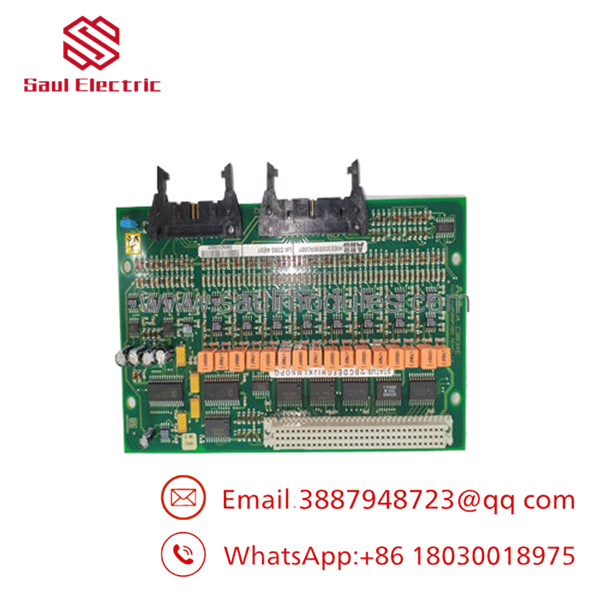
- UAC383AE01
Installation & Configuration Guide
Stage 1: Pre-Installation
Lock out and tag out the cabinet before touching the module. Use an ESD strap, insulated tools, and a camera or phone to capture the existing DIP switch positions, terminal wiring, and connector orientation. Verify the replacement part number and cross reference before opening the package.
Stage 2: Removal
Release the retaining hardware gently and pull the module straight out to avoid bending backplane pins. Do not rock the board side to side under load. Inspect the slot for debris, oxidation, or damaged pins before inserting the replacement.
Stage 3: Installation
Clone the DIP switch settings exactly from the old unit. Match node address, mode selection, and any local configuration marks before seating the board. Insert the module evenly, apply firm pressure, and confirm full engagement with the backplane connector.
Stage 4: Power-On & Testing
Before full energization, check the 24 V rail for shorts and verify cabinet polarity. Power up and watch the LEDs: RUN should indicate normal operation, while ERR or alarm states require immediate review. After that, download or verify the application logic, confirm I/O mapping, and test communications from the controller or host system.
Firmware/Software Versions & Upgrade Notes
Recommended firmware depends on the host platform and ABB system revision, so the safest approach is to keep the replacement on the same firmware level as the removed unit. A version jump can create protocol mismatches, startup faults, or diagnostic alarms if the controller expects a specific hardware behavior.
Backward and forward compatibility should be treated as version-sensitive, especially in legacy ABB control environments. Upgrading during a hardware swap can introduce timing or driver differences, while downgrading may fail if the board image or loader is not accepted by the target system. Record the existing firmware before replacement and mirror it whenever possible.
Frequently Asked Questions (FAQ)
Is this really new?
Yes. For this sourcing strategy, the correct commercial position is New Surplus / Original New, not repaired or field-worn inventory.
Why is it cheaper than OEM new but higher than refurb?
Because it comes from surplus channels with OEM provenance, not from a rebuilt pool. You get lower cost than factory list pricing without accepting the failure risk that comes with questionable parts.
Is UAC383AE01 obsolete?
Yes, it should be treated as an obsolete or end-of-life item for planning purposes, so keep a controlled buffer stock and consider last-time-buy planning.
Can I hot-swap it?
Do not assume hot-swap capability. Most legacy control modules should be replaced only after lockout, power isolation, and a verified wiring and configuration capture.
Will my programming stay intact?
Programming is usually stored in the host controller or system configuration, not in the spare board itself. Still, always back up logic, parameters, and addressing before the swap.
What warranty terms make sense here?
For New Surplus control hardware, a practical warranty expectation is typically 1 to 2 years, depending on the seller and QC package.
What should I confirm before installation?
Confirm exact part number, firmware level, DIP settings, backplane compatibility, and cabinet power availability before energizing the replacement.


 Start Chat


