





Description
Key Technical Specifications
| Parameter | Value |
|---|---|
| Manufacturer | ABB |
| Model | UFC721BE101 |
| Part Number | 3BHE021889R0101 |
| Product Type | Power electronics control module / ADCVI board |
| Application | ABB ACS1000 medium voltage drive systems |
| Primary Function | Drive control and signal interface processing |
| System Compatibility | ABB industrial drive platforms |
| Installation | Drive cabinet / control rack mounting |
| Operating Environment | Industrial control environment |
| Condition | New Original / New Surplus |
| Lifecycle Status | Legacy support item; suitable for Last-time-buy planning |
| Quality Verification | Serial check, visual inspection, functional QC |
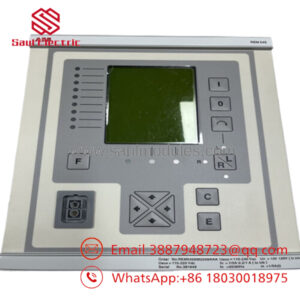
ABB UFC721BE101 3BHE021889R0101 is commonly referenced as an ABB drive-related control module and ADCVI board component used with ACS1000 applications. Verify the installed drive revision and replacement compatibility before installation.
Product Introduction & Supply Chain Strategy
ABB UFC721BE101 3BHE021889R0101 is an industrial power electronics control module used in ABB medium voltage drive systems. It supports drive monitoring, signal handling, and control functions required for reliable motor operation in industrial applications.
Maintaining this module as New Surplus helps plants protect aging ABB drive assets from EOL supply risks. A planned spare strategy reduces emergency downtime exposure, avoids uncertain-condition alternatives, and improves Total Cost of Ownership (TCO) through controlled Buffer stock.
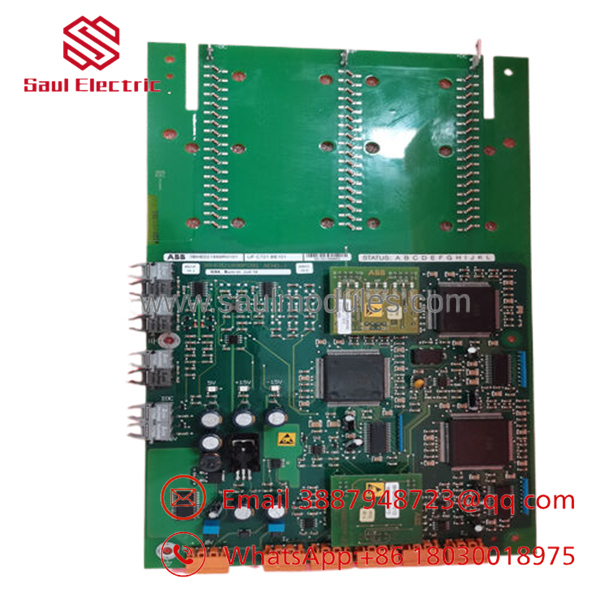
- UFC721BE101
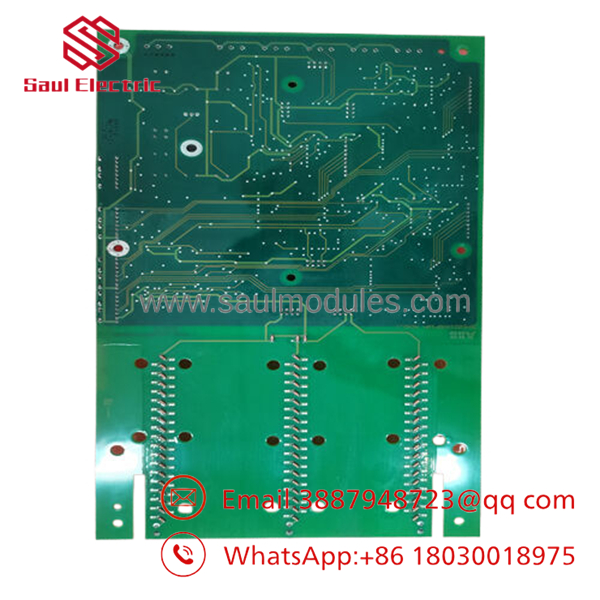
- UFC721BE101
Installation & Configuration Guide
Stage 1: Pre-Installation (Prep & Safety)
- Confirm replacement identification:
- ABB UFC721BE101
- 3BHE021889R0101
- Perform Lock-out/Tag-out before accessing the drive cabinet.
- Prepare:
- ESD wrist strap
- Insulated tools
- Multimeter
- Camera for wiring records
- Document:
- Existing module location
- Connector wiring
- Board revision
- Drive parameters
- Firmware/software version
Stage 2: Removal
- Shut down the ABB drive system according to site procedures.
- Verify DC bus discharge and safe voltage level.
- Disconnect connectors carefully.
- Remove fixing hardware.
- Extract the module straight to avoid connector damage.
Stage 3: Installation (Clone & Seat)
- Inspect the New Original / New Surplus module.
- Confirm:
- Part number
- Hardware revision
- Connector condition
- Transfer required settings from the original board.
- Install the replacement module into the same position.
- Ensure correct seating and mechanical fixation.
Stage 4: Power-On & Testing
- Verify supply rails before energizing.
- Check for shorts or abnormal resistance.
- Power up the drive system.
- Monitor:
- Status LEDs
- Drive alarms
- Communication diagnostics
- Confirm motor control feedback and system operation.
- Restore parameters if required.
Firmware/Software Versions & Upgrade Notes
- Recommended Firmware: Match the existing ABB ACS1000 drive control firmware and hardware revision.
- Compatibility Check: Verify drive software package, control board revision, and configuration parameters.
- Backward Compatibility Risk: Newer firmware or board revisions may require approved ABB upgrade procedures.
- Upgrade Warning: Avoid firmware changes during emergency replacement unless compatibility is confirmed.
- Downgrade Warning: Firmware rollback can create parameter conflicts or communication errors.
Before replacement:
- Save drive parameter backups.
- Record fault history.
- Capture existing configuration.
- Document all board connections.
Frequently Asked Questions (FAQ)
Yes. The recommended supply condition is New Original / New Surplus. It is original ABB inventory intended for maintenance replacement, not repaired inventory.
Q2: Why is New Surplus pricing different from OEM purchasing channels?
Legacy drive components may become difficult to source after production lifecycle changes. New Surplus provides access to original hardware while reducing procurement delays.
Q3: Is this module suitable for ABB ACS1000 systems?
Yes, this part is commonly associated with ABB ACS1000 drive applications. Confirm the exact drive model, board revision, and engineering documentation before replacement.
Q4: Can be hot-swapped?
Only if the specific ABB drive architecture allows it. Power electronics modules should normally be replaced after complete isolation and discharge procedures.
Q5: Will replacing this module erase drive settings?
The result depends on system architecture. Always back up parameters before removal and verify restoration procedures.
Q6: What QC information should be requested?
Request serial verification, inspection records, functional test information, and traceability documentation.
Q7: How many units should be stocked?
For critical motor drives or production assets, maintaining 1–2 units as on-site Buffer stock is a practical approach. For lower-criticality systems, vendor-held stock or cross-site sharing can reduce carrying cost.


 Start Chat


