





Description
Key Technical Specifications
| Parameter | Value |
|---|---|
| Manufacturer | ABB |
| Model | UNITROL 1020 |
| Series | UNITROL® 1000 |
| Product Type | Digital Automatic Voltage Regulator (AVR) / Excitation Controller |
| Application | Small and medium synchronous generators, industrial machines |
| Excitation Output | Up to 20 ADC continuous operation (application dependent) |
| Control Modes | AVR voltage control, FCR field current control, reactive power, power factor control |
| Communication | Ethernet, USB, serial communication options |
| Control Architecture | Microprocessor-based digital excitation control |
| Protection Functions | Over/under excitation, V/Hz limiting, generator protection functions |
| Installation | Generator control cabinet / excitation panel |
| Condition | New Original / New Surplus |
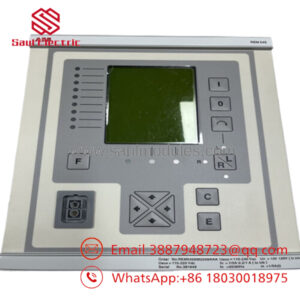
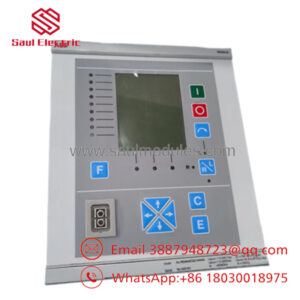
ABB UNITROL 1020 is part of the UNITROL 1000 excitation product family and is designed as a digital AVR for synchronous generators and industrial machines. It provides voltage regulation, excitation control, parallel operation functions, and communication capability.
Product Introduction & Supply Chain Strategy
ABB UNITROL 1020 is a digital automatic voltage regulator used in generator excitation systems. It controls generator field excitation to maintain voltage stability and supports applications including industrial power generation, marine systems, and small-to-medium synchronous machines.
Maintaining UNITROL 1020 as New Surplus reduces EOL supply risk for installed excitation assets. For critical generators, keeping Buffer stock avoids long shutdown periods caused by unavailable AVR hardware and supports lower Total Cost of Ownership (TCO) through planned spare management.
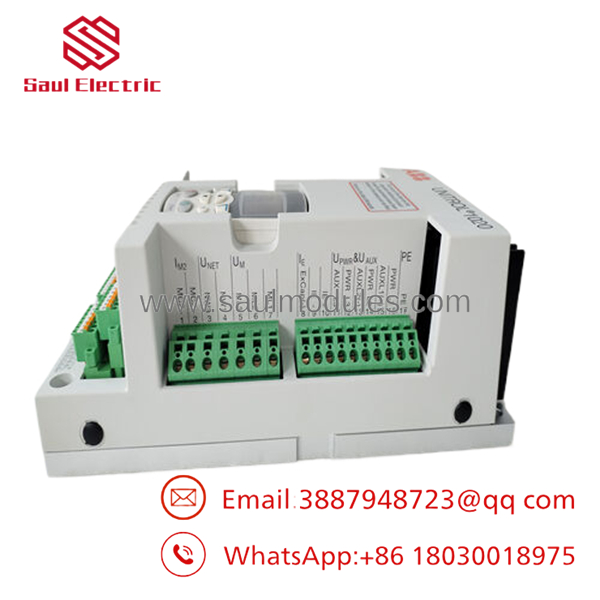
- UNITROL 1020
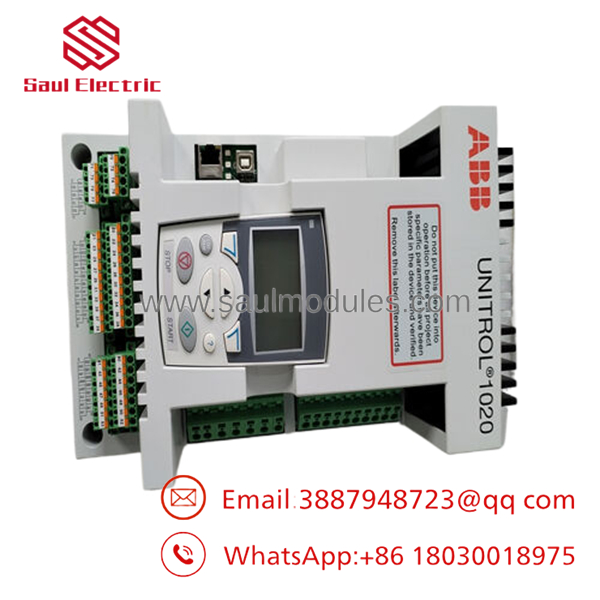
- UNITROL 1020
Installation & Configuration Guide
Stage 1: Pre-Installation (Prep & Safety)
- Confirm replacement identification:
- ABB UNITROL 1020
- Correct hardware revision and configuration
- Perform Lock-out/Tag-out on the generator excitation system.
- Prepare:
- ESD wrist strap
- Insulated tools
- Multimeter
- Laptop with ABB configuration software
- Record:
- AVR parameters
- Generator rated data
- I/O configuration
- Communication settings
- Existing firmware version
Stage 2: Removal
- Shut down the generator according to site procedures.
- Isolate excitation power and control voltage.
- Verify discharge and safe voltage levels.
- Label:
- VT/CT feedback wiring
- Field connections
- Communication cables
- Digital I/O terminals
- Remove the AVR carefully without damaging connectors.
Stage 3: Installation (Clone & Seat)
- Inspect the New Original / New Surplus UNITROL 1020.
- Verify:
- Model number
- Hardware revision
- Connector condition
- Mount the AVR in the same cabinet position.
- Reconnect all wiring according to saved documentation.
- Restore parameter settings from backup.
Stage 4: Power-On & Testing
- Verify auxiliary supply voltage.
- Check wiring insulation and polarity.
- Power on the controller.
- Confirm:
- Operating LED status
- Communication status
- Alarm history
- Perform excitation testing.
- Verify generator voltage regulation and load sharing.
Firmware/Software Versions & Upgrade Notes
- Recommended Firmware: Match the existing UNITROL 1020 firmware revision and application configuration.
- Configuration Software: ABB CMT1000 is commonly used for configuration, monitoring, diagnostics, and commissioning.
- Compatibility Check: Verify:
- Generator application file
- Excitation configuration
- Communication interface settings
- Protection parameters
- Backward Compatibility Risk: Different firmware revisions may require parameter conversion or updated engineering files.
- Upgrade Warning: Avoid firmware upgrades during emergency replacement unless the application has been validated.
- Downgrade Warning: Firmware rollback can create control parameter conflicts.
Before replacement:
- Save AVR parameter files.
- Export event logs.
- Record generator operating limits.
- Archive commissioning data.
Frequently Asked Questions (FAQ)
Q1: Is ABB UNITROL 1020 supplied as a genuine new part?
Yes. The recommended supply condition is New Original / New Surplus. It is original ABB inventory intended for industrial maintenance requirements.
Q2: What is ABB UNITROL 1020 used for?
It is an automatic voltage regulator and excitation controller used to regulate synchronous generator voltage and manage excitation performance.
Q3: Why buy New Surplus instead of refurbished inventory?
New Surplus provides original hardware condition and traceable inventory value. Refurbished alternatives may introduce unknown component aging and reliability risks.
Q4: Is UNITROL 1020 suitable for generator replacement projects?
Yes, when the generator excitation design, firmware, and configuration match. Confirm excitation architecture before installation.
Q5: Can UNITROL 1020 be hot-swapped?
No standard assumption should be made. Follow ABB safety procedures and isolate excitation power before replacement.
Q6: Will replacing the AVR delete generator parameters?
The controller may require parameter restoration. Always create a complete backup before removing the original unit.
Q7: How many spare units should be stocked?
For critical generators, maintaining 1 unit minimum on-site is recommended; high-risk plants may keep 1–2 units as Buffer stock depending on Lead time variability and downtime cost.

 Start Chat


