





Description
Key Technical Specifications
| Parameter | Value |
|---|---|
| Model | XS321A-E |
| ABB Part Number | GJR2252900R0001 |
| Manufacturer | ABB |
| Product Type | Mixed Digital & Analog I/O Module |
| Application | Distributed Control System (DCS) |
| Control Platform | ABB Advant OCS / Legacy ABB Systems |
| Supply Voltage | 24 V DC |
| Communication | Modbus RTU/TCP and system bus support (system dependent) |
| Mounting | Panel / DIN Rail (application dependent) |
| Operating Temperature | -20 °C to +60 °C |
| Typical Power Consumption | Up to 15 W |
| Dimensions | Approximately 175 × 110 × 100 mm |
| Weight | Approximately 0.5 kg |
Compatibility Note: Published specifications vary among surplus suppliers. Verify the exact hardware revision, firmware level, and supported communication interface against the ABB documentation before installation.
Product Introduction
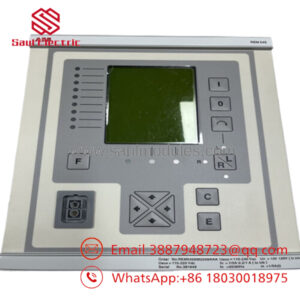
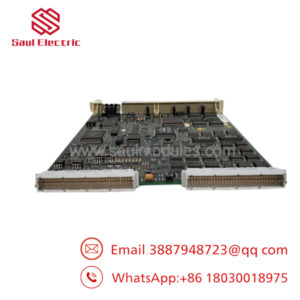
ABB XS321A-E (GJR2252900R0001) is a mixed analog and digital I/O module designed for ABB distributed control systems. It collects field signals and exchanges process data with the controller, making it suitable for process automation, power generation, water treatment, and industrial manufacturing applications.
In retrofit projects, this module is commonly used as a maintenance spare for existing ABB installations. Before replacement, verify hardware revision, firmware compatibility, rack position, and I/O database configuration. Those checks typically prevent the majority of startup issues encountered during legacy DCS maintenance.
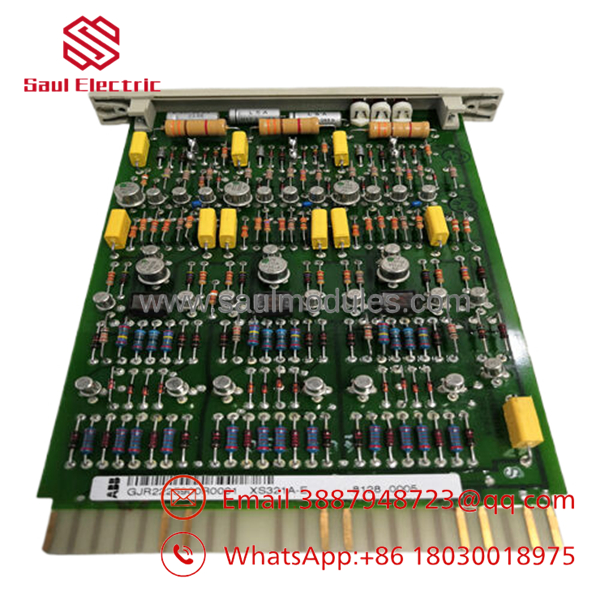
- XS321A-E
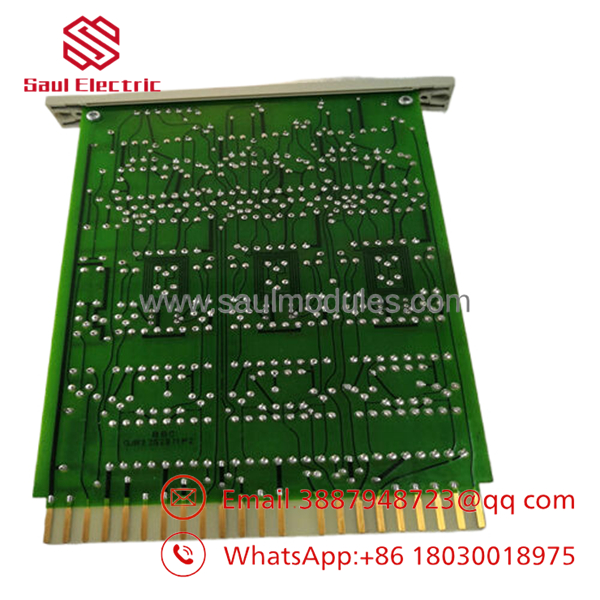
- XS321A-E
Installation & Configuration Guide
Stage 1: Pre-Installation Preparation (Estimated Time: 10 Minutes)
⚠️ Safety First
- Notify operations of scheduled downtime.
- Place the process in a safe operating condition.
- Lock out and tag out all control power.
- Wait at least 5 minutes for power supplies to discharge.
Tools Required
- ESD wrist strap
- PH1 screwdriver
- Digital multimeter (Fluke 115 or equivalent)
- Wire labels
- Smartphone for documentation
Data Backup
- Export controller configuration.
- Record module slot number.
- Photograph every connector before removal.
- Document firmware revision and communication parameters.
- Save the current I/O database if engineering software is available.
Stage 2: Removing the Old Module (Estimated Time: 10 Minutes)
- Open the control cabinet.
- Label every connector before unplugging.
- Disconnect wiring without pulling on conductors.
- Release locking tabs.
- Pull the module straight out to protect the backplane connector.
- Inspect the rack for bent pins, corrosion, or dust accumulation.
⚠️ Keep the old module until the replacement has completed functional testing.
Stage 3: Installing the New Module (Estimated Time: 10 Minutes)
- Wear an ESD wrist strap.
- Verify the replacement part number exactly matches XS321A-E (GJR2252900R0001).
- Configuration Clone (Critical)
- Restore identical firmware when possible.
- Match communication settings.
- Verify node address.
- Restore all configuration parameters.
- Insert the module until fully seated.
- Secure locking hardware.
- Reconnect wiring.
Self-Checklist
- Correct model installed
- Wiring verified
- Module fully seated
- Configuration restored
- Communication settings confirmed
Stage 4: Power-On & Testing (Estimated Time: 20 Minutes)
Pre-Power Checks
- Verify 24 V DC supply.
- Check for shorts.
- Confirm connector seating.
Startup Procedure
- Energize the control rack.
- Observe LED startup sequence.
- Verify module detection in the engineering software.
- Confirm firmware revision.
- Download configuration if required.
- Test every analog and digital channel.
- Verify alarm and event reporting.
⚠️ Troubleshooting
- Solid Fault LED: Verify firmware compatibility.
- No Communication: Check node address, Modbus settings, and controller configuration.
- Incorrect I/O Values: Confirm channel mapping and scaling before replacing hardware.
Frequently Asked Questions (FAQ)
Q1. Can I hot-swap the ABB XS321A-E?
No. This module is not intended for hot replacement. Removing it under power can interrupt backplane communication and may damage the module or controller. Shut down the rack before replacement.
Q2. Is the still manufactured?
The is generally treated as a legacy ABB spare. Most available units today are new surplus or professionally tested surplus inventory rather than current production.
Q3. Will replacing the module erase my control program?
No. The control strategy resides in the controller, not the I/O module. However, calibration data, addressing, or configuration parameters should always be backed up before replacement to avoid commissioning delays.
Q4. What should I verify before ordering?
Check:
- ABB part number (GJR2252900R0001)
- Hardware revision
- Firmware revision
- Controller compatibility
- Rack location
- Communication protocol
- Existing engineering software version
Ordering by appearance alone is a common cause of incorrect replacements.
Q5. Why are New Surplus modules usually less expensive than factory pricing?
New Surplus inventory typically comes from cancelled projects, excess plant inventory, or OEM stock rotations. The hardware is unused but may have been stored for several years. Request inspection photos, serial number verification, and a functional test report before purchase.
Q6. What quality inspections should be completed before shipment?
A comprehensive inspection should include:
- OEM label and serial number verification
- Visual inspection for corrosion, scratches, or PCB repair
- Power-on functional test
- Communication handshake verification
- I/O simulation
- 24-hour burn-in test
- Insulation resistance measurement (>10 MΩ at 500 V where applicable)
- Anti-static packaging with QC documentation
Test photos and videos should be available upon request.
Q7. What is the most common field installation mistake?
Firmware mismatch is the issue I encounter most often. I’ve seen maintenance teams replace a perfectly good hardware module only to spend hours troubleshooting because the replacement carried a different firmware revision than the existing DCS. Before removing the old module, record the firmware version, hardware revision, and configuration. That single step eliminates most avoidable commissioning delays.

 Start Chat


