





Description
Product Introduction
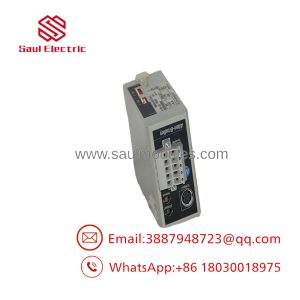
The Allen-Bradley 1747-SN is an SLC 500 Remote I/O Scanner Module used to connect an SLC processor chassis with distributed Remote I/O devices. It allows an SLC 500 controller to exchange input and output data with remote racks, PanelView terminals, and other Remote I/O adapter devices over the Allen-Bradley RIO network.
In our field experience, the 1747-SN is commonly found in older production systems where remote I/O wiring runs hundreds or thousands of feet from the main PLC cabinet. It is dependable, but the limitation is clear: this is a legacy Remote I/O architecture. New designs typically move toward EtherNet/IP, but existing plants often keep RIO running because replacing field wiring can create unnecessary downtime.
Key Technical Specifications
| Parameter | Value |
|---|---|
| Manufacturer | Allen-Bradley / Rockwell Automation |
| Catalog Number | 1747-SN |
| Product Family | SLC 500 |
| Module Type | Remote I/O Scanner |
| Compatible Processors | SLC 5/02, SLC 5/03, SLC 5/04, SLC 5/05 |
| Communication Protocol | Allen-Bradley Remote I/O (RIO) |
| Communication Speed | 57.6 kbps / 115.2 kbps / 230.4 kbps |
| Remote I/O Cable | Belden 9463 (Blue Hose) |
| Maximum Remote I/O Distance | Up to 10,000 ft (3048 m) depending on configuration |
| Remote I/O Capacity | Up to 4 logical racks of discrete I/O data |
| Number of Communication Ports | 1 Remote I/O port |
| Field Isolation | 500 VDC communication isolation |
| Backplane Current Draw | Approx. 600 mA @ 5 VDC |
| Operating Temperature | 0°C to +60°C |
| Mounting | Standard 1746 SLC Chassis |
| Lifecycle Status | Discontinued March 31, 2024 |
Application Scenarios & The “Trench” Experience
A maintenance technician gets called because half of a machine suddenly stops responding.
The PLC processor is running. The local I/O is healthy. The problem is 800 feet away in a remote cabinet.
This is where the 1747-SN earns its place.
A failed Remote I/O scanner, bad termination, or damaged blue hose cable can disconnect an entire group of field devices. Troubleshooting requires understanding the RIO network, not just swapping modules.
Typical applications include:
- Automotive Manufacturing – Remote I/O cabinets for welding cells, fixtures, and assembly stations where long cable runs reduce control cabinet complexity.
- Packaging Equipment – Distributed valve banks, sensors, and operator stations connected through Remote I/O networks.
- Water Treatment – Pump stations and remote MCC buildings using SLC processors with distributed I/O.
- Material Handling – Conveyor zones using remote racks to reduce point-to-point wiring.
- Mining Operations – Remote equipment controls where long-distance I/O communication was installed before Ethernet-based systems became common.
Field Case
A paper mill experienced intermittent faults on a conveyor system controlled by an SLC 5/04 processor with a 1747-SN scanner. Operators reported random I/O drops that cleared after power cycling.
The first assumption was a failing scanner.
The actual problem was a damaged section of Remote I/O cable near a maintenance walkway. After replacing the cable segment and verifying scanner diagnostics, the system returned to stable operation.
The lesson was simple: with legacy RIO systems, the communication path is just as important as the PLC hardware.
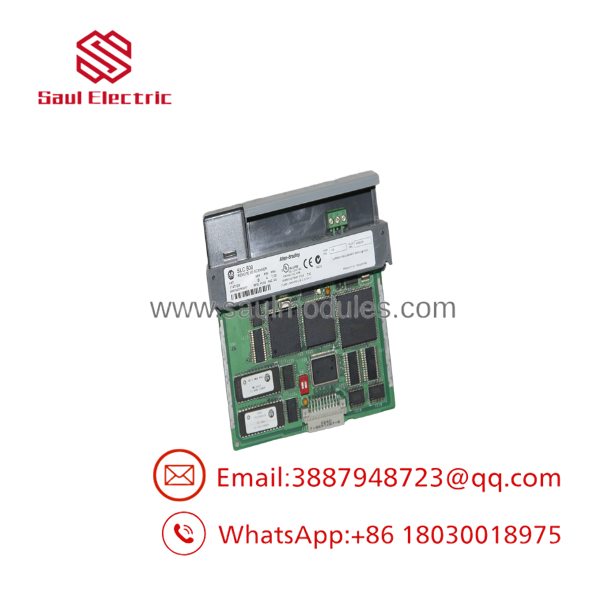
- 1747-SN
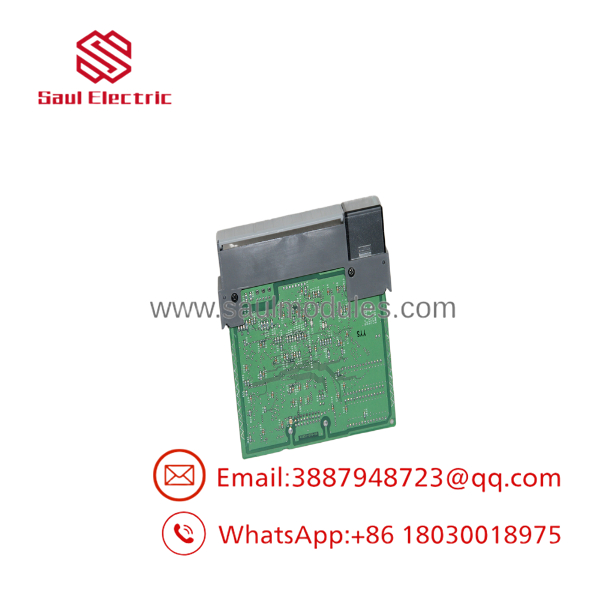
- 1747-SN
Transparency SOP: Quality Assurance & Testing
We don’t just ship boxes; we test them on actual Allen-Bradley SLC 500 racks.
- Inbound Inspection
- Verify Allen-Bradley label, catalog number, series, and hardware revision.
- Inspect RIO connector, chassis connector, and enclosure condition.
- Check for corrosion, damaged components, or unauthorized repairs.
- Live Rack Testing
- Install the module in an operating SLC 500 chassis.
- Verify scanner startup diagnostics.
- Establish communication with a Remote I/O adapter.
- Confirm I/O data exchange.
- Electrical Parameter Checks
- Measure backplane current consumption.
- Verify communication port operation.
- Check diagnostic LED behavior.
- Firmware Verification
- Record firmware revision.
- Confirm compatibility with existing SLC projects.
- Verify scanner configuration parameters.
- Final QC & Anti-static Packaging
- Complete functional testing.
- Protect the module from ESD exposure.
- Package using anti-static materials.
The Veteran’s Tech Trap Guide
⚠️ Do not confuse 1747-SN with 1747-SDN. The names look similar, but they serve completely different networks. The 1747-SN is a Remote I/O scanner. The 1747-SDN is a DeviceNet scanner.
⚠️ Check the RIO baud rate before replacing the module. DIP switch settings must match the existing network speed. A mismatch can look like a bad scanner.
❗ Take a photo of every DIP switch before removal. Trust me. A five-second photo can save hours of troubleshooting during startup.
⚠️ Inspect the blue hose cable before condemning the module. Remote I/O faults are often caused by cable damage, termination problems, or grounding issues.
⚠️ Do not hot-swap this module. Remove chassis power before installation or removal. Pulling communication modules under power can damage the backplane.
Verify exact wiring, termination, and scanner configuration with the OEM documentation before commissioning.
Frequently Asked Questions (FAQ)
Q1. What is the Allen-Bradley 1747-SN used for?
The 1747-SN is an SLC 500 Remote I/O Scanner Module used to communicate with Remote I/O adapter devices and exchange distributed I/O data with the SLC processor.
Q2. What processors are compatible with the 1747-SN?
It works with SLC 5/02, SLC 5/03, SLC 5/04, and SLC 5/05 processors installed in the SLC 500 platform.
Q3. Is the 1747-SN a DeviceNet scanner?
No. This is a Remote I/O scanner. DeviceNet communication requires the separate 1747-SDN module.
Q4. Can I replace the 1747-SN with an Ethernet module?
Not as a direct plug-in replacement. Moving from Remote I/O to EtherNet/IP requires engineering changes, including network design, adapter selection, PLC program modifications, and field device evaluation. Rockwell lists newer engineering replacement paths for discontinued SLC communication products.
Q5. Does the 1747-SN support hot swapping?
No. Remove power before replacing the module. The SLC chassis is not designed for live insertion of this communication module.
Q6. Why is a surplus 1747-SN cheaper than buying new from Rockwell?
The module is discontinued. Available units typically come from plant closures, excess inventory, repaired equipment stock, or automation surplus channels. The important factor is functional testing, not only physical condition.
Q7. What warranty is typically provided?
Qualified industrial automation suppliers commonly provide a 12-month warranty on tested new surplus and refurbished 1747-SN modules. Warranty terms should be confirmed before purchase.

 Start Chat


