





Description
Product Introduction & Engineering Value
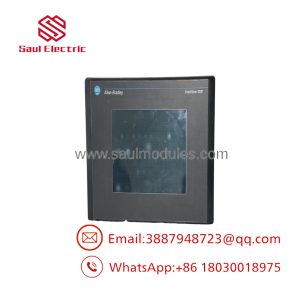
The 2711E-T14C15 is a legacy PanelView 1400e touch terminal built for bigger process visuals and operator-heavy screens. With its 14-inch color display, it was meant for applications that needed more screen real estate than the small-panel terminals could provide, especially on older Rockwell control architectures.
It is still relevant in plants because many machines were engineered around this exact terminal family, memory model, and communication stack. For replacement work, matching the catalog number matters because the screen size, power architecture, and ControlNet-enhanced configuration are tightly tied to the original application.
Technical Specifications
| Parameter | Value |
|---|---|
| Catalog number | 2711E-T14C15 |
| Product family | PanelView 1400e |
| Display type | Color touchscreen terminal |
| Display size | 14 in |
| Resolution | 640 x 480 |
| Power input | 90–132 V AC or 180–264 V AC, auto-sensing |
| Frequency | 47–63 Hz |
| Power consumption | 75 W typical, 100 W max |
| Communication | ControlNet enhanced release 1.5 |
| Serial port | RS-232 |
| User memory | 128 KB battery-backed SRAM |
| Alarm capacity | Up to 2,000 configurable alarm messages |
| Weight | 38.7 lb |
| Mounting | Panel mount |
Field Application & Trench Experience
A chemical batch area had an old 2711E terminal that operators relied on for alarm acknowledgement and recipe visibility. When the screen failed, the replacement had to preserve the same panel cutout, the same comm path, and the same operator workflow. The swap was successful, but only after the team confirmed the ControlNet link and reloaded the application without assuming modern PanelView compatibility.
You’ll usually find this terminal in batch process panels, large skid interfaces, and control rooms where older ControlNet-based HMI infrastructure is still in service.
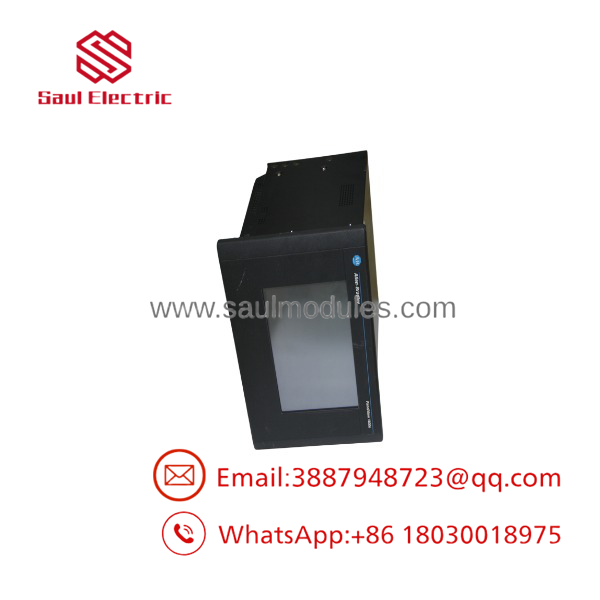
2711E-T14C15
Transparency SOP: QA & Testing
- Visual inspection of bezel, touchscreen, CRT condition, and connector integrity.
- Power-up test across the input range to confirm display stability and proper boot behavior.
- Communication check on ControlNet and RS-232 where applicable.
- Memory and alarm-function verification with a known-good application image.
- Extended run test to catch intermittent display or power-supply issues before shipment.
Veteran’s Tech Trap Guide
⚠️ Don’t assume a modern HMI can drop in as a replacement. This is a legacy PanelView 1400e with older communication and memory expectations.
⚠️ Watch the weight and panel handling. A 14-inch CRT-era terminal is not something you want to wrestle into a thin cabinet without checking support and cutout fit first.
PRO TIP: Verify the battery-backed memory condition before commissioning. Legacy terminals can look fine on power-up and still lose data if the memory backup system is weak.
Dynamic FAQ
Q1: Is the 2711E-T14C15 a direct replacement for my PanelView 1400e terminal?
A: Yes, if your original unit is the same catalog number and your application/network setup matches.
Q2: What kind of display does it use?
A: A 14-inch color touchscreen display with 640 x 480 resolution.
Q3: What power does it require?
A: 90–132 V AC or 180–264 V AC with auto-sensing, 47–63 Hz.
Q4: What communications does it support?
A: ControlNet enhanced release 1.5 and RS-232.
Q5: Is this sold as new surplus or refurbished stock?
A: Both are common in the market. New surplus means unused OEM inventory, while refurbished means tested and restored for reuse.
Q6: Is warranty available?
A: Warranty depends on the supplier, but reputable industrial sellers typically provide coverage for both new surplus and refurbished units.

 Start Chat


