





Description
Product Introduction & Engineering Value
Every distributed I/O project eventually runs into the same headache: your remote card file needs both a fast bus connection and clean local power, and pulling two separate cable runs eats budget fast. The BES212/N solves both problems in one slot. It is the slave-side counterpart to the BEM211 master, extending the M1 backplane to up to 6 SubDevices in a daisy chain.
The RJ45 wiring makes a real difference on the shop floor. No special protocol configuration is needed — the remote I/O modules behave exactly as if they were local, so your existing application code stays untouched. Each SubDevice in the chain can carry up to 15 M200 standard modules.
Technical Specifications
| Parameter | Value |
|---|---|
| Product Designation | BES212/N Bus Expansion Slave Module |
| OEM Part Number | 00012848-00 |
| System Platform | Bachmann M1 |
| Function | FASTBUS expansion, slave side |
| Bus Access Time | < 1.5 µs |
| Maximum Distance | 3 m (master to slave segment) |
| Interfaces | 2 × RJ45 (bus in / bus out) |
| Daisy Chain Topology | Up to 6 SubDevices directly interconnected |
| Modules per SubDevice | Up to 15 M200 standard modules |
| Integrated Power Supply | 24 V DC, powers the substation |
| Protocol Requirement | None — transparent access to remote I/O |
| Compatibility | BEM211 (master), BES212 (slave, without power supply) |
Field Application & The “Trench” Experience
The Trench Story: A biomass-fired power plant in Upper Austria called us on a Friday afternoon with a dead bus expansion slave in their combustion air control cabinet. The original BES212/N had taken a surge from a nearby VFD start, and the whole distributed I/O island — dampers, fan vibration sensors, oxygen analyzers — had gone dark. The plant was running on manual control, which the shift supervisor described as “riding a bike with no hands.” We shipped a tested New Surplus BES212/N that same day. Drop-in replacement. Because the module needs no protocol configuration, the technician swapped it, reseated the two RJ45 cables, powered up, and the remote I/O came back online exactly as before — the CPU never even noticed the difference. Total downtime: under an hour, including coffee.
Niche Application Scenarios:
- Hydro turbine governor cabinets — placing the BES212/N in the auxiliary relay panel keeps speed-sensing I/O within the 3 m bus limit without a second full controller.
- Wind turbine nacelle controls — daisy-chaining SubDevices to consolidate pitch and yaw sensor I/O back to a single M1 CPU.
- Pump station wet-well monitoring — powering a compact remote I/O drop near submersible level transmitters where a separate power supply would be wasted panel space.
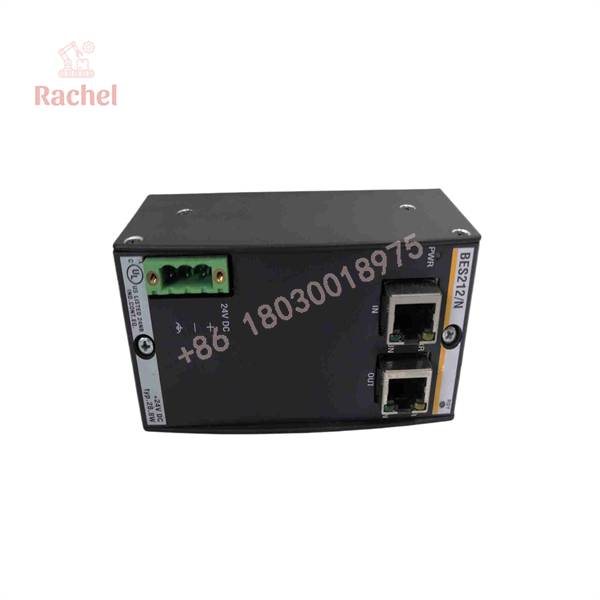
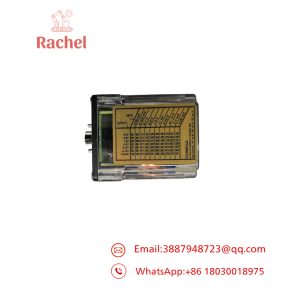
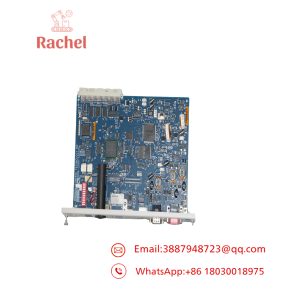
BES212/N
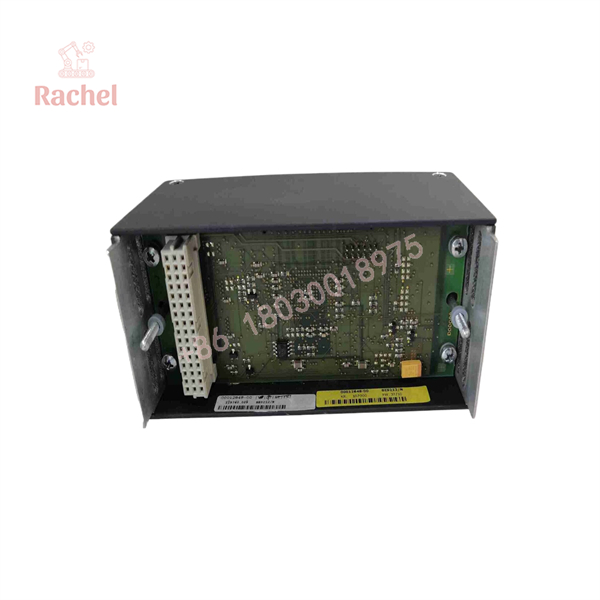
BES212/N
Transparency SOP: QA & Testing
We don’t sell “maybe works” modules. Before any BES212/N leaves our warehouse — whether New Surplus or Refurbished — it goes through a defined bench process:
- Visual and mechanical inspection — RJ45 ports checked for bent contacts and worn latches; housing and DIN-clip integrity verified against OEM drawings.
- Power stage verification — the integrated 24 V supply is loaded to rated output and monitored for sag, ripple, and abnormal heat over a sustained burn-in.
- Live bus test — the module is placed in an actual M1 test rack with a BEM211 master and two M200 I/O modules. We confirm bus access time, daisy-chain pass-through to a downstream SubDevice, and error-free I/O reads over a full soak test.
Every unit ships with a test report. Ask for it, and we will send it.
The Veteran’s Tech Trap Guide
⚠️ The BES212 and BES212/N are NOT interchangeable in every case. The “/N” carries the integrated 24 V power supply. If you drop a plain BES212 where a /N belongs, your substation I/O loses power and you will spend an hour chasing phantom “module failure” faults. Read the panel schematics before ordering. This is the single most common ordering mistake we see.
PRO TIP: Respect the 3 m limit — on the correct segment. The 3 m constraint applies to the high-speed connection length. Running a longer cable “to see if it works” often does work at first, then produces intermittent I/O dropouts once EMI from nearby drives enters the picture. Use proper cable, keep runs short, and separate from power wiring.
⚠️ Daisy-chain addressing matters. With up to 6 SubDevices in the chain, mixing up the in/out RJ45 ports or the device order during a swap will change which I/O addresses map where. Photograph the original cabling before you disconnect anything. And ground yourself first — the bus interface circuitry is static-sensitive, and a wrist strap costs five dollars.
Dynamic FAQ
Q1: What is the difference between the BES212 and the BES212/N?
The BES212 is the standard bus expansion slave. The BES212/N adds an integrated 24 V power supply that powers the substation, eliminating a separate supply in the remote cabinet.
Q2: How many distributed I/O modules can I reach through one BES212/N chain?
Up to 6 SubDevices can be daisy-chained, and each SubDevice supports up to 15 M200 standard modules — so a single expansion chain can tie a substantial distributed I/O estate back to one M1 CPU.
Q3: Do I need to configure a protocol for the remote I/O to work?
No. The bus expansion is transparent — the remote modules are accessed directly, as if they were local. No special protocol engineering or application changes are required.
Q4: Is the BES212/N compatible with my BEM211 master?
Yes. The BES212/N is the slave-side counterpart to the BEM211 in the M1 system and is also interoperable alongside the standard BES212 in daisy-chain arrangements.
Q5: What does “New Surplus” mean for this module, and how do I know it is genuine?
New Surplus means factory-original, never-installed stock — often from a cancelled project or OEM excess — with original packaging or documentation where available. We verify the OEM part number (00012848-00), serial marking, and build against Bachmann reference material, and every unit passes the full bench test described above before shipping.
Q6: What warranty do you provide?
Every BES212/N we ship — New Surplus or Refurbished — carries a 12-month warranty covering functional failure under normal service conditions, backed by our test reports. If a unit does not perform in your rack, we replace it.

 Start Chat


