





Description
Product Introduction
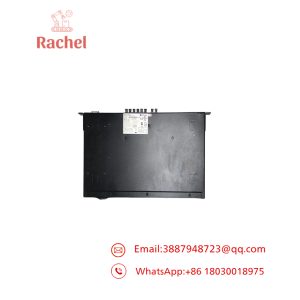
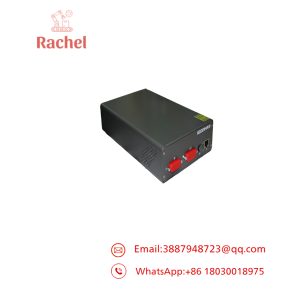
The Basler A402KC is a high-performance industrial area scan color camera built specifically for demanding machine vision applications requiring real-time high-throughput image acquisition. As part of Basler’s benchmark A400K series, this camera relies on a robust Camera Link interface to stream uncompressed, high-resolution color image data directly to host frame grabbers without processing lag or packet drops.
Designed for integration into high-speed production lines, the A402KC delivers superior color fidelity and spatial resolution (2352 x 1726 pixels). Unlike standard GigE or USB2 vision cameras that suffer from bandwidth bottlenecks, the A402KC’s dedicated hardware architecture handles high data rates with low latency, making it a critical component in legacy automated inspection systems.
Key Technical Specifications
| Parameter | Specification / Value |
| Manufacturer | Basler AG |
| Model Number | A402KC |
| Camera Family | A400K Series Area Scan |
| Chroma / Color | Color (Bayer pattern filter) |
| Sensor Resolution | 2352 (H) x 1726 (V) pixels |
| Frame Rate | 24 frames per second (at full resolution) |
| Digital Interface | Camera Link (Base configuration) |
| Data Bit Depth | 8-bit / 10-bit output modes |
| Shutter Type | Electronic Global Shutter |
| Control / Triggering | Hardware EXSYNC trigger / RS-644 serial comms |
| Lens Mount | Standard C-Mount or F-Mount adapter options |
| Power Supply | Dedicated DC Power Connector (12V DC typical) |
Application Scenarios & The “Trench” Experience
Picture this: It’s 2 AM on a Friday, and line 3’s PCB optical inspection rig locks up. The frame grabber throws a continuous communication timeout error—the legacy vision camera’s output stage died after eight years of uninterrupted service. The whole surface-mount line comes to a dead halt, costing $12,000 every hour the line stays down. Having a direct drop-in Basler A402KC replacement camera ready on the shelf turns a catastrophic outage into a 15-minute swap.
Primary Field Applications:
- Automated Optical Inspection (AOI): High-detail PCB component alignment, solder joint verification, and surface defect checks.
- Web Inspection & Packaging: Printing alignment and color consistency checks on fast-moving continuous packaging materials.
- Pharmaceutical & Medical Manufacturing: Automated tablet inspection, blister pack validation, and vial filling line verification.
- Semiconductor Wafer Processing: Precision pattern matching and die-bond inspection requiring crisp color rendering and zero frame dropouts.
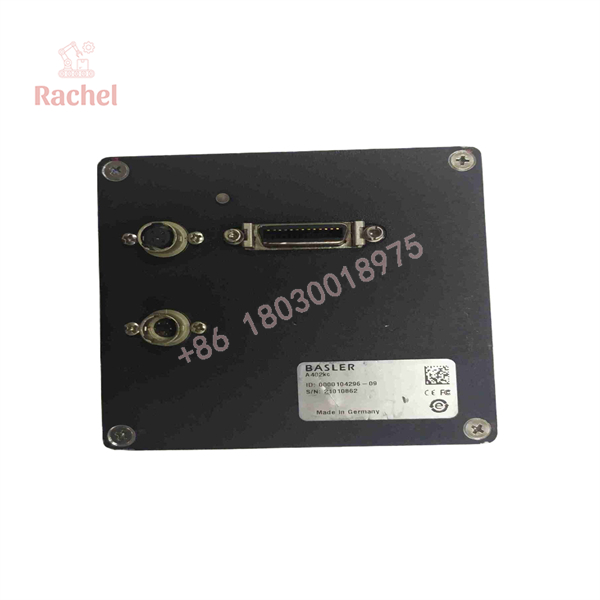
A402KC
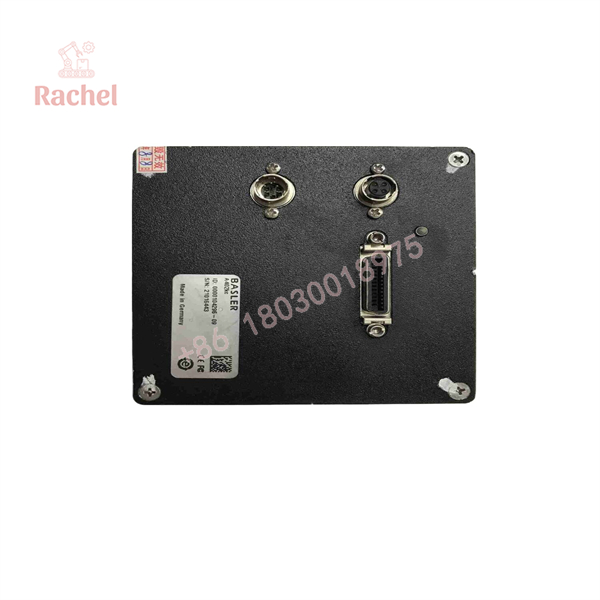
A402KC
Transparency SOP: Quality Assurance & Testing
We treat surplus vision hardware with extreme technical rigor. Every Basler A402KC unit undergoes a 5-step hardware verification before it enters our ready-to-ship inventory:
- Inbound Physical & Optical Check: Inspection of the optical glass, sensor surface check for dust/scratches, C-mount thread check, and housing seal audit.
- Power-On & Thermal Stability Test: Continuous 4-hour burn-in under 12V DC power to monitor thermal dissipation and voltage stability.
- Camera Link Frame Grabber Handshake: Verification of Base Camera Link communication, RS-644 serial control commands, and bit-depth toggling.
- Sensor Diagnostics & Flat-Fielding: Full-frame pixel check for dead or stuck pixels, evaluation of gain/offset registers, and shading correction tests.
- ESD & Optical Protective Packaging: Terminal cleaning, mounting of dust covers over the sensor cavity, and sealed anti-static protective shipping.
The Veteran’s Tech Trap Guide (Crucial Value-Add)
- ⚠️ Match the Suffix (Mono vs. Color): Double-check your part numbers! The A402K is a monochrome camera, while the is the color variant. Installing an A402K into a vision system programmed for color debayering will cause severe image processing errors and color channel faults.
- ❗ Verify Frame Grabber Tap Settings: The A402KC offers configurable video data output modes (e.g., 2-tap/4-tap 8-bit or 10-bit). If your replacement camera displays scrambled, split, or interleaved line images, your software config set doesn’t match the camera’s onboard non-volatile user set memory.
- ⚠️ Handle the Camera Link Connectors with Care: Screw-lock thumbscrews on Camera Link cables aren’t decorative. Unlocked cables under vibration will break pin contacts or loosen during operation, causing intermittent packet corruption that locks up host vision software.
- ❗ Watch Out for Sensor Dust During Lens Swaps: Always point the camera face down when changing lenses or adjusting C-mount adapters. A single spec of dust on the sensor surface translates into a persistent false-defect detection in high-magnification machine vision algorithms.
Frequently Asked Questions (FAQ for Conversion)
Q: Is the Basler A402KC hot-pluggable?
A: No. Standard Camera Link interfaces do not natively support hot-plugging. Connecting or disconnecting the 26-pin Camera Link cable or DC power connector while powered up can blow the transceiver ICs on either the camera or the frame grabber card.
Q: How do I load my existing configuration onto a replacement A402KC?
A: You can configure gain, offset, trigger, and tap modes using the Basler Configuration Tool over the Camera Link serial interface (RS-644). Once configured, save the settings to the camera’s internal non-volatile User Set 1 so it powers up automatically in your target operational mode.
Q: What is the primary difference between the A402KC and newer GigE/USB3 cameras?
A: The A402KC utilizes a direct hardware-level Camera Link interface for deterministic, uncompressed data transmission with virtually zero host CPU overhead. While newer interfaces are cheaper, Camera Link remains the industrial standard for latency-critical vision applications.
Q: What warranty comes with these legacy surplus cameras?
A: Every Basler A402KC camera sold from our inventory includes a comprehensive 12-month replacement warranty. If the unit fails during normal operation within the year, we replace it directly from our verified stock.
Q: Why buy new surplus or refurbished legacy vision hardware instead of upgrading?
A: Upgrading a machine vision system usually requires changing frame grabbers, rewriting proprietary inspection software, re-validating algorithms, and modifying wiring looms. Replacing the camera with a tested OEM unit maintains zero-downtime compatibility at a fraction of the cost.

 Start Chat


