





Description
Product Introduction & Engineering Value
The Enterasys A2H254-16 is a SecureStack A2-series managed Ethernet switch intended for networks where port-level management, VLAN segmentation, and centralized administration are required. Its 24-port copper configuration makes it particularly useful for legacy automation networks with multiple PLCs, HMIs, engineering stations, and other Ethernet-connected equipment.
For replacement work, check more than the port count. The installed switch configuration, firmware, uplink arrangement, VLAN database, management settings, and network topology all affect commissioning. A physically compatible replacement can still cause a significant outage if configuration is not preserved.
Technical Specifications
| Parameter | Specification |
|---|---|
| Manufacturer | Enterasys Networks |
| Model | A2H254-16 |
| Series | SecureStack A2 |
| Switch Type | Managed Ethernet switch |
| Copper Ports | 24 × 10/100BASE-TX |
| Port Connector | RJ-45 |
| Network Speed | 10/100 Mbps |
| Switching Architecture | Store-and-forward |
| VLAN Support | Supported |
| Management | CLI / Web / SNMP depending on firmware |
| Rack Installation | Supported |
| Uplink/Expansion | Model-dependent |
| Application | Managed Ethernet networks |
Configuration matters
The A2H254-16 belongs to a legacy Enterasys switching platform. Exact firmware and installed expansion configuration should be checked before replacement. If the switch is carrying production automation traffic, document the existing VLANs, port assignments, trunks, IP settings, and management configuration before removing it.
Field Application & the “Trench” Experience
A plant’s control network has an aging Enterasys switch installed in a cabinet serving PLCs, operator terminals, and remote I/O. The switch begins intermittently dropping links on several ports.
Maintenance has a spare A2H254-16, so the hardware replacement itself looks straightforward.
The problem appears after startup.
The replacement switch has factory defaults. The production network depends on specific VLAN assignments and uplink settings. Several devices come online, but others cannot communicate with their controllers.
The lesson is familiar to anyone who has replaced managed switches in operating plants: the configuration is part of the spare.
Specific application scenarios
- PLC control-network aggregation — Connecting multiple controller and HMI Ethernet nodes within a production cell.
- Remote I/O networks — Aggregating distributed Ethernet-connected automation equipment.
- SCADA network cabinets — Supporting communication between servers, operator stations, controllers, and field devices.
- Industrial network segmentation — Maintaining VLAN-based separation between control, engineering, and supervisory traffic.
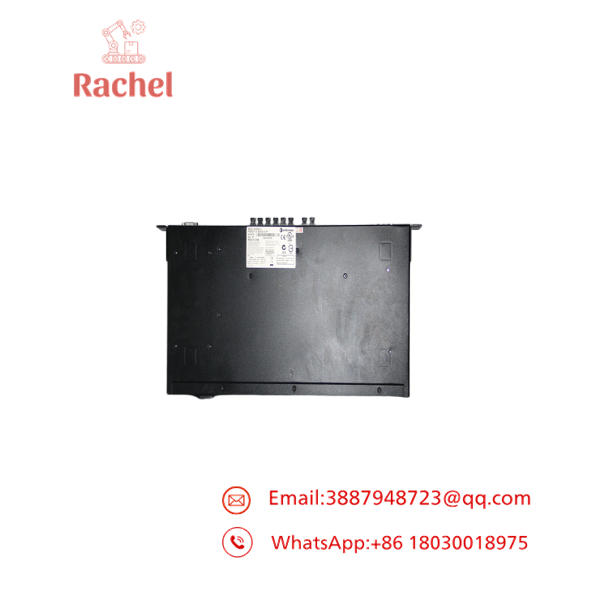
A2H254-16
A2H254-16
Transparency SOP: QA & Testing
For new-surplus or refurbished A2H254-16 inventory, network testing should be performed rather than relying only on a power-on check.
1. Hardware inspection
- Confirm the A2H254-16 identification.
- Inspect all RJ-45 ports.
- Check LEDs and front-panel controls.
- Inspect the power connection and enclosure.
2. Power test
- Apply the appropriate power source.
- Confirm normal startup and diagnostic behavior.
- Check for abnormal fan or thermal behavior where applicable.
3. Port test
- Connect test devices to the copper ports.
- Verify link negotiation at 10/100 Mbps.
- Confirm transmit and receive operation.
- Test all populated ports.
4. Management test
- Verify access through the supported management interface.
- Check VLAN configuration capability.
- Confirm management and diagnostic functions.
5. Configuration test
- Load an appropriate test configuration.
- Verify VLAN and port behavior.
- Test uplink/expansion functions where fitted.
A switch that powers on is not necessarily a switch that can be trusted with a production control network.
The Veteran’s Tech Trap Guide
⚠️ Trap #1 — Forgetting the configuration backup.
Before replacing the original switch, export or document its configuration if the unit is still accessible.
PRO TIP: Record VLAN IDs, tagged/untagged ports, trunk ports, management IP, and port descriptions.
⚠️ Trap #2 — Assuming all 24 ports behave identically in the configured network.
The hardware ports may be identical physically, but the production configuration may assign completely different VLAN or security roles to each port.
⚠️ Trap #3 — Ignoring firmware compatibility.
An older configuration may not behave exactly the same after loading onto a switch with a different firmware revision.
⚠️ Trap #4 — Connecting the replacement directly to production without staging it.
For a critical automation network, configure and test the replacement offline first. Then schedule the physical change during an approved maintenance window.
⚠️ Trap #5 — Treating link LEDs as proof of network health.
A green link light only proves a physical connection. It does not prove correct VLAN membership, routing, redundancy, or application-level communication.
Dynamic FAQ
What is Enterasys A2H254-16?
The is a SecureStack A2-series managed Ethernet switch with a 24-port copper configuration.
How many Ethernet ports does it have?
The standard configuration provides 24 × 10/100BASE-TX RJ-45 Ethernet ports.
Is it suitable for industrial automation networks?
It can be used in legacy industrial Ethernet architectures where its supported features and environmental requirements match the installation. The complete network design should be reviewed before deployment in a control system.
Can I directly replace an existing A2H254-16?
The hardware may be a direct replacement when the installed network uses the same model and compatible firmware. However, you should preserve the original configuration before swapping the unit.
What configuration should I back up?
At minimum, document or export:
- VLAN assignments
- Port configuration
- Trunk/uplink settings
- Management IP
- SNMP settings
- Security configuration
- Port descriptions
- Firmware version
Is refurbished A2H254-16 suitable for a production network?
Potentially. Require testing of the power system, Ethernet ports, management interface, and relevant switching functions before deployment.
How do I verify new-surplus authenticity?
Request photographs of the actual switch showing the Enterasys label, A2H254-16 model number, serial information, front panel, rear panel, and port condition.
What warranty should I request?
Request written coverage for power-up failure, Ethernet-port failure, and management-function failure. For refurbished units, ask for the actual test results.

 Start Chat


