





Description
Product Introduction & Engineering Value
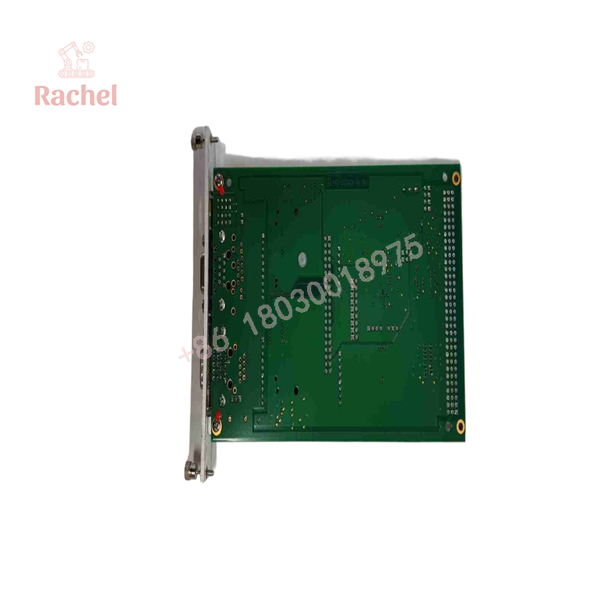
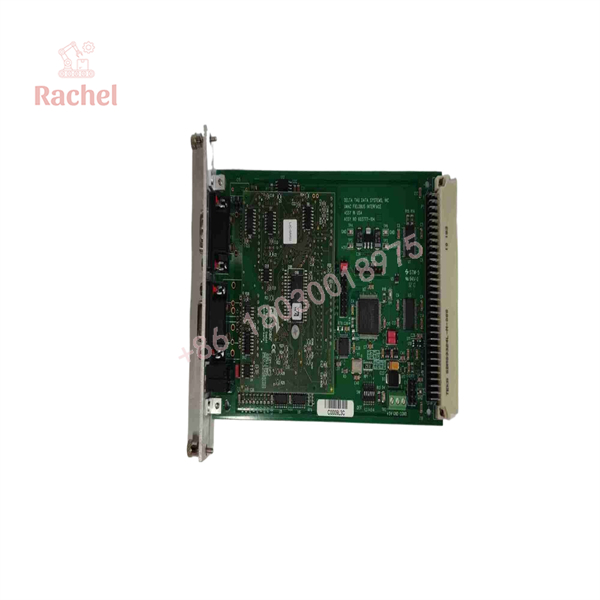
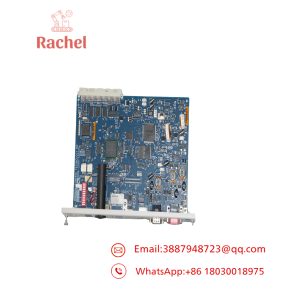
The Delta Tau ACC-72E provides a communications bridge between a UMAC/PMAC motion controller and distributed field devices. Instead of hardwiring every process signal into the motion controller, the gateway places fieldbus data into dual-port RAM mapped through the UBUS, allowing PMAC programs to exchange data through M-variables.
For replacement work, the critical identifier is the complete ACC-72E option configuration, not simply “ACC-72E.” Delta Tau documented separate options for PROFIBUS master/slave, DeviceNet master/slave, CANopen master/slave, ControlNet, and CC-Link. The physical fieldbus connector also changes with the installed option.
Technical Specifications
General Hardware
- Product: ACC-72E UMAC Fieldbus Interface
- Delta Tau part-number family: 3×0-603777-xUxx
- Form factor: 3U × 4HP, UMAC compatible
- Backplane: 96-pin UBUS interface
- Architecture: UBUS motherboard + fieldbus-specific gateway daughter card
- Memory interface: Dual-port RAM mapped into PMAC memory
- Programming access: PMAC M-variables
- Program storage: Flash memory
- Watchdog: Yes
- Typical operating temperature: 0°C to 55°C for PROFIBUS, DeviceNet, CANopen, and ControlNet configurations
- Diagnostic interface: RS-232 on the documented gateway configurations
Supported Gateway Options
| Option | Function | Fieldbus Connector |
|---|---|---|
| Option 1 | PROFIBUS Master | Female DB9 |
| Option 2 | PROFIBUS Slave | Female DB9 |
| Option 3 | DeviceNet Master | 5-position terminal block |
| Option 4 | DeviceNet Slave | 5-position terminal block |
| Option 5 | CANopen Master | Female DB9 |
| Option 6 | CANopen Slave | Female DB9 |
| Option 7 | ControlNet Adapter | BNC |
| Option 11 | CC-Link Adapter | 5-position terminal block |
These options are hardware-defined by the installed COM gateway.
Representative Protocol Specifications
PROFIBUS
- DPRAM: 2 KB
- Maximum input data: 244 bytes
- Maximum output data: 244 bytes
- Baud rate: 9.6 kbaud through 12 Mbaud
- Maximum nodes: 126
- UBUS power: +5 VDC, 700 mA
- Operating temperature: 0°C to 55°C
DeviceNet
- DPRAM: 2 KB or 8 KB depending on master/slave gateway
- Maximum input/output process data: 255 bytes
- Baud rate: 125, 250, or 500 kbaud
- Maximum nodes: 64
- UBUS supply: +5 VDC, 500 mA
- External fieldbus supply: +24 VDC, 50 mA
- Operating temperature: 0°C to 55°C
CANopen
- DPRAM: 8 KB
- Maximum input data: 32 bytes
- Maximum output data: 32 bytes
- Baud rate: 10 kbaud to 1 Mbaud
- Maximum nodes: 125
- UBUS power: +5 VDC, 700 mA
- Operating temperature: 0°C to 55°C
ControlNet
- DPRAM: 2 KB
- Process data: up to 510 bytes input and 510 bytes output
- Network speed: 5 Mbaud
- Maximum nodes: 99
- UBUS power: +5 VDC, 700 mA
- Network connection: BNC Channel A and Channel B
- Operating temperature: 0°C to 55°C
CC-Link
- DPRAM: 8 KB
- Input data: 48 bytes
- Output data: 48 bytes
- Baud rates: 125 kbaud, 625 kbaud, 2.5 Mbaud, 5 Mbaud, 10 Mbaud
- Maximum stations: 64
- UBUS power: +5 VDC, 500 mA
- Operating temperature: 0°C to 45°C
- Fieldbus connector: 5-position terminal block
ACC-72E
ACC-72E
How the ACC-72E Fits Into a UMAC System
The ACC-72E operates as a DPRAM-style UBUS peripheral. Fieldbus bytes are placed into the gateway’s dual-port memory. The PMAC side accesses those locations through UBUS-mapped memory, while M-variables are assigned to exchange process data between the motion-control program and the gateway.
A typical commissioning sequence is:
- Power down the UMAC system.
- Install the ACC-72E into the UBUS backplane.
- Connect the gateway’s diagnostic interface to the configuration computer.
- Identify the installed fieldbus gateway and its master/slave role.
- Configure the network using the appropriate configuration software.
- Download the fieldbus configuration to the gateway.
- Map fieldbus bytes into PMAC M-variables.
- Test data transfer in both directions.
- Monitor gateway diagnostic/status flags.
- Integrate the mapped variables into PLC or motion programs.
Field Application & Trench Experience
A common legacy-machine scenario is a Turbo UMAC controlling multiple axes while external I/O, drives, or intelligent devices communicate over PROFIBUS or DeviceNet. When the ACC-72E fails, the motion program itself may remain intact, but the machine can lose access to the field devices represented through the gateway.
The replacement challenge is therefore often network configuration rather than mechanical installation. A physically identical 3U card with the wrong gateway option can have the correct UBUS interface but the wrong fieldbus connector, protocol, master/slave role, and DPRAM behavior.
Niche Applications
Legacy CNC and machine tools
Used to exchange machine I/O and device data between a Delta Tau motion controller and fieldbus-connected equipment.
Multi-axis production equipment
Useful where motion control remains centralized in UMAC while peripheral devices are distributed over a fieldbus.
Retrofit and controls-maintenance projects
The ACC-72E can preserve an existing PMAC/UMAC fieldbus architecture without requiring a complete motion-controller redesign.
QA & Testing SOP
For a New Surplus ACC-72E, inspection should cover more than the baseboard label.
Identification
- Confirm and the complete 603777-derived part number.
- Record the hardware revision.
- Identify the installed fieldbus daughter card.
- Verify the master/slave designation where applicable.
- Confirm the front-panel connector matches the required protocol.
Electrical and Physical Inspection
- Inspect the 96-pin UBUS connector.
- Check the daughter-card connection.
- Inspect terminal blocks, DB9 connectors, BNC connectors, and diagnostic interfaces.
- Look for oxidation, contamination, damaged components, or signs of overheating.
- Verify DIP-switch and jumper configuration against the applicable hardware revision.
Functional Verification
Where a compatible UMAC test system is available:
- Confirm UBUS recognition.
- Confirm gateway identification.
- Establish diagnostic-port communication.
- Verify DPRAM access.
- Test fieldbus data transmission and reception.
- Confirm watchdog and diagnostic indications.
The Delta Tau documentation notes that the gateway’s protocol and master/slave behavior are determined by the installed COM gateway hardware.
Veteran’s Tech Trap Guide
⚠️ Trap 1: Ordering only by “ACC-72E”
This is the biggest replacement mistake.
identifies the gateway platform, not the complete fieldbus configuration. A PROFIBUS Master version and a DeviceNet Slave version are both ACC-72E-family products but are not interchangeable at the network level.
⚠️ Trap 2: Confusing master and slave versions
PROFIBUS, DeviceNet, and CANopen each have separate master and slave options. Verify the original system’s network role before ordering.
For example:
- PROFIBUS Master = Option 1
- PROFIBUS Slave = Option 2
- DeviceNet Master = Option 3
- DeviceNet Slave = Option 4
- CANopen Master = Option 5
- CANopen Slave = Option 6
⚠️ Trap 3: Assuming the daughter card is fieldbus-configurable
The manual states that the installed COM gateway determines the protocol and master/slave configuration. It is not simply a software setting that can be changed after installation.
PRO TIP: Photograph the connector before ordering
The front connector is an excellent physical cross-check:
- DB9 → typically PROFIBUS or CANopen
- 5-position terminal block → DeviceNet or CC-Link
- BNC → ControlNet
But connector appearance should be treated as a secondary check. The complete part number and installed option remain the authoritative identification method.
⚠️ Trap 4: Forgetting DeviceNet’s external 24 VDC
Unlike most of the documented gateway configurations, DeviceNet Options 3 and 4 require an external 24 VDC fieldbus supply. Replacing the card without checking this supply can create a misleading “dead gateway” diagnosis.
FAQ
What is the Delta Tau ACC-72E?
The ACC-72E is a UMAC Fieldbus Gateway that allows a Delta Tau PMAC/UMAC motion controller to exchange data with external fieldbus devices. It uses a UBUS interface and DPRAM-based data exchange.
Which fieldbus protocols does the ACC-72E support?
The documented ACC-72E platform supports PROFIBUS, DeviceNet, CANopen, ControlNet, and CC-Link through different gateway options. The 2008 manual lists Options 1–7 and Option 11 for these configurations.
Can I replace any ACC-72E with another ACC-72E?
Not without checking the configuration. The fieldbus protocol, master/slave role, daughter-card type, connector, board revision, and PMAC/UMAC configuration should be matched before replacement.
Does the ACC-72E work with Turbo UMAC?
Yes. Delta Tau documentation identifies the ACC-72E as a UMAC Fieldbus Gateway intended for UMAC Turbo systems. The UMAC hardware reference also categorizes ACC-72E as the UMAC Field Bus Gateway.
Is a New Surplus ACC-72E genuine?
New Surplus normally refers to original equipment that has not been installed in service but may have entered inventory through excess stock or equipment liquidation. For authenticity verification, check the Delta Tau identification markings, complete part number, hardware revision, daughter-card identity, connector arrangement, and physical condition.
What warranty should be provided with an ACC-72E?
Warranty depends on the supplier and unit condition. For a used or New Surplus ACC-72E, confirm the warranty period, DOA coverage, return procedure, and whether functional testing was performed before shipment. For this model, configuration verification should accompany the warranty because a technically functional card can still be the wrong fieldbus variant for the application.

 Start Chat


