





Description
Product Introduction
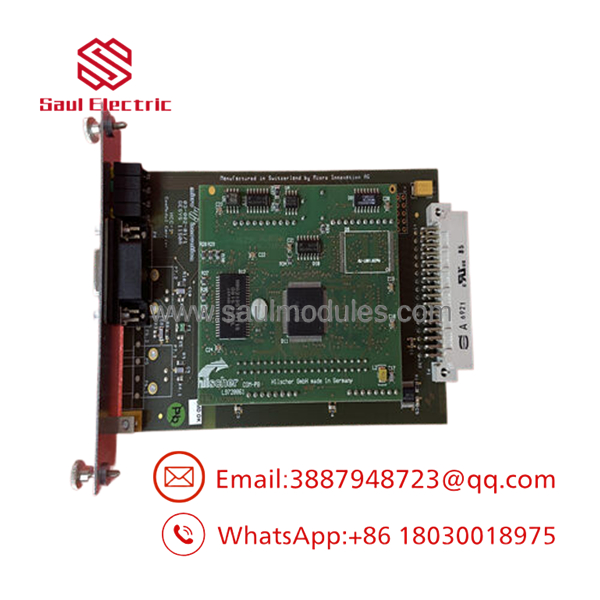
The Eaton DPM-MC2 is an MC2-series communication expansion module designed to add PROFIBUS DP Master functionality to compatible Eaton XV400 and XVS400 operator panels. Instead of replacing an entire HMI, the module extends communication capability, allowing the panel to exchange cyclic I/O data with PROFIBUS DP slave devices.
In many legacy machine designs, the operator panel already performs visualization while the DPM-MC2 handles the fieldbus network. That architecture reduces additional gateway hardware and simplifies cabinet wiring. One thing to watch out for is compatibility—the MC2 expansion slot and firmware must both support the installed communication module.
Key Technical Specifications
| Parameter | Value |
|---|---|
| Manufacturer | Eaton |
| Model | DPM-MC2 |
| Product Family | MC2 Communication Module |
| Function | PROFIBUS DP Master Communication Module |
| Compatible Platforms | XV400, XVS400 and compatible MC2-equipped operator panels |
| PROFIBUS Standard | PROFIBUS DP Master |
| Installation | Internal MC2 expansion slot |
| Configuration | Eaton engineering software |
| Communication Role | PROFIBUS DP Class 1 Master |
| Typical Application | Distributed I/O, drives, valve islands, remote stations |
| Operating Environment | Industrial control cabinet installation |
| Product Status | Legacy / Discontinued |
Application Scenarios & The “Trench” Experience
A machine powers up normally after an HMI replacement, but every remote I/O rack remains offline. Maintenance spends hours checking Ethernet cables before realizing the original panel contained a DPM-MC2 module that was never transferred to the replacement unit.
I’ve seen this happen more than once. The HMI wasn’t the problem. The missing communication module was.
Typical Applications
Packaging Industry — Cartoning and palletizing systems — Connects distributed PROFIBUS DP remote I/O directly to the operator panel.
Automotive Manufacturing — Assembly cells — Exchanges cyclic data with distributed valve terminals and motor starters over PROFIBUS DP.
Food & Beverage — Filling and packaging equipment — Provides deterministic communication with field devices where consistent update times are required.
Material Handling — Conveyor systems — Interfaces with distributed I/O stations located throughout long conveyor lines.
OEM Machinery — Modular production equipment — Eliminates the need for a separate PROFIBUS gateway in compact control cabinets.
Field Replacement Example
A carton packaging machine using Siemens ET200 remote I/O experienced repeated communication failures after an HMI replacement. The replacement panel booted normally, but the remote I/O never entered Data Exchange mode. During inspection, maintenance discovered the original DPM-MC2 communication module had remained inside the failed operator panel. After transferring the module, confirming the GSD configuration, and restarting the PROFIBUS network, the machine returned to production within the scheduled maintenance window.
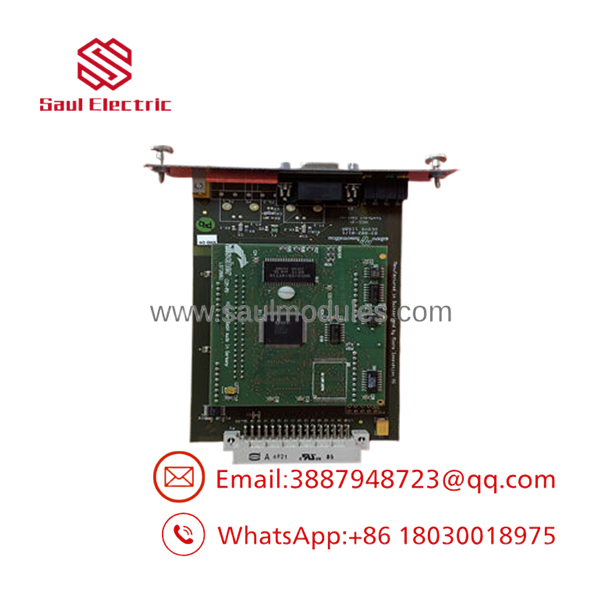
- DPM-MC2
Transparency SOP: Quality Assurance & Testing
We don’t just ship boxes; we test them on actual Eaton XV-series hardware whenever practical.
- Inbound Inspection
- Verify Eaton part number and PCB markings.
- Inspect edge connectors and PROFIBUS interface components.
- Check for damaged solder joints or repaired traces.
- Screen for counterfeit indicators.
- Live Rig Testing
- Install the module in a compatible XV/XVS platform.
- Confirm module recognition during startup.
- Verify PROFIBUS initialization.
- Test communication with representative DP slave devices.
- Electrical Parameter Checks
- Verify supply current.
- Inspect communication signal integrity.
- Confirm stable operation during extended runtime.
- Firmware Verification
- Record compatible firmware revision.
- Verify module identification.
- Document hardware revision.
- Final QC & Packaging
- Functional inspection.
- Anti-static packaging.
- Shock-resistant protective materials.
- Traceable serial number documentation.
The Veteran’s Tech Trap Guide
⚠️ Don’t assume every XV400 supports every MC2 module.
Verify the exact operator panel model and firmware revision before ordering. Some early hardware revisions have communication limitations.
⚠️ Always save the PROFIBUS configuration first.
The GSD files and network configuration are just as important as the hardware. Losing either can add hours to commissioning.
❗ Check bus termination before replacing hardware.
Many “failed communication modules” turn out to be incorrect PROFIBUS termination or damaged connectors.
⚠️ Match the node configuration.
Even with the correct installed, mismatched baud rates or network parameters will prevent slave devices from entering cyclic data exchange.
Frequently Asked Questions (FAQ)
Q1. What does the actually do?
It converts a compatible Eaton operator panel into a PROFIBUS DP Master, allowing it to communicate directly with PROFIBUS DP slave devices.
Q2. Is the compatible with every Eaton HMI?
No. It is intended for compatible Eaton operator panels equipped with an MC2 communication expansion slot. Always verify compatibility before ordering.
Q3. Can the module be installed while the panel is powered?
No. Remove all power before installing or removing the communication module. Hot installation can damage both the module and the host panel.
Q4. Does the module require configuration?
Yes. PROFIBUS network parameters, slave configuration, and engineering software settings must match the installed field devices before communication will begin.
Q5. Is the still manufactured?
No. It belongs to Eaton’s legacy MC2 communication module family and is generally available only through surplus inventory or specialized industrial automation suppliers.
Q6. Why is surplus inventory less expensive than buying directly from the OEM?
Most available modules originate from unused project inventory, maintenance spare stock, or equipment decommissioning. After functional testing, these genuine OEM modules provide a practical replacement option for legacy automation systems.
Q7. What should I verify before installation?
Confirm the host panel model, firmware revision, PROFIBUS network configuration, GSD files, termination settings, and node addressing. Verify connector pin assignments and installation procedures using the official Eaton documentation before applying power.

 Start Chat


