





Description
Product Introduction & Engineering Value
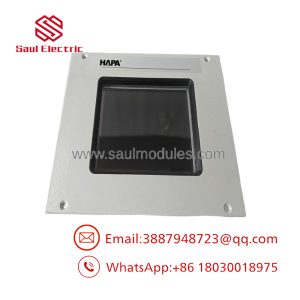
The Eaton XV-102-E6-57TVRC-10 is a 5.7-inch XV100-series operator panel intended for local machine and process visualization. The touchscreen interface gives operators access to status information, alarms, parameters, and control commands without requiring a separate industrial computer.
For replacement work, the complete XV-102-E6-57TVRC-10 designation matters. The XV100 family contains multiple hardware configurations, so a similar-looking 5.7-inch panel should not be treated as a direct substitute until its power, communications, software, mounting, and display characteristics have been confirmed.
Technical Specifications
| Parameter | Specification |
|---|---|
| Manufacturer | Eaton |
| Model | XV-102-E6-57TVRC-10 |
| Product Family | XV100 |
| Product Type | HMI / Operator Panel |
| Display Size | 5.7 in |
| Display Type | Color graphical display |
| Operator Interface | Touchscreen |
| Application | Machine and process visualization |
| Mounting | Panel installation |
| Communication | Model/configuration dependent |
| Power Supply | Verify exact model documentation |
| Application Project | Configuration-dependent |
Engineering note
The suffix E6-57TVRC-10 should be retained in all purchasing and maintenance records. Do not assume that another XV100 5.7-inch unit has identical communications, memory, power requirements, or software compatibility.
Field Application & the “Trench” Experience
A touchscreen replacement can look easy on paper. It rarely is.
Suppose an older machine has an XV-102 operator panel displaying production counts, drive status, alarm history, and recipe parameters. The replacement unit powers up correctly, but the PLC connection does not come online. The problem is not the display—it is the application and communications configuration.
Before removing the original XV-102-E6-57TVRC-10, back up the HMI project and document the communication settings. Record the controller address, network or serial connection, screen configuration, and any machine-specific parameters.
Specific application scenarios
- Packaging-machine operator stations for recipes, alarms, machine status, and production data.
- Material-handling systems requiring local control of conveyors, drives, and interlocks.
- Process-skid operator panels where a compact touchscreen provides local monitoring and setpoint entry.
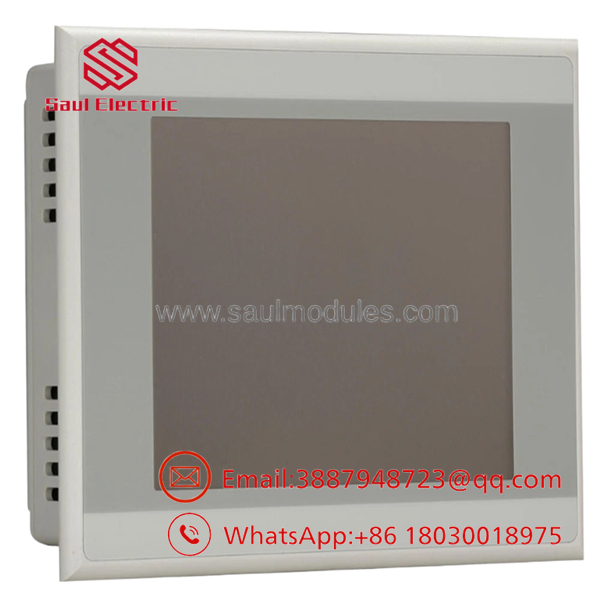
XV-102-E6-57TVRC-10
Transparency SOP: QA & Testing
For New Surplus XV-102-E6-57TVRC-10, a practical QA process is:
Check the label. Confirm XV-102-E6-57TVRC-10 and XV100 identification.
Check the display. Inspect the screen for cracks, scratches, pressure marks, dead pixels, or discoloration.
Check the touchscreen. Verify representative areas across the display respond correctly.
Check the enclosure. Inspect mounting hardware, bezel, rear connectors, and terminal areas.
Power it up. Verify normal startup behavior under controlled test conditions.
Verify communications. Where test equipment is available, establish communication with the applicable controller or test system.
Confirm project status. Determine whether the unit is supplied as hardware only or with an application project.
A New Surplus unit should not be described as fully tested merely because its display illuminates.
The Veteran’s Tech Trap Guide
⚠️ Trap #1 — Buying by “5.7-inch XV100”
That is not enough. Multiple configurations use similar display dimensions. Specify the complete XV-102-E6-57TVRC-10 model.
⚠️ Trap #2 — Forgetting the HMI project
The replacement hardware does not necessarily contain the machine’s original application. Secure the project backup before taking the existing panel offline.
PRO TIP: Photograph the original panel’s rear label and every connected cable. Also record the communication parameters before disconnecting anything.
⚠️ Trap #3 — Assuming a modern replacement will load the old project unchanged
Software versions and hardware capabilities can affect project compatibility. Validate the project against the replacement hardware before the scheduled outage.
Dynamic FAQ
What is Eaton XV-102-E6-57TVRC-10?
It is an Eaton -series 5.7-inch touchscreen HMI/operator panel for industrial machine and process-control applications.
Is this model part of the series?
Yes. XV-102-E6-57TVRC-10 belongs to the Eaton family.
Does the HMI include the customer’s application software?
Not necessarily. New Surplus hardware may be supplied without the machine-specific project. Confirm software/project status with the supplier before ordering.
What should I verify before purchasing a replacement?
Verify the complete model number, display configuration, power requirements, communication interface, mounting dimensions, software compatibility, and the controller to which the HMI will connect.
Can another 5.7-inch panel replace this model?
Do not assume so. Matching the display size and family does not establish full compatibility. Compare the complete catalog designation and applicable technical documentation.
How should New Surplus condition be verified?
Ask for photographs of the actual unit, including the front display and rear identification label. Confirm whether the touchscreen and communication interfaces have been tested and whether the unit has been previously installed.
What warranty should I request?
Confirm the warranty period, test status, condition classification, project/software status, and return provisions in writing. For a production HMI, these details are more useful than a generic “tested” statement.

 Start Chat


